USB Device Control: Stop Data Theft and Malware at Small Scale
Most small business breaches begin with a physical drive, not an email, because standard antivirus often ignores removable media until it is too late.

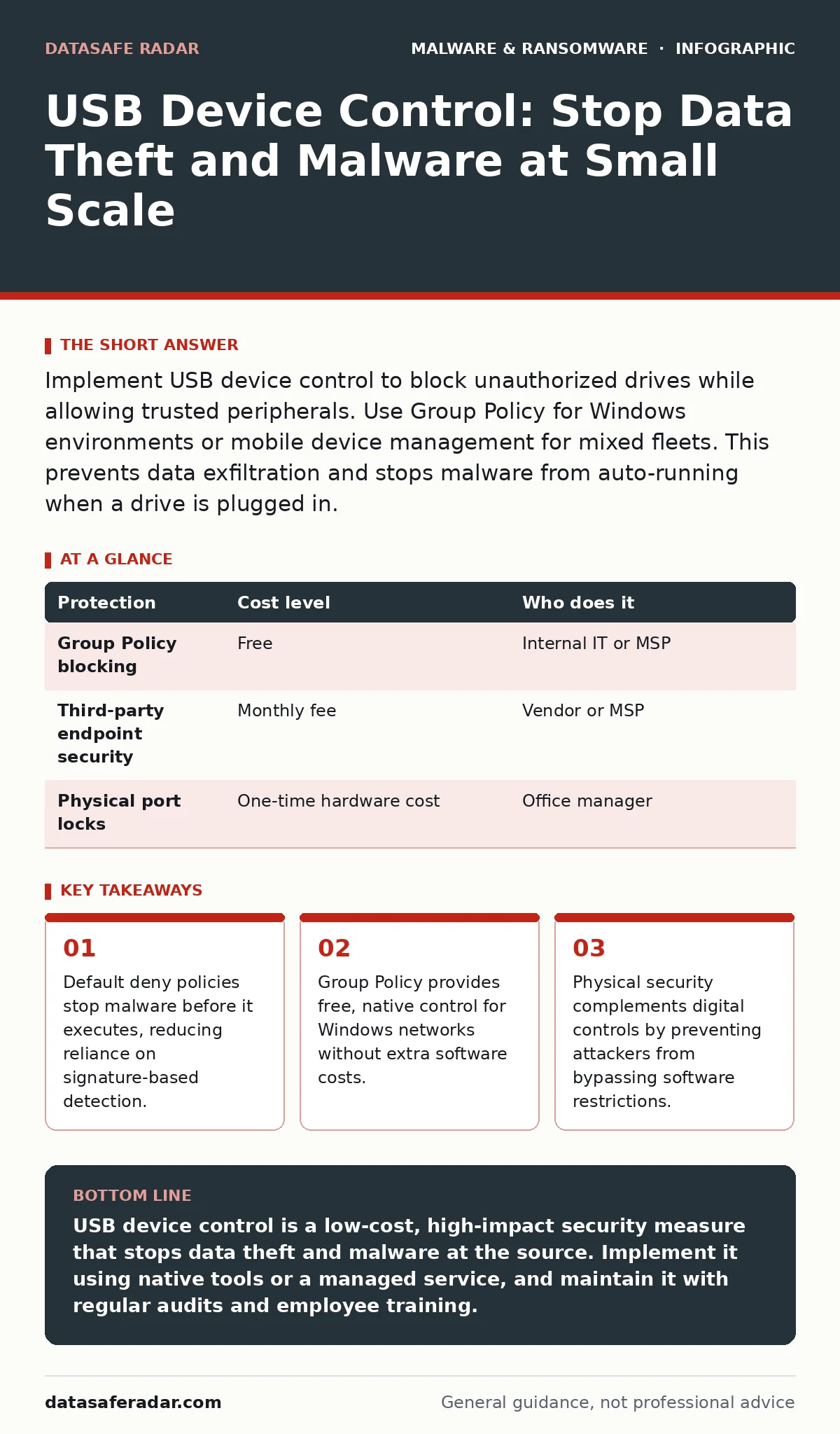
Implement USB device control to block unauthorized drives while allowing trusted peripherals. Use Group Policy for Windows environments or mobile device management for mixed fleets. This prevents data exfiltration and stops malware from auto-running when a drive is plugged in.
The Physical Attack Surface
Digital security often focuses on network traffic and email. This focus leaves a blind spot at the physical ports of your computers. A USB device can act as a keyboard, a network adapter, or a storage drive. This versatility makes it a powerful tool for attackers.
When a drive connects, the operating system often trusts it immediately. This trust allows malicious code to execute before your security software can scan it. For a small business, this means a single lost or stolen drive can compromise your entire network.
You cannot patch this vulnerability with software updates alone. The hardware interface itself is the entry point. You must control what connects to your systems, not just what runs on them.
Why Small Teams Are Vulnerable
Large organizations have dedicated security teams to monitor physical access. Small businesses rarely have this luxury. You likely rely on generalist IT support or handle it yourself. This creates a gap in policy enforcement.
Employees often view USB restrictions as inconvenient. They want to transfer files quickly. Without clear rules, they will find workarounds. These workarounds often involve disabling security features or using unapproved software.
The cost of a breach for a small team is disproportionately high. You may not have the resources for long legal battles or extensive recovery. Preventing the initial infection is the most effective defense.
Native Controls for Windows Networks
If your business uses Windows computers, you already have the tools to control USB access. Group Policy is a feature that lets you define rules for all computers in a network. It is included with Windows Server and Pro editions of Windows.
You can configure Group Policy to block all removable storage. This stops data theft and prevents malware from loading. It also stops employees from using unauthorized drives.
This method is free if you already have the software. It requires no additional licenses. The trade-off is that it requires technical knowledge to set up correctly. Misconfiguration can lock users out of their own devices.
| Protection | Cost level | Who does it |
|---|---|---|
| Group Policy blocking | Free | Internal IT or MSP |
| Third-party endpoint security | Monthly fee | Vendor or MSP |
| Physical port locks | One-time hardware cost | Office manager |
Managing Mac and Mixed Environments
Apple macOS does not have a direct equivalent to Group Policy. You must use Mobile Device Management solutions to enforce restrictions. These solutions allow you to push settings to multiple Macs at once.
For mixed environments with both Windows and Mac, you need a unified approach. Using different tools for each platform increases complexity. Complexity leads to errors. Errors lead to security gaps.
Consider a solution that manages both operating systems. This ensures consistent policy enforcement. It also simplifies reporting and auditing. You can see exactly which devices are connected and by whom.
The Hidden Cost of Convenience
Blocking all USB drives creates friction. Employees need to transfer files. They need to connect printers or scanners. A blanket ban can slow down work.
You must balance security with usability. Allow specific devices while blocking others. Use whitelisting to permit trusted hardware. This requires maintaining a list of approved devices.
This process takes time. You must audit your hardware regularly. You must update the whitelist as you buy new equipment. Neglecting this maintenance renders the policy useless.
What to Delegate to Professionals
Setting up USB controls is not just about clicking buttons. It requires understanding your business processes. You need to know which devices are essential.
An IT provider can help you map these processes. They can configure the policies to match your needs. They can also test the configuration to ensure it works.
Do not attempt this alone if you lack the expertise. A misconfigured policy can disrupt operations. It can also create false confidence. You might think you are protected when you are not.
Here are questions to ask an IT provider:
- How do you handle exceptions for critical business devices?
- Can you provide logs of USB connection attempts?
- What is your process for updating the whitelist?
- How do you recover if a policy locks out a user?
- Do you offer regular audits of USB usage?
Beyond Software: Physical Security
Software controls can be bypassed. An attacker with physical access can remove the drive controller. They can also use hardware keyloggers that sit between the keyboard and the computer.
You must secure your physical space. Lock offices when no one is present. Use cable locks for laptops. These measures add a layer of defense.
They do not replace digital controls. They complement them. An attacker must overcome both physical and digital barriers. This increases the effort and risk for the attacker.
Consider the concept of recovery point objective. This is the maximum amount of data you can afford to lose. USB controls help you meet this objective by preventing data theft. They also help prevent malware that could destroy your backups.
Maintaining the Policy
USB device control is not a one-time setup. It requires ongoing management. You must review logs regularly. Look for patterns of unauthorized access.
Train your employees. Explain why the restrictions exist. Show them the approved methods for file transfer. Use cloud storage or secure internal servers.
Review your policies annually. Business needs change. New devices are introduced. Old devices are retired. Your controls must evolve with your business.
Key takeaways
- Default deny policies stop malware before it executes, reducing reliance on signature-based detection.
- Group Policy provides free, native control for Windows networks without extra software costs.
- Physical security complements digital controls by preventing attackers from bypassing software restrictions.
USB device control is a low-cost, high-impact security measure that stops data theft and malware at the source. Implement it using native tools or a managed service, and maintain it with regular audits and employee training.
Frequently asked questions
Can I allow specific USB drives while blocking others?
Yes, most systems support whitelisting based on device serial numbers or hardware IDs. This allows trusted devices to function while blocking unknown ones.
Does this stop all malware?
No, it only stops malware that arrives via USB. You still need email security and web filtering. It is one layer of a broader defense strategy.
What if an employee needs to transfer files urgently?
Provide alternative methods like secure cloud storage or internal file shares. These methods are auditable and do not require physical media.
Is USB device control legal?
Yes, employers have the right to control company-owned devices. However, you must inform employees of the policy. Transparency avoids legal
How this guide was produced: written by the DataSafe Radar editorial team with AI assistance, checked against the public references listed below, and reviewed when the facts change. See our editorial policy or report an error.