How Recovery Point Objective Works in Data Backups
Recovery point objective defines how much recent work you accept losing when a system fails, turning backup frequency into a financial calculation rather than a technical one.

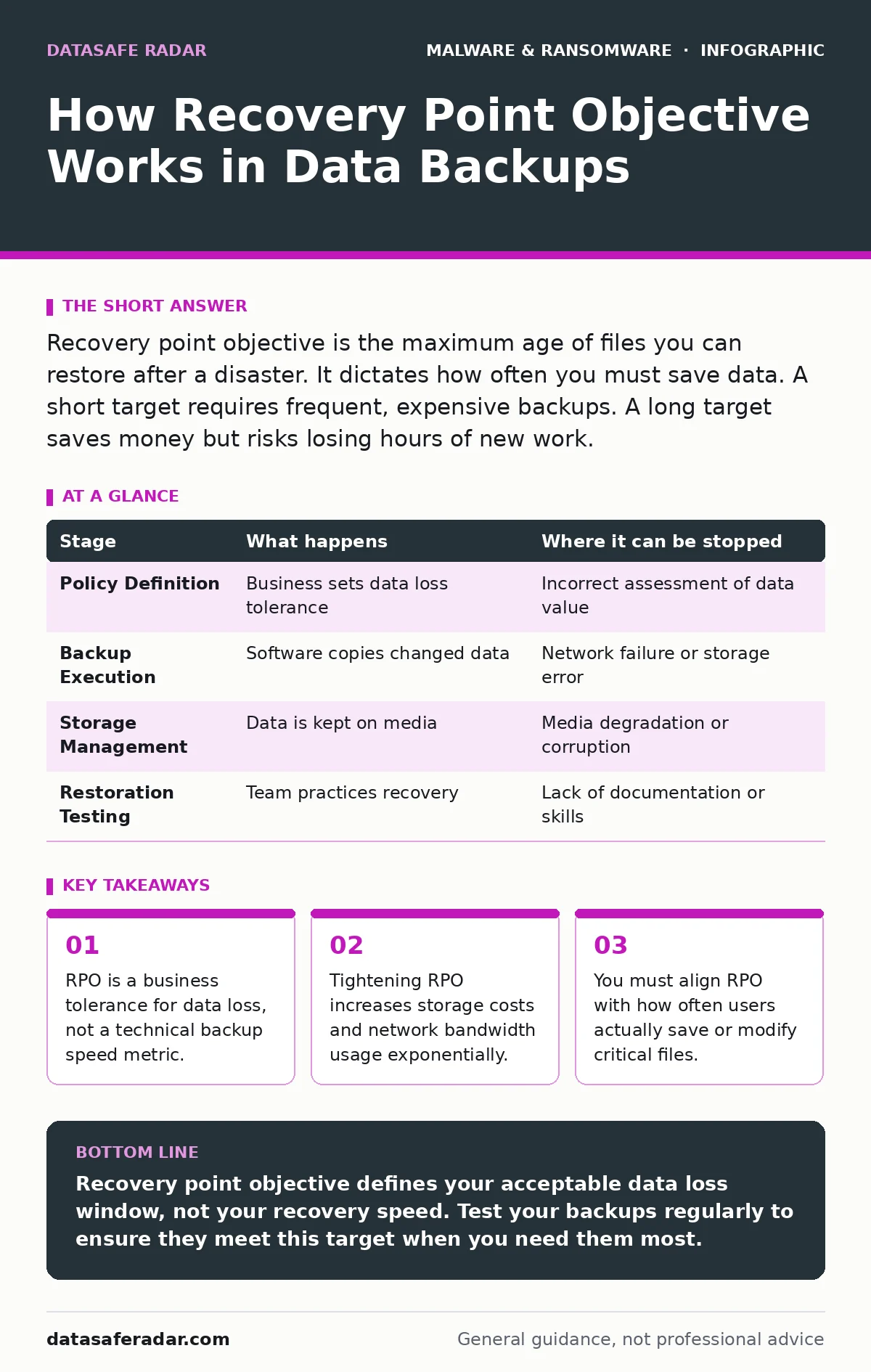
Recovery point objective is the maximum age of files you can restore after a disaster. It dictates how often you must save data. A short target requires frequent, expensive backups. A long target saves money but risks losing hours of new work.
Defining the Tolerance for Lost Work
Recovery point objective, often called RPO, measures the maximum amount of data you can afford to lose. It is not about how fast you recover. It is about how much recent work disappears when a system goes down. If your RPO is one hour, you must be able to restore data from no more than sixty minutes ago.
This metric drives your backup strategy. It forces you to choose between cost and safety. A shorter RPO means more frequent backups. More frequent backups require more storage space and more network bandwidth. You pay for every minute of history you decide to keep.
The Mechanics of Data Capture
Backups do not happen in real-time by default. Most systems copy data at set intervals. This interval is your RPO. If you back up once a day, your RPO is twenty-four hours. If you back up every fifteen minutes, your RPO is fifteen minutes.
The mechanism behind this is simple. The backup software scans for changes. It copies only the files that have changed since the last scan. This is called incremental backup. It saves space but relies on the previous backup being intact. If the first backup in a chain is corrupted, every subsequent backup may fail to restore correctly.
Calculating Your True RPO
You cannot set an RPO based on what you wish you had. You must set it based on what your business can survive. Ask how much effort it takes to recreate lost work. If lost data can be re-entered easily, a longer RPO is acceptable. If lost data represents unique customer interactions that cannot be recreated, you need a short RPO.
Consider the type of data. Static files like software installers rarely change. They can have a long RPO. Dynamic files like financial ledgers change constantly. They need a short RPO. Mixing these types in one backup policy wastes resources. You are paying to back up unchanged data at high frequency.
The Cost of Frequency
Shortening your RPO has hidden costs. Every backup job consumes network bandwidth. If you back up every minute, your network may slow down for other users. This is a performance trade-off. You must ensure the backup traffic does not interfere with daily operations.
Storage costs also rise. Keeping more versions of files requires more disk space. If you keep every minute’s change for thirty days, you need significantly more storage than if you keep only daily changes. This is the hidden cost of precision. You pay for the privilege of having less to lose.
Aligning with Protection Layers
RPO works with other security measures. Real-time protection stops malware before it encrypts files. If that fails, your backup is the last line of defense. If your RPO is too long, you lose data even if the malware is stopped. The window between the last backup and the attack is your risk period.
Fileless malware can hide in memory and avoid traditional backups. If your backup only copies files, you may miss this threat. You need to understand what your backup actually captures. If it does not capture system state or memory, your RPO for those components is effectively infinite. You cannot restore what you never saved.
The Restoration Reality Check
Having a backup is not enough. You must test the restore process. A backup that cannot be restored is useless. Test your RPO by simulating a failure. Restore data from the target time window. Measure how long it takes. If the restore takes longer than your tolerance, your RPO is not met.
Document the steps for restoration. Ensure multiple people know how to perform it. If only one person knows the process, you have a single point of failure. This is a human risk that technical controls cannot fix. Practice the restore regularly to keep skills sharp.
Integrating with Device Controls
USB device control can prevent data theft but also complicate backups. If you restrict USB drives, you lose a simple way to move data off-site. You must use network or cloud backups instead. This changes your RPO capabilities. Network backups depend on internet speed and reliability.
Stalkerware often hides on mobile devices. If you back up mobile data, you may back up the malware too. This can reinfect your system when you restore. You must scan backups for threats before restoring. This adds time to your recovery process. It may force you to accept a longer RPO to allow for thorough scanning.
Managing the Lifecycle
Backups degrade over time. Media fails. Software updates break compatibility. You must rotate your backups. Keep multiple copies on different media. Use the 3-2-1 rule: three copies, two different media, one off-site. This protects against various failure modes.
Review your RPO annually. Business needs change. Data volume grows. What was acceptable last year may not be today. Adjust your backup frequency and storage accordingly. Do not let your RPO drift. A drifting RPO means you are losing more data than you think.
Summary of Stages
| Stage | What happens | Where it can be stopped |
|---|---|---|
| Policy Definition | Business sets data loss tolerance | Incorrect assessment of data value |
| Backup Execution | Software copies changed data | Network failure or storage error |
| Storage Management | Data is kept on media | Media degradation or corruption |
| Restoration Testing | Team practices recovery | Lack of documentation or skills |
Final Considerations
RPO is a balance of risk and cost. You cannot have zero data loss without infinite cost. Choose a point that aligns with your ability to recreate work. Test your backups regularly. Ensure your team knows how to restore.
Key takeaways
- RPO is a business tolerance for data loss, not a technical backup speed metric.
- Tightening RPO increases storage costs and network bandwidth usage exponentially.
- You must align RPO with how often users actually save or modify critical files.
Recovery point objective defines your acceptable data loss window, not your recovery speed. Test your backups regularly to ensure they meet this target when you need them most.
Frequently asked questions
Is RPO the same as recovery time objective?
No. RPO measures how much data you lose. Recovery time objective measures how long it takes to get back to work. They are separate metrics.
Can I have an RPO of zero?
Only with continuous data replication, which is expensive and complex. Most organizations accept some small amount of data loss.
How often should I test my backups?
Test at least quarterly. More frequent testing is better for critical systems. Ensure you test the actual restore process, not just the backup creation.
Does cloud backup affect my RPO?
Yes. Cloud backups depend on internet upload speed. If your upload is slow, you may not be able to back up frequently enough to meet a tight RPO.
How this guide was produced: written by the DataSafe Radar editorial team with AI assistance, checked against the public references listed below, and reviewed when the facts change. See our editorial policy or report an error.