Real-Time Protection Mistakes That Leave Your System Exposed
Real-time protection often blocks nothing because silent exclusions and delayed updates create blind spots that malware exploits before the engine wakes up.

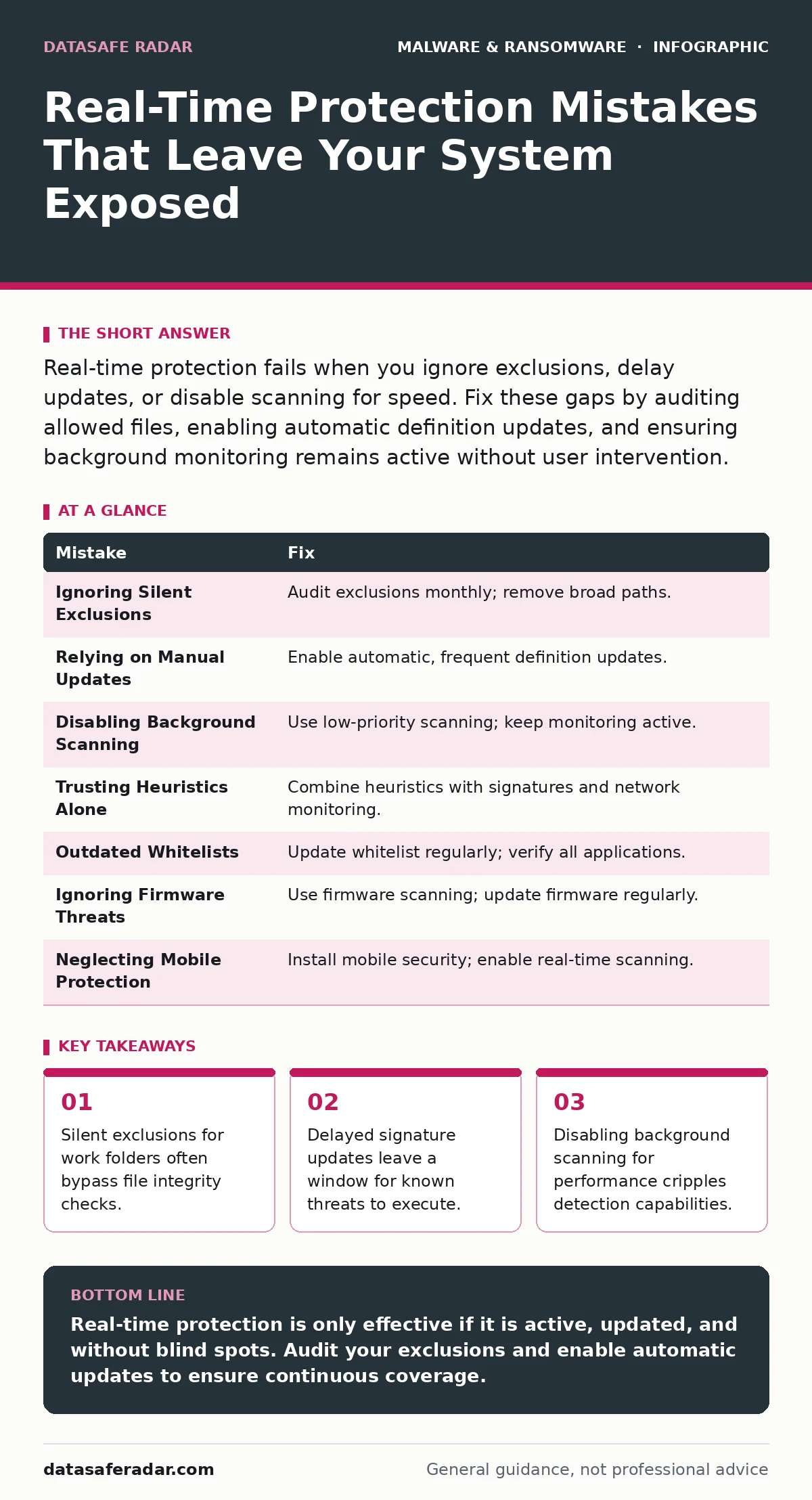
Real-time protection fails when you ignore exclusions, delay updates, or disable scanning for speed. Fix these gaps by auditing allowed files, enabling automatic definition updates, and ensuring background monitoring remains active without user intervention.
Mistake 1: Ignoring Silent Exclusions for Productivity Folders
Many users or administrators add large directories to the exclusion list to prevent false positives that interrupt work. This practice stops the antivirus engine from scanning files in those folders. Malware dropped into an excluded directory runs without triggering any alerts.
Why it hurts:
Exclusions create a blind spot where malware hides in plain sight. If a threat lands in an excluded folder, the real-time monitor skips it entirely. The system treats the malicious file as trusted data, allowing execution and persistence.
The fix:
Audit your exclusion list monthly and remove any broad directory paths. Replace broad exclusions with specific file extensions or hashes if necessary. Ensure that critical system and user data directories remain under active surveillance.
Mistake 2: Relying Solely on Signature Updates
Real-time protection depends on definition files that identify known threats. Some users believe that updating these signatures once a week is sufficient. This approach assumes that new malware variants take time to appear and spread.
Why it hurts:
New malware can propagate faster than manual update cycles. A delay in updating definitions leaves the system vulnerable to recently discovered threats. The protection engine cannot recognize a threat it has not seen before.
The fix:
Enable automatic, frequent updates for threat definitions. Ensure the software checks for updates multiple times daily. This reduces the window of exposure to newly identified malware variants.
Mistake 3: Disabling Background Scanning for Performance
Users often disable real-time scanning to improve system responsiveness. They assume the background process consumes too many resources. This trade-off sacrifices security for perceived speed gains.
Why it hurts:
Disabling background scanning removes the primary layer of defense. Malware can execute and modify files without detection. The system becomes reactive rather than proactive, relying on manual scans that occur too late.
The fix:
Adjust scanning settings to balance performance and security. Use low-priority scanning modes that yield CPU resources to active applications. Keep real-time monitoring enabled at all times to catch threats as they arrive.
Mistake 4: Assuming Heuristics Catch Everything
Heuristic analysis examines behavior rather than just known signatures. Users often trust this feature to catch all unknown threats. This assumption ignores the limitations of behavioral detection accuracy.
Why it hurts:
Heuristics can produce false positives or miss sophisticated threats. Advanced malware may mimic legitimate behavior to avoid detection. Relying solely on heuristics leaves gaps for targeted attacks that evade behavioral analysis.
The fix:
Combine heuristic scanning with regular signature updates. Use layered security approaches that include network monitoring and application control. This multi-layered strategy reduces the risk of missing complex threats. See our guide on fileless malware for more on threats that evade traditional scanning.
Mistake 5: Ignoring Application Whitelisting Gaps
Application whitelisting allows only approved programs to run. Users often fail to update the whitelist as new legitimate software is installed. This oversight blocks necessary tools or allows unauthorized code to execute.
Why it hurts:
An outdated whitelist can block critical updates or applications. Conversely, it may allow malicious code if not properly configured. This creates friction for users and potential security gaps for the organization.
The fix:
Maintain a strict process for adding applications to the whitelist. Review and update the list regularly to reflect current software needs. Ensure that only verified and trusted applications are permitted to run.
Mistake 6: Overlooking Firmware-Level Threats
Traditional antivirus focuses on the operating system and applications. Users often ignore the firmware that boots the system. This oversight leaves a foundational layer of the system unprotected.
Why it hurts:
Firmware malware can persist even after the operating system is reinstalled. It operates below the level of standard antivirus protection. This makes detection and removal extremely difficult without specialized tools.
The fix:
Use security solutions that include firmware scanning capabilities. Regularly update firmware to patch known vulnerabilities. Consider hardware-based security features that protect the boot process. Read more about firmware malware to understand these deep-rooted threats.
Mistake 7: Neglecting Mobile Device Protection
Users often assume mobile devices are less targeted than computers. They fail to install real-time protection on smartphones and tablets. This assumption leaves mobile data and connections vulnerable.
Why it hurts:
Mobile devices store sensitive personal and financial information. Malware on mobile devices can intercept messages, steal credentials, and access cameras. The lack of real-time protection allows these threats to operate undetected.
The fix:
Install reputable security software on all mobile devices. Enable real-time scanning and remote wipe capabilities. Keep the operating system and applications updated to patch security flaws. For detailed steps, see our guide on removing malware from an Android phone.
| Mistake | Fix |
|---|---|
| Ignoring Silent Exclusions | Audit exclusions monthly; remove broad paths. |
| Relying on Manual Updates | Enable automatic, frequent definition updates. |
| Disabling Background Scanning | Use low-priority scanning; keep monitoring active. |
| Trusting Heuristics Alone | Combine heuristics with signatures and network monitoring. |
| Outdated Whitelists | Update whitelist regularly; verify all applications. |
| Ignoring Firmware Threats | Use firmware scanning; update firmware regularly. |
| Neglecting Mobile Protection | Install mobile security; enable real-time scanning. |
Key takeaways
- Silent exclusions for work folders often bypass file integrity checks.
- Delayed signature updates leave a window for known threats to execute.
- Disabling background scanning for performance cripples detection capabilities.
Real-time protection is only effective if it is active, updated, and without blind spots. Audit your exclusions and enable automatic updates to ensure continuous coverage.
Frequently asked questions
Does real-time protection slow down my computer?
Modern solutions use low-priority scanning to minimize impact. Disabling it for speed creates significant security risks that outweigh minor performance gains.
Can real-time protection stop all ransomware?
No protection is perfect. Real-time scanning catches known threats and suspicious behavior, but advanced ransomware may bypass initial detection layers.
Why do I still get malware with real-time protection enabled?
False negatives occur when malware uses new techniques or hides in excluded areas. Layered security and regular updates reduce this risk significantly.
Is cloud-based scanning better than local scanning?
Cloud scanning offers faster updates and lower local resource usage. Local scanning works offline. A hybrid approach provides the best balance of speed and reliability.
How this guide was produced: written by the DataSafe Radar editorial team with AI assistance, checked against the public references listed below, and reviewed when the facts change. See our editorial policy or report an error.