How Microsoft Defender Antivirus Detects and Blocks Threats
Defender analyzes file behavior in memory before execution, catching threats that static signature scans miss by observing what the code attempts to do rather than just what it looks like.

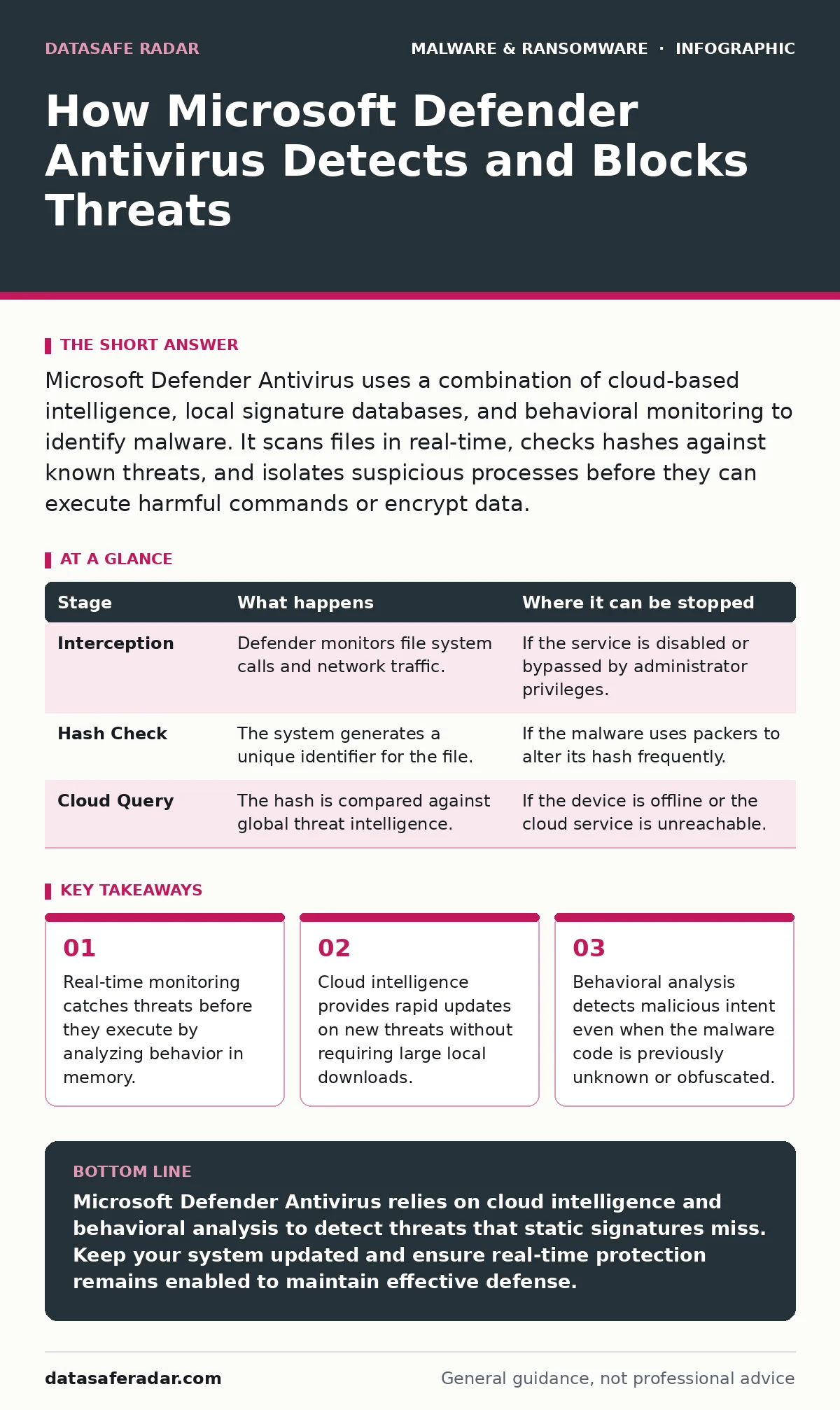
Microsoft Defender Antivirus uses a combination of cloud-based intelligence, local signature databases, and behavioral monitoring to identify malware. It scans files in real-time, checks hashes against known threats, and isolates suspicious processes before they can execute harmful commands or encrypt data.
The Initial Scan Mechanism
Microsoft Defender Antivirus operates as a background service that monitors file activity continuously. You do not need to initiate a scan for protection to work. The system intercepts file operations the moment they occur. When you download a file, insert a USB drive, or open a document, Defender examines the contents. This process happens in milliseconds to avoid slowing down your computer.
The engine checks the file against a local database of known signatures. These signatures are unique strings of code associated with previously identified malware. If a match is found, the file is blocked immediately. This method is fast and reliable for known threats. It fails against new variants that have not been cataloged yet.
Cloud Intelligence Integration
Local signature databases cannot keep pace with the volume of new malware created daily. Defender relies heavily on cloud-based intelligence to fill this gap. When a file is encountered that lacks a local signature match, Defender calculates a cryptographic hash of the file. It sends this hash to Microsoft’s cloud infrastructure for verification.
The cloud service contains a vast repository of threat data collected from millions of devices. If the cloud identifies the hash as malicious, it returns a directive to block or quarantine the file. This allows your device to protect against threats that were discovered hours ago. The trade-off is a dependency on network connectivity. Without an internet connection, the cloud lookup fails, and the system relies solely on local rules.
Stage 1: File Interception
| Stage | What happens | Where it can be stopped |
|---|---|---|
| Interception | Defender monitors file system calls and network traffic. | If the service is disabled or bypassed by administrator privileges. |
| Hash Check | The system generates a unique identifier for the file. | If the malware uses packers to alter its hash frequently. |
| Cloud Query | The hash is compared against global threat intelligence. | If the device is offline or the cloud service is unreachable. |
Behavioral Analysis Engine
Static signatures and cloud hashes are insufficient against zero-day malware or custom attacks. Defender employs behavioral analysis to detect malicious intent. This engine observes what a process does rather than what it is. It looks for patterns associated with malware, such as attempts to modify system files, inject code into other processes, or communicate with command-and-control servers.
For instance, if a document tries to execute a script that contacts an unknown external server, the behavior triggers an alert. This method catches threats that have never been seen before. The downside is the potential for false positives. Legitimate software that behaves aggressively, such as some system utilities, may be flagged incorrectly. Users must review quarantined items to restore legitimate tools.
Memory and Process Monitoring
Malware often resides in memory to avoid detection by disk-based scanners. Defender monitors running processes and memory space actively. It checks for code injection techniques where malicious code is inserted into legitimate processes. This is a common tactic used in DLL sideloading attacks. By observing the execution flow, Defender can identify when a trusted application is being used to launch malicious code.
The system can terminate the process and prevent further damage. This stage is critical because many advanced threats bypass file system checks entirely. They operate only in memory, leaving no trace on the disk. Detecting these requires constant, resource-intensive monitoring of active system processes.
Heuristic Scanning Techniques
Heuristic analysis attempts to predict whether a file is malicious based on its structure and characteristics. Defender uses emulation to run suspicious files in a safe, isolated environment. This sandbox allows the engine to observe the file’s actions without risking the host system. If the emulated file attempts to encrypt files or modify registry keys, it is identified as ransomware or malware.
This technique is effective against polymorphic malware that changes its code to evade signature detection. The heuristic engine looks for common malicious traits, such as obfuscation or unusual API calls. However, emulation is computationally expensive. Defender must balance security with performance, so it does not emulate every file. It prioritizes files that exhibit suspicious characteristics.
Stage 2: Deep Inspection
| Stage | What happens | Where it can be stopped |
|---|---|---|
| Emulation | Suspicious files are run in a virtual sandbox. | If the malware detects the sandbox environment and remains dormant. |
| Behavior Logging | System calls and registry changes are recorded. | If the malware uses anti-analysis techniques to hide its actions. |
| Verdict Delivery | The engine decides to block, quarantine, or allow. | If the heuristic threshold is set too high, missing subtle threats. |
Quarantine and Remediation
When a threat is identified, Defender takes action to neutralize it. The default action is to quarantine the file. This moves the file to a protected location where it cannot execute or interact with the system. The file is not deleted immediately, allowing for recovery if it was a false positive. Users can review quarantined items and restore them if necessary.
For active threats, Defender may terminate the associated process and attempt to remove related files. It also scans for persistence mechanisms, such as scheduled tasks or registry keys, that the malware may have installed. Remediation is not always perfect. Some malware components may remain hidden in firmware or system partitions. In such cases, a full system reinstall may be required to ensure complete removal.
Limits and Bypass Risks
Microsoft Defender Antivirus is not invulnerable. It can be bypassed by sophisticated attackers who understand its mechanisms. One common method is to disable real-time protection temporarily. Administrators with high privileges can turn off scanning, leaving the system exposed. Another risk is the delay in cloud intelligence. New threats may exist for a period before they are added to the global database.
During this window, only behavioral analysis can catch them. If the malware behaves subtly, it may evade detection. Additionally, offline attacks cannot benefit from cloud lookups. Users must ensure their local signature database is up to date before disconnecting from the network. Understanding these limits is necessary for maintaining a secure environment.
Integration with System Hardening
Defender works best when combined with other security measures. It is part of a broader strategy that includes application control and network filtering. Application control restricts which programs can run, reducing the attack surface. Network filtering blocks communication with known malicious servers. These layers provide defense in depth. If one layer fails, another may catch the threat.
For example, if a file evades signature detection, network filtering may block its attempt to phone home. Integrating these controls requires careful configuration to avoid disrupting legitimate operations. A balanced approach ensures that security does not hinder productivity. Regular testing of these controls helps identify gaps and improve resilience against evolving threats.
Key takeaways
- Real-time monitoring catches threats before they execute by analyzing behavior in memory.
- Cloud intelligence provides rapid updates on new threats without requiring large local downloads.
- Behavioral analysis detects malicious intent even when the malware code is previously unknown or obfuscated.
Microsoft Defender Antivirus relies on cloud intelligence and behavioral analysis to detect threats that static signatures miss. Keep your system updated and ensure real-time protection remains enabled to maintain effective defense.
Frequently asked questions
Does Microsoft Defender Antivirus slow down my computer?
Modern versions are optimized for performance and typically have a minimal impact on system resources. Heavy scanning during large file transfers may cause slight delays, but background operations are designed to be unobtrusive.
Can Microsoft Defender Antivirus protect against ransomware specifically?
Yes, it includes specialized controls that monitor for rapid file encryption activities. These controls can block ransomware behavior even if the specific variant is unknown, providing an additional layer of defense beyond standard scanning.
Is cloud lookup required for Microsoft Defender Antivirus to work?
While cloud lookup enhances detection of new threats, the antivirus can still function offline using local signatures and behavioral rules. However, protection against the latest threats is reduced without an internet connection.
How does Microsoft Defender Antivirus handle false positives?
Users can review quarantined items and restore files that were incorrectly flagged. Submitting the file for analysis helps improve the detection algorithms, reducing the likelihood of similar false positives in the future.
How this guide was produced: written by the DataSafe Radar editorial team with AI assistance, checked against the public references listed below, and reviewed when the facts change. See our editorial policy or report an error.