How DNS over HTTPS Works: The Mechanics and Hidden Costs
Encrypting DNS queries hides your browsing history from local networks but shifts that visibility to the resolver provider, creating a new single point of observation for your internet traffic.

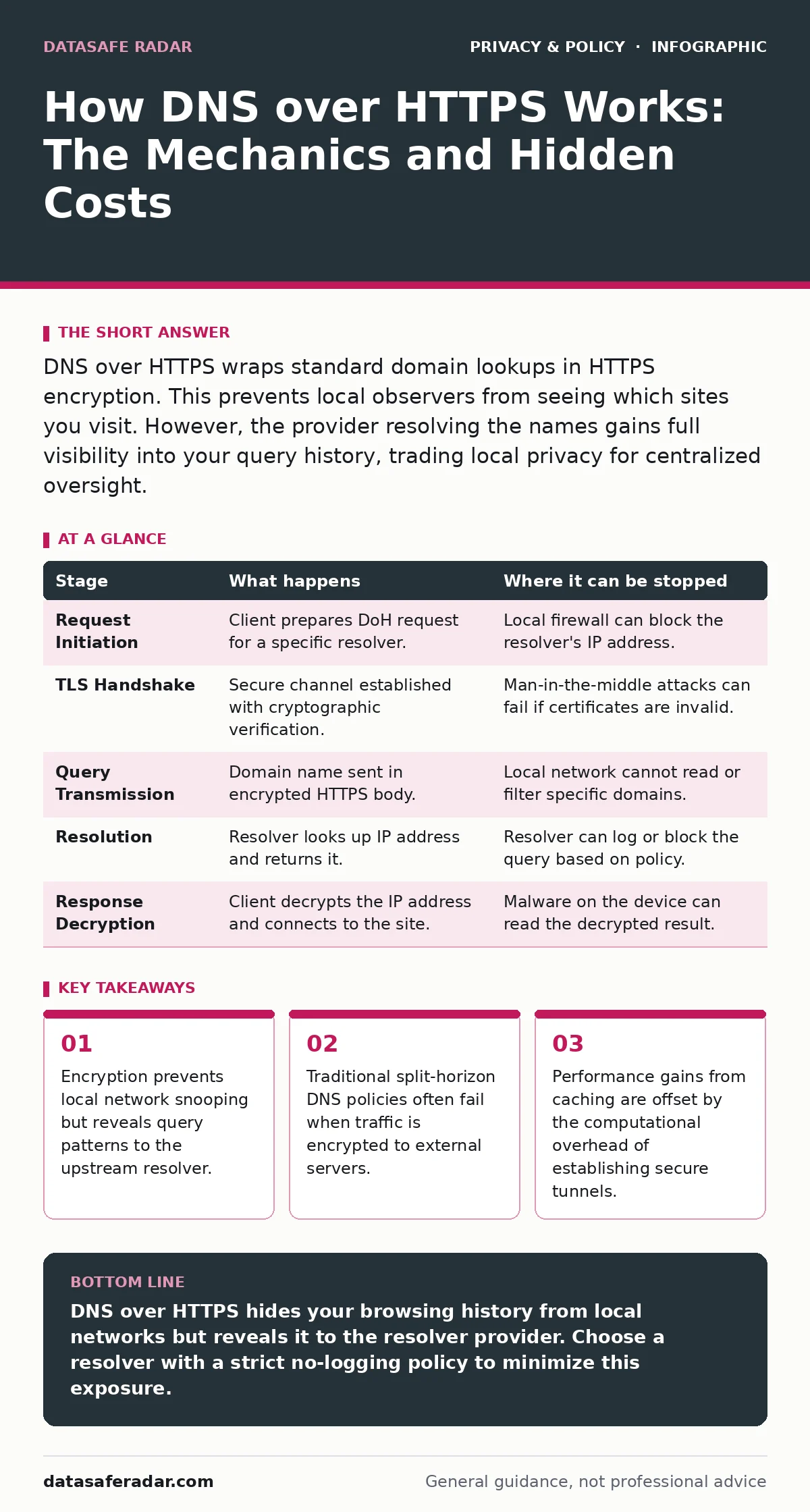
DNS over HTTPS wraps standard domain lookups in HTTPS encryption. This prevents local observers from seeing which sites you visit. However, the provider resolving the names gains full visibility into your query history, trading local privacy for centralized oversight.
The Problem With Plain Text Lookups
Every time you type a website address into your browser, your device must translate that human-readable name into a numerical IP address. This translation process relies on the Domain Name System. In traditional setups, these queries travel across your local network in plain text.
Anyone with access to the network infrastructure can intercept these packets. This includes your internet service provider, the administrator of your office Wi-Fi, or a malicious actor sitting in the same coffee shop. They cannot see the content of the pages you visit if they are encrypted, but they can see exactly which domains you are contacting.
This metadata reveals significant details about your behavior. It shows which medical sites you visit, which banks you use, and which news outlets you read. DNS over HTTPS attempts to solve this visibility problem by wrapping these queries in standard web encryption.
Stage 1: The Initial Request
When you enter a URL, your operating system or browser initiates a lookup. Instead of sending a raw DNS packet to the network gateway, the software prepares to send an HTTPS request. This request looks identical to any other web traffic, such as loading a webpage or checking email.
The destination of this request is a specific DNS resolver that supports the DoH protocol. This resolver is a server that translates domain names into IP addresses. You may configure this resolver manually, or your device may use a default one provided by your browser or operating system.
At this stage, the query is still local to your machine. No data has left your device. The software prepares the cryptographic keys needed to establish a secure session with the resolver. This preparation adds a slight delay compared to traditional DNS, as the system must negotiate the security parameters before sending any data.
Stage 2: Establishing the Secure Tunnel
The client device initiates a TLS handshake with the chosen resolver. TLS is the protocol that secures web traffic, indicated by the padlock icon in your browser. This handshake verifies the identity of the resolver and establishes an encrypted channel.
This step is critical because it ensures that the party receiving your queries is actually who they claim to be. Without this verification, you could be sending your data to an imposter server. The handshake involves exchanging certificates and generating session keys that only the client and the resolver possess.
Once the tunnel is established, all subsequent DNS queries for that session travel through this encrypted pipe. An observer on the local network sees only that you are communicating with the resolver’s IP address. They cannot see the specific domain names you are requesting within that stream of data.
Stage 3: Encrypted Query Transmission
Your device sends the domain name you wish to resolve inside the encrypted HTTPS stream. The packet structure follows standard HTTP methods, typically using a POST or GET request. The domain name is encoded in the body of the request, hidden from view by the TLS encryption.
This transmission prevents intermediate nodes from reading the query. Routers, switches, and firewalls along the path see only encrypted data destined for the resolver. They cannot filter or block specific domain names because they cannot read them.
This creates a blind spot for network administrators. In a corporate environment, IT teams often use DNS filtering to block access to malicious or non-work-related sites. With DoH, the local firewall cannot inspect the destination domain before the request leaves the building. The request bypasses local controls entirely.
| Stage | What happens | Where it can be stopped |
|---|---|---|
| Request Initiation | Client prepares DoH request for a specific resolver. | Local firewall can block the resolver's IP address. |
| TLS Handshake | Secure channel established with cryptographic verification. | Man-in-the-middle attacks can fail if certificates are invalid. |
| Query Transmission | Domain name sent in encrypted HTTPS body. | Local network cannot read or filter specific domains. |
| Resolution | Resolver looks up IP address and returns it. | Resolver can log or block the query based on policy. |
| Response Decryption | Client decrypts the IP address and connects to the site. | Malware on the device can read the decrypted result. |
Stage 4: Resolution and Logging
The resolver receives the encrypted query and decrypts it using the session keys. It then performs the actual DNS lookup. This may involve querying root servers, top-level domain servers, and authoritative name servers to find the correct IP address.
The resolver now knows exactly which domain you are trying to visit. It logs this activity, associating your IP address with the query. This log entry is a permanent record of your request, stored on the resolver’s servers.
This is the hidden cost of DoH. You have traded visibility for your local network for visibility for the resolver provider. If you use a public resolver, that company now has a detailed map of your browsing habits. They may use this data for advertising, analytics, or selling to third parties, depending on their privacy policy.
Stage 5: Response Delivery
The resolver sends the IP address back to your device through the same encrypted tunnel. Your device decrypts the response and extracts the IP address. It then closes the DNS query session, though the HTTPS connection may remain open for subsequent queries to reduce latency.
Your browser now has the IP address needed to connect to the website. It initiates a new connection to the web server, typically using HTTPS again. This second layer of encryption protects the content of your interaction with the website.
The local network sees your device connecting to the website’s IP address. It does not see the domain name used in the initial lookup. However, advanced network monitoring tools can sometimes infer the destination by analyzing traffic patterns and timing, though this is difficult and unreliable.
Limits and Operational Trade-offs
DNS over HTTPS is not a perfect privacy solution. It shifts the trust model rather than eliminating the need for trust. You must trust the resolver not to misuse your data. If you choose a resolver operated by a large technology company, you are consolidating your browsing metadata in their hands.
Network management becomes significantly harder. Organizations rely on DNS for security filtering and internal service discovery. DoH allows users to bypass these controls, potentially accessing blocked content or connecting to malicious domains without detection. This forces IT teams to block all outbound HTTPS traffic to known public resolvers, which can break legitimate applications that rely on them.
There is also a performance consideration. While DoH can improve performance through better caching and multiplexing, the initial TLS handshake adds latency. For users on high-latency connections, this can make browsing feel slower. Additionally, some mobile networks struggle with the persistent connections required by DoH, leading to increased battery usage.
Choosing Your Resolver Wisely
The effectiveness of DoH depends entirely on the provider you choose. Some providers promise not to log queries, while others explicitly state they use data for advertising. You should review the privacy policy of any resolver you configure.
If you are concerned about data brokers collecting your information, consider how DNS logs fit into that ecosystem. These logs can be sold or shared, contributing to the broader surveillance economy. Understanding data subject access requests may help you retrieve and delete this data if you suspect misuse.
For individuals managing multiple devices, consistency is key. Using different resolvers on different devices can fragment your data but also complicates management. Privacy by design principles suggest selecting a resolver that minimizes data collection by default, rather than relying on opt-out mechanisms.
Key takeaways
- Encryption prevents local network snooping but reveals query patterns to the upstream resolver.
- Traditional split-horizon DNS policies often fail when traffic is encrypted to external servers.
- Performance gains from caching are offset by the computational overhead of establishing secure tunnels.
DNS over HTTPS hides your browsing history from local networks but reveals it to the resolver provider. Choose a resolver with a strict no-logging policy to minimize this exposure.
Frequently asked questions
Does DNS over HTTPS make me completely anonymous?
No. It hides your queries from your local network, but the resolver provider can still see your IP address and the domains you visit, allowing them to link this data to your identity.
Can my employer block DNS over HTTPS?
Yes. Employers can block traffic to known public DNS resolvers at the firewall level. This prevents devices from using external DoH services, forcing them to use the corporate DNS infrastructure
How this guide was produced: written by the DataSafe Radar editorial team with AI assistance, checked against the public references listed below, and reviewed when the facts change. See our editorial policy or report an error.