How Baiting Attacks Work: Step-by-Step Breakdown
Baiting attacks exploit curiosity by offering a free resource that installs malware or steals credentials, bypassing traditional security through user action.

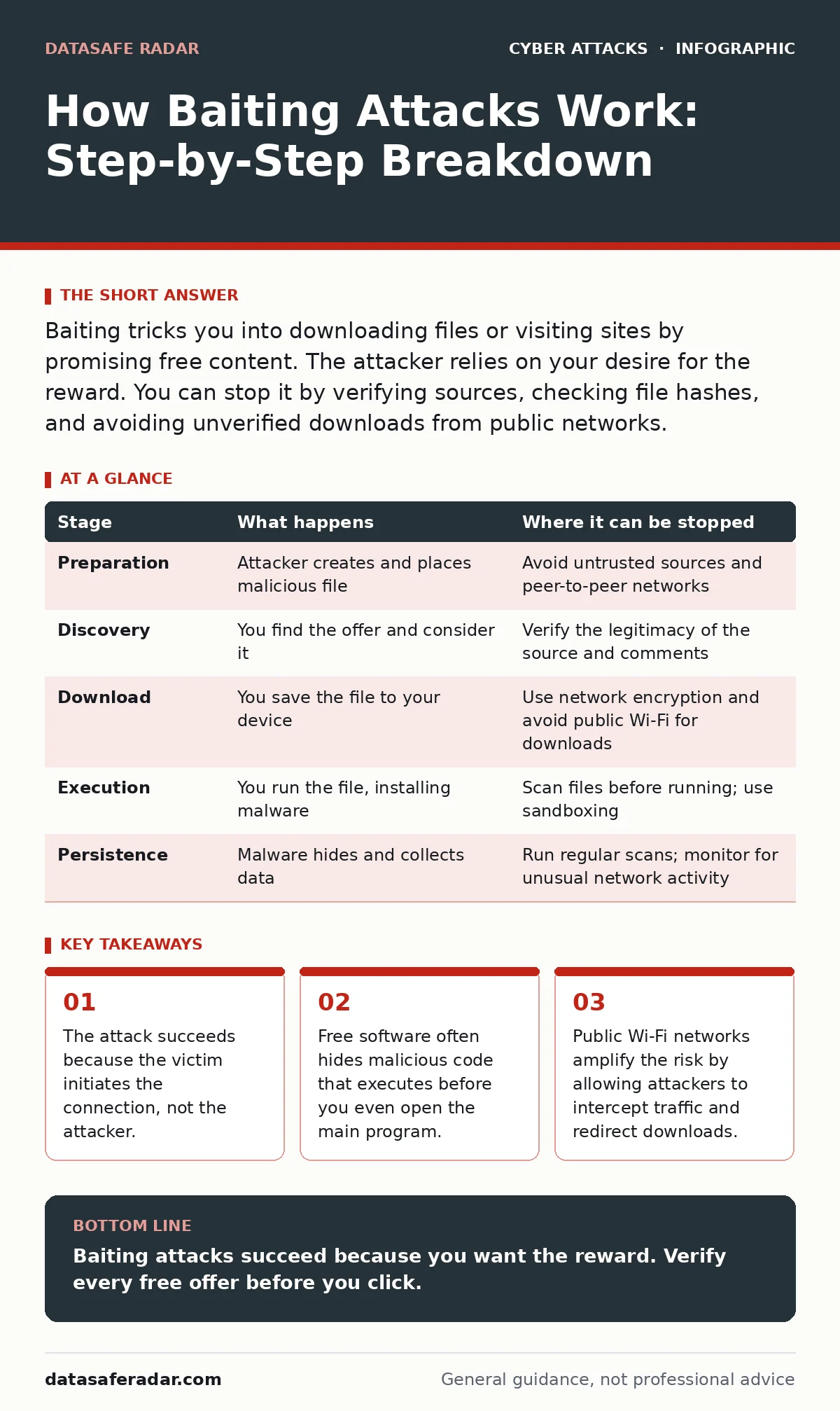
Baiting tricks you into downloading files or visiting sites by promising free content. The attacker relies on your desire for the reward. You can stop it by verifying sources, checking file hashes, and avoiding unverified downloads from public networks.
The Psychology of the Free Offer
Baiting attacks rely on a simple human trait: the desire to get something for nothing. You see a free movie, a discounted software license, or a useful tool that costs money elsewhere. The offer looks legitimate, but the cost is your security. The attacker does not need to break into your system. They only need you to walk through the door they left open.
This differs from vishing, where an attacker uses voice calls to pressure you into action. Baiting is quieter. It waits for you to take the bait. The promise of value lowers your guard. You stop checking the URL. You ignore the warning signs. You click the link because the reward seems worth the small risk.
### Stage 1: Preparation and Placement
The attacker creates the bait. This might be a pirated software installer, a cracked video game, or a document promising exclusive information. The file contains malware disguised as a legitimate application. The attacker then places this file where you are likely to look.
They post it on file-sharing forums, peer-to-peer networks, or social media groups. The placement matters. If the bait appears in a trusted community, you are less likely to suspect it. The attacker might even seed positive comments to build credibility. This stage requires no technical interaction with you. It is purely about visibility and appeal.
### Stage 2: Discovery and Lure
You find the bait. The title matches exactly what you are searching for. The file size looks correct. The comments say it works. This is the moment the attacker hopes you will act. The lure is strong because the alternative is paying for the item or going without.
Imagine you need a specific design tool for a one-time project. You find a free download on a popular forum. The description is detailed. The screenshots look real. You feel clever for finding a workaround. This feeling of cleverness is part of the trap. It makes you feel in control, even as you move closer to the compromise.
### Stage 3: The Download and Execution
You click the download link. Your browser saves the file. This is often where the first technical attack happens. If you are on a public network, the attacker might use evil twin Wi-Fi attacks to intercept the connection. They can redirect your download to a more dangerous version of the file.
Even on a secure network, the file itself is the problem. When you run the installer, it executes hidden code. This code might install a keylogger, a remote access trojan, or ransomware. It happens in the background. You see the progress bar for the "free" software, but the malicious payload is also installing. You are essentially giving the attacker permission to enter your system.
### Stage 4: Persistence and Data Exfiltration
Once installed, the malware establishes persistence. It creates entries in your system startup so it runs every time you boot. It may disable your antivirus software or hide its processes. The attacker now has a foothold. They can watch what you type, steal passwords, or access files.
This stage is silent. You might not notice anything wrong. The software you wanted works fine. But the attacker is collecting data. They might wait for you to log into a banking site. They might harvest your contacts. The goal is to maximize the value of the initial breach. This is similar to how adversary-in-the-middle phishing works, where the attacker sits between you and a service to steal data in real time.
### Stage 5: Cleanup and Disappearance
The attacker may delete logs to hide their tracks. They might use bot protection techniques to mask their IP address or use compromised servers to exfiltrate data. The goal is to make it hard to trace the attack back to them.
You might eventually notice strange behavior. Slow performance, pop-ups, or unauthorized transactions. By then, the attacker has likely moved on or sold your data. The damage is done. The bait has worked.
Where the Attack Can Be Interrupted
You can stop a baiting attack at several stages. The best time is before you download. Verify the source. If a site looks too good to be true, it probably is. Check the file hash if you are technical. Compare it to the official hash from the developer.
If you already downloaded the file, do not run it. Scan it with multiple antivirus engines. Use a sandbox environment if possible. This isolates the file from your main system. If you are on public Wi-Fi, avoid downloading anything. Use a virtual private network to encrypt your traffic. This prevents DNS hijacking and other network-level attacks.
| Stage | What happens | Where it can be stopped |
|---|---|---|
| Preparation | Attacker creates and places malicious file | Avoid untrusted sources and peer-to-peer networks |
| Discovery | You find the offer and consider it | Verify the legitimacy of the source and comments |
| Download | You save the file to your device | Use network encryption and avoid public Wi-Fi for downloads |
| Execution | You run the file, installing malware | Scan files before running; use sandboxing |
| Persistence | Malware hides and collects data | Run regular scans; monitor for unusual network activity |
The Hidden Cost of Convenience
The real cost of baiting is not just the immediate malware. It is the erosion of trust. You start to doubt legitimate offers. You become paranoid about every download. This slows you down and makes you less efficient.
Also, consider the legal risk. Downloading pirated software is illegal. If you get caught, you face fines. The attacker might also use your system to launch DDoS protection attacks against others. Your computer becomes a weapon. You are liable for the damage it causes.
Building a Defense Strategy
Defense starts with education. Teach yourself to recognize common baiting tactics. Look for urgent language, too-good-to-be-true prices, and unfamiliar domains. Use intrusion detection systems to monitor for unusual activity. These tools can alert you if a program tries to access sensitive files or connect to unknown servers.
Keep your software updated. Many baiting attacks exploit known vulnerabilities. Patching closes these doors. Use application whitelisting. This allows only approved programs to run. Even if you download malware, it cannot execute if it is not on the list.
Key takeaways
- The attack succeeds because the victim initiates the connection, not the attacker.
- Free software often hides malicious code that executes before you even open the main program.
- Public Wi-Fi networks amplify the risk by allowing attackers to intercept traffic and redirect downloads.
Baiting attacks succeed because you want the reward. Verify every free offer before you click.
Frequently asked questions
How do I know if a download is safe?
Check the source, verify the file hash against the official developer site, and scan it with multiple antivirus tools before running it.
Can antivirus software stop all baiting attacks?
No. If you run the file, the malware may execute before the antivirus can detect it. Prevention is better than detection.
Is using a VPN enough to protect me?
A VPN encrypts your traffic but does not scan the files you download. You still need to verify the safety of the content itself.
What should I do if I think I fell for a baiting attack?
Disconnect from the internet, run a full system scan, and change all your passwords from a clean device. TAGS
How this guide was produced: written by the DataSafe Radar editorial team with AI assistance, checked against the public references listed below, and reviewed when the facts change. See our editorial policy or report an error.