Stop Third-Party Cookies: Practical Browser Controls That Actually Work
Browser-level blocking removes most tracking cookies instantly, while network-level filters catch the sophisticated trackers that bypass standard settings.

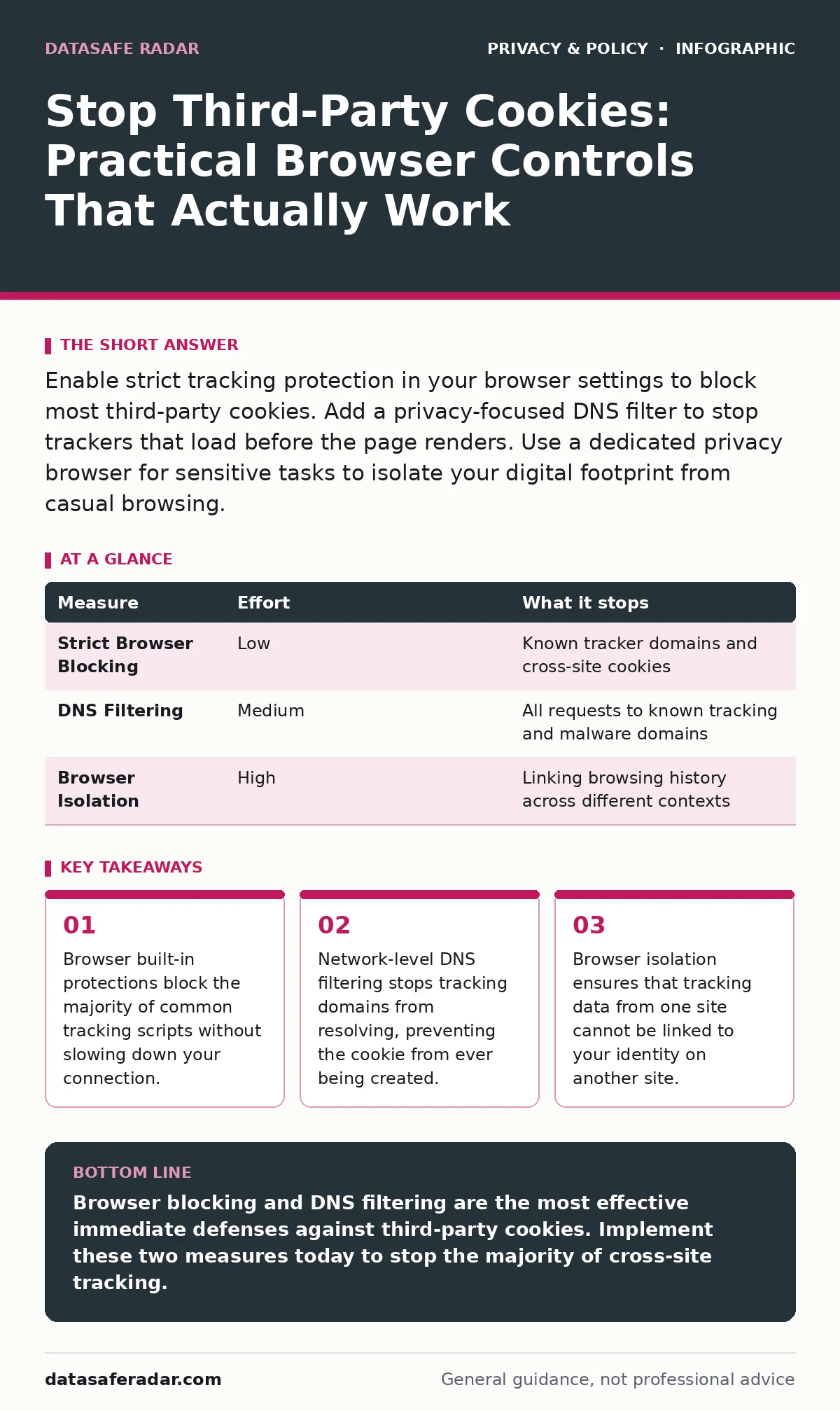
Enable strict tracking protection in your browser settings to block most third-party cookies. Add a privacy-focused DNS filter to stop trackers that load before the page renders. Use a dedicated privacy browser for sensitive tasks to isolate your digital footprint from casual browsing.
Why Third-Party Cookies Persist
Third-party cookies are small data files placed on your device by domains other than the one you are visiting. They allow advertisers to follow your movement across different websites, building a profile of your interests and habits. While many browsers have announced plans to phase them out, the timeline has shifted repeatedly, and alternative tracking methods have emerged.
These alternatives often rely on browser fingerprinting, which identifies you based on your device configuration rather than a stored file. You cannot delete a fingerprint because it is generated in real-time from your screen resolution, installed fonts, and GPU type. Blocking the cookie stops the identifier, but it does not stop the observation.
Browser Built-In Tracking Protection
Your browser’s native privacy settings are the most effective first line of defense. Modern browsers offer a "Strict" or "Enhanced" tracking protection mode that blocks known third-party cookies by default. This feature maintains a blocklist of domains identified as trackers. When a webpage attempts to load a script from a blocked domain, the browser intercepts the request and drops it.
This happens before the content reaches your screen. The trade-off is that some embedded content, like social media buttons or certain video players, may fail to load. You must manually allow these sites if you need their functionality. This measure requires no extra software and works immediately after you toggle the setting.
| Measure | Effort | What it stops |
|---|---|---|
| Strict Browser Blocking | Low | Known tracker domains and cross-site cookies |
| DNS Filtering | Medium | All requests to known tracking and malware domains |
| Browser Isolation | High | Linking browsing history across different contexts |
Network-Level DNS Filtering
Blocking at the browser level is effective, but it relies on the browser maintaining an up-to-date list of trackers. A more thorough approach is to filter DNS queries. DNS, or Domain Name System, translates human-readable website names into IP addresses. If you configure your device to use a privacy-focused DNS provider, the service will refuse to resolve domains known for tracking.
This prevents the browser from even attempting to contact the tracker. This method works across all applications on your device, including those that do not have robust privacy settings. It is particularly effective against "super cookies" and local storage tracking, which bypass standard cookie blocking. You must ensure your DNS settings are not being overridden by your router or corporate network policies.
Browser Profiles and Isolation
Even with strict blocking, some websites use sophisticated techniques to infer your identity across sites. Browser profiles allow you to maintain separate states for different activities. One profile can be used for banking and email, while another is used for casual browsing and shopping. Each profile maintains its own cookies, cache, and browsing history.
This isolation prevents data leakage between contexts. If a tracker manages to place a cookie in your casual browsing profile, it cannot read the cookies in your banking profile. This is a powerful mitigation against cross-site scripting and data correlation. It requires you to manage multiple windows or profiles, which adds a layer of complexity to your workflow. However, the security gain is significant.
The Limits of Do-Not-Track
The Do-Not-Track signal is a header that tells websites you do not want to be tracked. It is a polite request, not a command. Most advertising networks and large platforms ignore this signal entirely. There is no legal requirement for them to honor it in most jurisdictions. Relying on Do-Not-Track provides a false sense of security. It does not block any requests or delete any data. It merely signals your preference. You should never use this feature as your primary defense mechanism. It is better to assume that every website is tracking you unless you have verified that it is not.
Alternative Tracking Methods
When third-party cookies are blocked, advertisers turn to other identification methods. One common technique is canvas fingerprinting, which asks your browser to draw a hidden image. The way your GPU renders this image is unique to your hardware. Another method is audio fingerprinting, which analyzes the sound output of your device. These techniques do not store data on your device. They generate a unique ID in the server’s memory. Blocking cookies does not stop fingerprinting. To mitigate this, you can disable WebGL in your browser settings, which prevents canvas fingerprinting. However, this may break 3D graphics on some websites. This is a trade-off between privacy and visual fidelity.
Managing App Permissions
Tracking is not limited to web browsers. Mobile applications often request permissions that allow them to access your location, contacts, and camera. These permissions can be used to build a profile of your behavior offline. Reviewing app permissions regularly can reduce the amount of data available for tracking. You should deny permissions that are not necessary for the app’s core function. For example, a flashlight app does not need access to your contacts. This practice complements your browser privacy settings by reducing the data surface area. It is a manual process that requires vigilance, but it is effective at limiting data collection.
A Checklist for Today
You can reduce your exposure to tracking immediately with three specific actions. First, set your browser’s tracking protection to the strictest available setting. This blocks the majority of common trackers with zero effort. Second, configure your device to use a privacy-focused DNS service. This catches trackers that bypass browser filters. Third, create a separate browser profile for sensitive activities like banking. This isolates your financial data from your casual browsing history. These steps are not perfect, but they significantly raise the cost for trackers to follow you.
Key takeaways
- Browser built-in protections block the majority of common tracking scripts without slowing down your connection.
- Network-level DNS filtering stops tracking domains from resolving, preventing the cookie from ever being created.
- Browser isolation ensures that tracking data from one site cannot be linked to your identity on another site.
Browser blocking and DNS filtering are the most effective immediate defenses against third-party cookies. Implement these two measures today to stop the majority of cross-site tracking.
Frequently asked questions
Does using incognito mode stop third-party cookies?
Incognito mode only prevents cookies from being saved after you close the window. Trackers can still identify you during the session using fingerprinting and other methods.
Will blocking cookies break websites?
Some websites may fail to load social media buttons or embedded videos. You can manually allow these features on specific sites if needed.
Is encrypted cloud storage enough to protect my privacy?
Encrypted cloud storage protects your files from unauthorized access, but it does not stop tracking of your browsing activity or app usage.
How do email tracking pixels relate to browser cookies?
Email tracking pixels are images that report when you open an email. They are not cookies, but they can set cookies in your browser if you view the email in a web client.
How this guide was produced: written by the DataSafe Radar editorial team with AI assistance, checked against the public references listed below, and reviewed when the facts change. See our editorial policy or report an error.