What is Ad Tracking: How Your Data Moves and What You Can Do
Ad tracking builds a profile of your interests by linking your device identifiers to your browsing habits across thousands of unrelated websites.

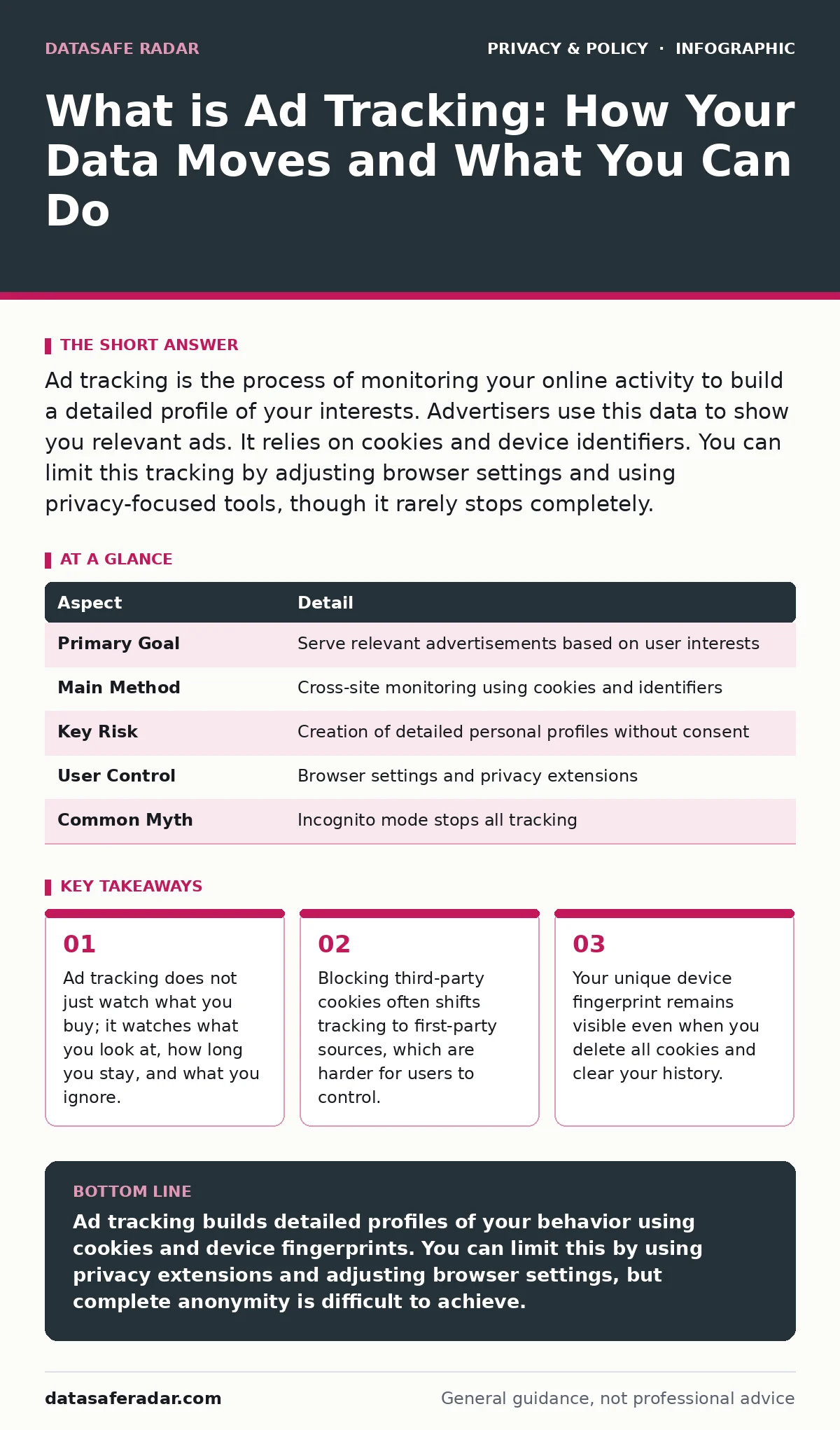
Ad tracking is the process of monitoring your online activity to build a detailed profile of your interests. Advertisers use this data to show you relevant ads. It relies on cookies and device identifiers. You can limit this tracking by adjusting browser settings and using privacy-focused tools, though it rarely stops completely.
What is ad tracking and why does it matter
Imagine walking into a library. A librarian notes every book you pull from the shelf, how long you hold it, and which ones you put back without reading. Later, when you visit a café, the librarian follows you and hands you a coupon for a similar book. This is what is ad tracking. It is the systematic collection of data about your online behavior to predict your preferences.
This practice affects nearly every person who uses the internet. It powers the free content you consume by selling attention to advertisers. The trade-off is your privacy. You give up details about your habits in exchange for access to services. Understanding the mechanism helps you decide if that trade-off is worth it.
| Aspect | Detail |
|---|---|
| Primary Goal | Serve relevant advertisements based on user interests |
| Main Method | Cross-site monitoring using cookies and identifiers |
| Key Risk | Creation of detailed personal profiles without consent |
| User Control | Browser settings and privacy extensions |
| Common Myth | Incognito mode stops all tracking |
How ad tracking works in practice
Tracking relies on small pieces of data stored on your device. The most common tool is the cookie. A cookie is a small text file that a website saves on your browser. It remembers your login status or items in a shopping cart. Advertisers use third-party cookies to follow you across different sites.
When you visit a news site, an ad network places a cookie. Later, you visit a recipe blog. The ad network reads its cookie from the news site. It now knows you visited both. It links these visits to a profile. Over time, this profile includes your health concerns, political views, and shopping habits.
Fingerprinting is a more persistent method. It does not store data on your device. Instead, it collects details about your browser and operating system. This includes your screen resolution, installed fonts, and battery level. The combination of these details is often unique to you. It acts like a digital fingerprint.
Who is affected by ad tracking
Everyone who uses a browser is affected. The impact varies by device and usage patterns. Mobile devices are particularly vulnerable. They often share a unique advertising identifier with apps. This identifier allows apps to track you even when they are not open.
Children are a specific concern. Their online habits may influence their development. Parents should review privacy settings on shared devices. See our guide on children's online privacy risks for specific steps to protect younger users.
Businesses also face risks. Employee browsing on company devices can reveal trade secrets or sensitive project details. Ad networks may infer business strategies from aggregate employee behavior. This makes data privacy a corporate security issue, not just a personal one.
What people usually get wrong
Many users believe deleting cookies stops tracking. This is incorrect. Cookies are only one method. Fingerprinting works without cookies. Clearing your history removes the record of where you went, but it does not remove the unique identifier of your device.
Another common error is relying on incognito mode. Incognito mode prevents your browser from saving history locally. It does not hide your activity from websites or ad networks. The sites you visit still see your IP address and device details. They can still track you during that session.
Users also assume that blocking ads stops tracking. Ad blockers prevent ads from loading. They do not always stop the scripts that collect data. Some tracking scripts run independently of the ads themselves. You need specific privacy tools to block these scripts.
What to do about ad tracking
You can reduce tracking by changing your browser settings. Enable Do Not Track requests. This is a signal to websites that you do not want to be tracked. Many sites ignore it, but some respect it. It is a low-effort step with limited impact.
Use privacy-focused browsers or extensions. These tools block known tracking domains. They prevent third-party cookies from being set. This breaks the chain of cross-site tracking. It forces advertisers to rely on less accurate methods.
Regularly review your app permissions. Mobile apps often request access to your contacts or location. Deny permissions that are not necessary for the app's function. This limits the data available for profiling.
| Action | Effectiveness | Effort |
|---|---|---|
| Enable Do Not Track | Low | Low |
| Use Privacy Extensions | High | Medium |
| Clear Cookies Daily | Low | High |
| Disable Ad IDs | Medium | Low |
See also: Private file sharing services explained for secure transfers · Differential Privacy Example: How Noise Protects Your Data
The hidden costs of privacy tools
Blocking trackers has a cost. Some websites rely on ad revenue to operate. Blocking ads may break site functionality. You may see broken layouts or missing content. This is a trade-off between privacy and access.
Privacy tools can also slow down your browsing. Extensions inspect every network request. This adds processing time. On older devices, this can be noticeable. You may need to disable some protections on trusted sites to improve speed.
Another cost is reduced personalization. Without tracking, you see generic ads. You may also see fewer relevant search results. Some services use tracking to improve their algorithms. Blocking data can make services feel less tailored to your needs.
Long-term strategies for control
Consider a privacy audit of your digital life. Review the accounts you have and the data you have shared. Delete old accounts you no longer use. This reduces the amount of historical data available for profiling.
Explore privacy by design principles. Choose services that collect minimal data. Look for companies that state clearly what they collect and why. This approach shifts the burden from you to the provider.
For sensitive data, use encrypted cloud storage. This ensures that even if your data is accessed, it remains unreadable. While this does not stop ad tracking, it protects the content you store. See our guide on encrypted cloud storage for implementation details.
Understanding the broader impact
Ad tracking influences what you see online. It can create echo chambers. You see content that reinforces your existing views. This limits exposure to diverse perspectives. It is a subtle form of influence.
Differential privacy is a technique used to protect user data. It adds noise to data sets. This prevents identifying individuals while still allowing aggregate analysis. Some tech companies use this to balance privacy and utility. Learn more in our guide on differential privacy.
Reducing your digital footprint is a long-term goal. It involves consistent habits. It is not a one-time fix. By understanding what is ad tracking, you can make informed choices. You can decide which trade-offs are acceptable for your life.
Key takeaways
- Ad tracking does not just watch what you buy; it watches what you look at, how long you stay, and what you ignore.
- Blocking third-party cookies often shifts tracking to first-party sources, which are harder for users to control.
- Your unique device fingerprint remains visible even when you delete all cookies and clear your history.
Ad tracking builds detailed profiles of your behavior using cookies and device fingerprints. You can limit this by using privacy extensions and adjusting browser settings, but complete anonymity is difficult to achieve.
Frequently asked questions
Does ad tracking steal my identity?
Ad tracking collects behavioral data, not typically sensitive identifiers like Social Security numbers. It builds a profile of interests, not a legal identity, though the data can be valuable if combined with other leaks.
Can I turn off ad tracking completely?
You can significantly reduce it, but complete elimination is nearly impossible. Fingerprinting and first-party tracking persist even when third-party cookies are blocked.
Is ad tracking illegal?
It is generally legal, but regulations vary by region. Some laws require consent before tracking. Compliance depends on the website and your location.
Do VPNs stop ad tracking?
VPNs hide your IP address, but they do not stop browser-based tracking. Cookies and fingerprints still work. You need additional tools to block these methods.
How this guide was produced: written by the DataSafe Radar editorial team with AI assistance, checked against the public references listed below, and reviewed when the facts change. See our editorial policy or report an error.