Privacy Browsers for Small Teams That Work
Standard browser configurations broadcast internal business activity to marketing networks, but hardened tools fix this without extra software costs.

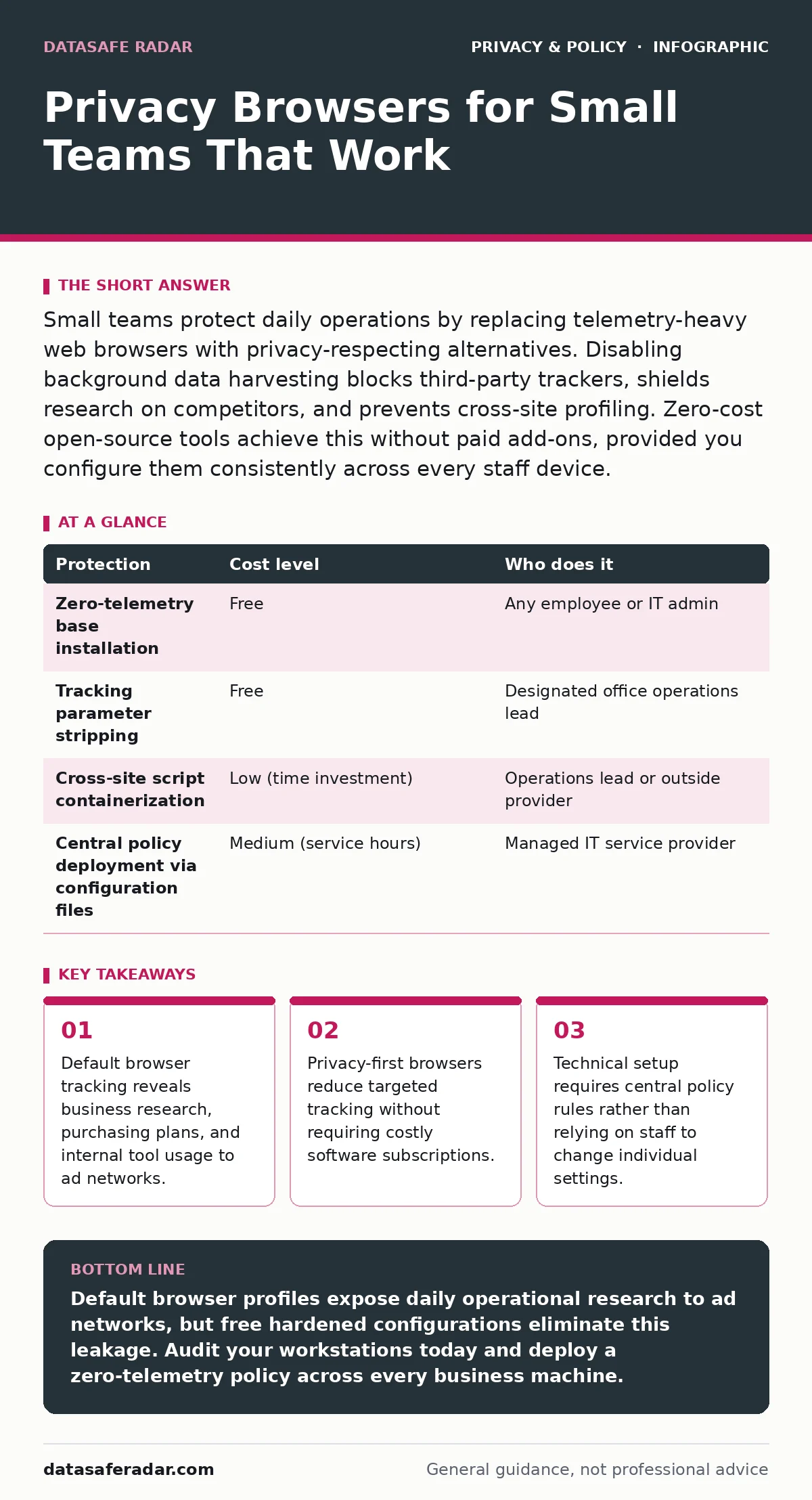
Small teams protect daily operations by replacing telemetry-heavy web browsers with privacy-respecting alternatives. Disabling background data harvesting blocks third-party trackers, shields research on competitors, and prevents cross-site profiling. Zero-cost open-source tools achieve this without paid add-ons, provided you configure them consistently across every staff device.
Why Small Operations Face Distinct Web Exposure Risks
Browser data collection exposes small firms faster than enterprise operations because smaller teams share concentrated workflows. When staff search for regional suppliers, legal templates, or acquisition targets, external scripts collect these behavioral trails. Marketing networks aggregate this web traffic through third-party cookies and script beacons. The resulting behavioral dossier reveals upcoming company moves to data brokers long before any public announcements occur.
Workplace browsers also handle direct client records through cloud software interfaces. If employees use personal profiles or default installations, background telemetry feeds device identifiers back to browser makers. You must address this baseline leakage to maintain client confidentiality and support overall data privacy. Without isolation rules, internal platform sessions mingle with casual web searches on the same workstation.
How Tracker Blocking Shields Commercial Operations
Privacy-focused browsers disrupt commercial surveillance by altering how web engines process external network calls. Built-in shields stop ad tracking scripts before pages load inside the local memory cache. By refusing to run third-party telemetry, the software prevents data brokers from mapping internal staff identities across vendor sites. Page load times drop as a consequence, cutting network resource demands across your office.
External Web Server
│
[Page Script]
│
▼
┌───────────────────────────────┐
│ Browser Shield Engine │
│ ├─ Block Third-Party Trackers│ ──> [Dropped silently]
│ ├─ Strip Query Parameters │
│ └─ Restrict Canvas Elements │
└───────────────────────────────┘
│
[Clean Page Rendered]
▼
Local Staff Member
Targeted profiling creates an unexpected business expense: dynamic price discrimination. Travel platforms, equipment suppliers, and office software vendors alter visible fees based on your past search history and operating system details. Disabling corporate profiling keeps purchasing negotiations neutral. Shielding identity signals ensures vendors see your procurement team as a fresh visitor rather than a captive buyer.
Hidden Trade-offs in Everyday Business Operations
Strict web shields break certain enterprise portals that rely on multi-domain authentication tokens. Single sign-on tools frequently bounce authorization requests through several tracking-adjacent domains to confirm credentials. When privacy engines aggressively block third-party storage, staff encounter broken session loops. You must maintain an exception list for authenticated billing platforms and human resources portals rather than lowering protection across the entire company.
Website tracking extends beyond simple network cookies into browser fingerprinting, which reads installed fonts, screen dimensions, and graphics hardware configurations. Masking these hardware indicators makes all your computers look identical to remote servers. The operational downside is interface instability: web-based presentation software, charting dashboards, and screen-sharing tools may struggle with masked graphics hardware. You trade occasional design-tool performance for commercial confidentiality.
Three Affordable Tiers to Harden Office Browsing
Small companies can establish strict web boundaries using native software controls without buying specialized software suites.
- Install an open-source browser that omits background usage telemetry and vendor account synchronization.
- Activate native domain-level shielding to block cross-site tracking scripts and strip referral information from web links.
- Configure the browser to purge all temporary storage caches and authorization cookies whenever employees close their work windows.
| Protection | Cost level | Who does it |
|---|---|---|
| Zero-telemetry base installation | Free | Any employee or IT admin |
| Tracking parameter stripping | Free | Designated office operations lead |
| Cross-site script containerization | Low (time investment) | Operations lead or outside provider |
| Central policy deployment via configuration files | Medium (service hours) | Managed IT service provider |
Centralizing configuration files across 10 machines takes under two hours. Free administrative policy templates allow you to enforce these protections automatically. This keeps individual employees from reverting settings when they hit minor website warnings, maintaining baseline security without monthly per-user licensing fees.
Administrative Boundaries: What to Delegate to Outside Support
Solo business owners and small operational leads should manage basic browser choices, but technical enforcement requires structured delegation. Outside IT providers should maintain central deployment scripts so updates apply automatically across all company devices. If your firm uses managed mobile phones or laptops, your provider must lock the browser policy directly into the operating system management layer.
- Does our network management profile enforce global tracker-blocking policies across every workstation?
- How do we automatically push policy updates when our chosen browser releases an update?
- Are we routing internal web sessions through private network resolvers to avoid local domain name interception?
- What process exists to handle authorized exceptions for business-critical client portals without disabling global shielding?
- Can we enforce strict container isolation on devices used by remote contractors?
Your outsourced technical team should also audit your systems against accidental metadata exposure, which occurs when browsers append client network identifiers to routine server requests. Handing this specific task to technical specialists keeps operational staff focused on primary revenue work while securing the underlying infrastructure.
See also: Business Logic Flows: How Small Firms Get Hacked and How to Stop It · IoT Security for Small Business: Hidden Risks and Practical Fixes
Practical Limits of Hardened Browsing Tools
A secure browser shields web traffic, but it does not conceal your public network connection. Websites still register your public network address, internet service provider, and general geographical town unless you route data through separate tunnels. Privacy-focused configurations do not prevent internal users from uploading client files to unapproved cloud repositories, nor do they neutralize malicious files downloaded directly to the local storage drive.
These tools also cannot protect your enterprise if employees manually enter corporate email credentials into phishing forms. Shielding software removes ambient corporate surveillance across ad exchanges, but human judgment remains the primary line of defense for data handling. Combining hardened local tools with clear internal operating rules delivers practical, lasting privacy without ongoing software overhead.
Key takeaways
- Default browser tracking reveals business research, purchasing plans, and internal tool usage to ad networks.
- Privacy-first browsers reduce targeted tracking without requiring costly software subscriptions.
- Technical setup requires central policy rules rather than relying on staff to change individual settings.
Default browser profiles expose daily operational research to ad networks, but free hardened configurations eliminate this leakage. Audit your workstations today and deploy a zero-telemetry policy across every business machine.
Frequently asked questions
Do privacy browsers break internal corporate web applications?
Privacy browsers can break internal applications if those tools rely on third-party tracking scripts or cross-domain authentication tokens. You can resolve these conflicts by creating domain-level exceptions for trusted business tools while keeping global trackers blocked.
Can a privacy browser hide company activities from our internet service provider?
A privacy browser cannot hide your destination websites from an internet service provider because standard connections still query public network addresses. To shield web destinations from network providers, you must pair the browser with an encrypted connection tunnel or a protected domain lookup service.
Why avoid standard browsers in business if ad blockers are already installed?
Standard browsers collect internal telemetry and device identifiers directly at the operating system level, bypassing standard ad-blocking extensions completely. Hardened browsers remove this root telemetry code so operational activity never reaches vendor data banks.
How do privacy browsers stop dynamic pricing during business procurement?
Privacy browsers stop dynamic pricing by blocking the tracking beacons that log your repeat visits, operating system specifications, and commercial interest in specific supplies. Without that historical data profile, vendor websites display baseline rates rather than inflated quotes.
How this guide was produced: written by the DataSafe Radar editorial team with AI assistance, checked against the public references listed below, and reviewed when the facts change. See our editorial policy or report an error.