IoT Security for Small Business: Hidden Risks and Practical Fixes
Most IoT breaches occur because small businesses treat networked cameras and sensors as passive hardware rather than entry points for attackers.

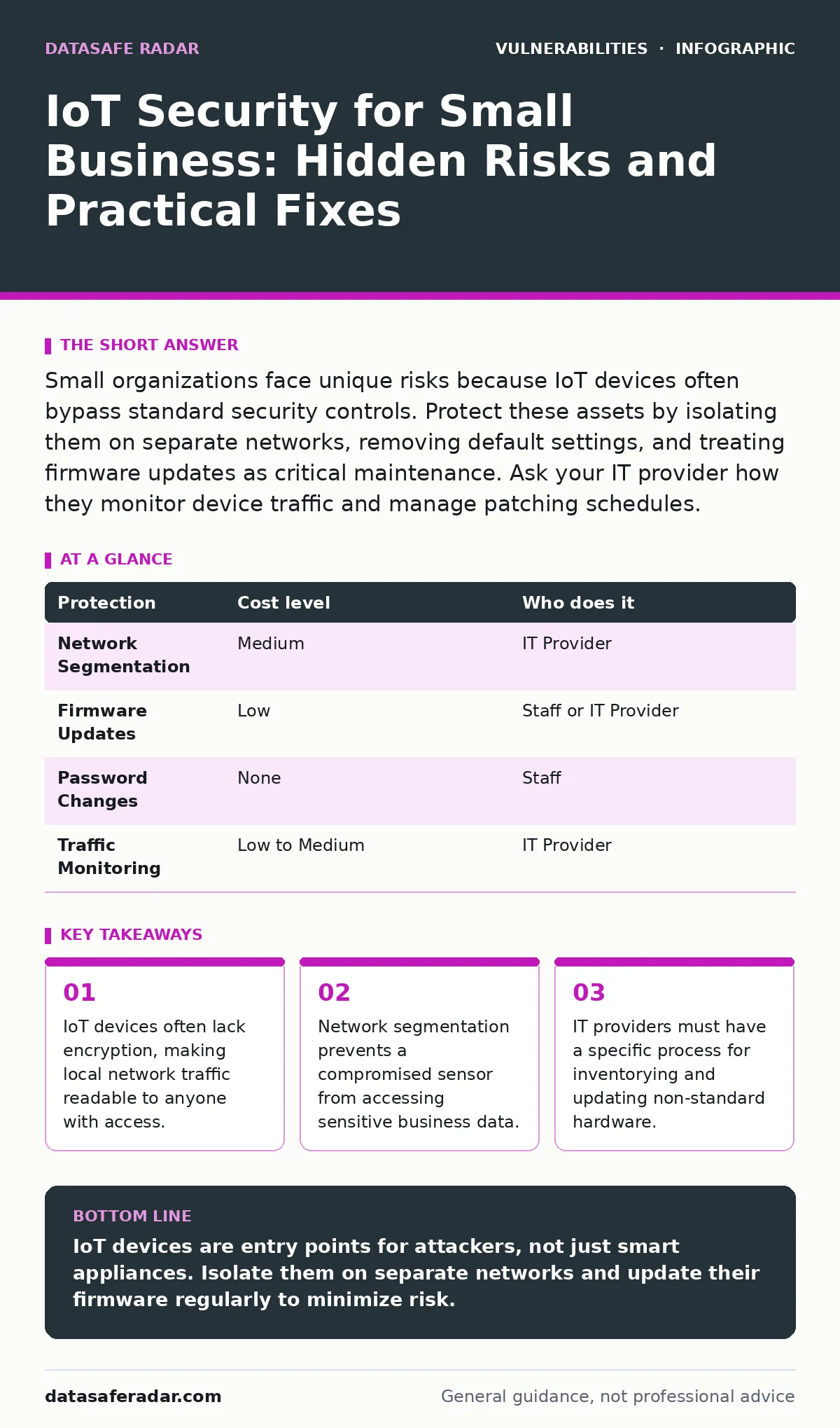
Small organizations face unique risks because IoT devices often bypass standard security controls. Protect these assets by isolating them on separate networks, removing default settings, and treating firmware updates as critical maintenance. Ask your IT provider how they monitor device traffic and manage patching schedules.
The Blind Spot in Small Business Networks
Small organizations often view Internet of Things (IoT) devices as simple appliances. You buy a sensor, plug it in, and expect it to work. This mindset creates a dangerous blind spot. Most commercial software undergoes rigorous testing. Many IoT devices skip these steps to reach the market faster.
These devices run lightweight operating systems that lack built-in security features. They often cannot install antivirus software or receive automatic updates. When a vulnerability is discovered, the manufacturer may release a patch, but the device does not install it automatically. You must manually update each device. Most small businesses forget this step.
The risk is not just about the device itself. It is about what the device can reach. A compromised smart lock does much less damage than a compromised printer that can access your customer database. Attackers look for the path of least resistance. IoT devices are often that path.
Why Default Settings Are a Liability
Manufacturers ship devices with pre-configured settings to ensure they work out of the box. These settings include default credentials. These are the standard username and password printed on the device label or in the manual. For a consumer, changing these is an extra step. For a small business, it is a security failure.
Attackers scan the internet for devices using these known combinations. If they find one, they gain immediate access. This relates closely to the risk of default credentials, a widespread issue that persists because users rarely change them. Even if you change the password, the device may still use weak encryption for its internal management interface.
Some devices do not allow you to change the default settings at all. The code is hard-coded into the firmware. If you encounter such a device, you must isolate it. Do not connect it to your primary network. Treat it as untrusted hardware from the moment you unbox it.
The Hidden Cost of Network Segmentation
The most effective protection for IoT devices is network segmentation. This means dividing your network into separate zones. Your office computers, your servers, and your IoT devices should reside on different logical networks. If a camera is compromised, the attacker remains trapped in the IoT zone. They cannot reach your financial records.
Small businesses often skip segmentation because it requires a more advanced router or a managed switch. These devices cost more than basic home-grade equipment. However, the cost of a breach far exceeds the hardware expense. Segmentation also improves performance. IoT devices generate constant, low-priority traffic. Separating this traffic keeps your main network fast and reliable.
You must define rules for how these segments communicate. The IoT zone should not initiate connections to the corporate zone. The corporate zone may send commands to the IoT zone, but only through specific, allowed ports. This principle is known as least privilege. It limits the damage an attacker can do.
Firmware Updates and Supply Chain Risks
Firmware is the permanent software stored in a device’s memory. It controls the hardware’s basic functions. When manufacturers discover a bug, they release a firmware update. Applying these updates is critical. Many IoT vulnerabilities are known and publicly documented. Attackers exploit them because owners never update their devices.
You should check for updates monthly. Some devices allow automatic updates, but you should verify that these updates come from the manufacturer. A common attack involves hijacking the update process. This is a supply chain attack. The attacker inserts malicious code into a legitimate-looking update.
This risk ties into side-channel attacks, where attackers exploit information leakage from physical implementation. While less common on small IoT devices, the principle remains: trust nothing from the outside. Verify the digital signature of every firmware file before installing it. If the manufacturer does not sign their updates, the device is inherently less secure.
Monitoring Traffic for Anomalies
You cannot protect what you do not see. Many small businesses have no idea what data their IoT devices send to the cloud. A smart doorbell sends video. A fitness tracker sends health data. This data leaves your network and travels to the manufacturer’s servers.
You should use a network monitoring tool to inspect this traffic. Look for connections to unknown IP addresses. If your printer starts sending data to a server in a country where you do not operate, that is a red flag. This traffic analysis helps you detect business logic flaws where an attacker tricks a device into performing unintended actions.
Monitoring also helps you understand normal behavior. If your smart thermostat suddenly sends large amounts of data at 3 AM, something is wrong. Establishing a baseline of normal activity makes it easier to spot deviations. This is not about reading every packet. It is about noticing when the pattern changes.
See also: Privacy Browsers for Small Teams That Work · DNS Hijacking Risks: How Small Businesses Lose Traffic Control
What to Ask Your IT Provider
If you outsource your IT, you must ensure they have a specific strategy for IoT. General IT support often overlooks these devices. You need a partner who understands the unique risks. Here is a checklist for your next vendor review.
- How do you inventory all connected devices?
- What is your process for testing firmware updates before deployment?
- Can you provide a diagram of our network segmentation?
- How do you monitor for unauthorized devices connecting to the network?
- What is our policy for decommissioning devices that no longer receive updates?
Ask for concrete answers. Vague promises like "we handle security" are not enough. You need to know the specific tools and procedures they use. If they cannot explain how they isolate IoT traffic, they are not ready for your needs.
Low-Cost Protection Strategies
You do not need expensive hardware to improve security. Start with the basics. Change every default password. Use strong, unique passwords for each device. Disable any features you do not use. If the device has a guest Wi-Fi feature, turn it off unless you need it.
Consider using a consumer-grade firewall that supports VLANs. These devices are affordable and provide basic segmentation. Place your IoT devices on a separate SSID. This prevents them from accessing your main network. It also prevents them from being used as a bridge to your secure zone.
Finally, keep a physical inventory. Label each device. Record its model number, IP address, and last update date. If a device is lost or stolen, you can quickly revoke its access. This simple step reduces the attack surface. It also helps you identify devices that are no longer in use. Old, forgotten devices are prime targets for attackers.
| Protection | Cost level | Who does it |
|---|---|---|
| Network Segmentation | Medium | IT Provider |
| Firmware Updates | Low | Staff or IT Provider |
| Password Changes | None | Staff |
| Traffic Monitoring | Low to Medium | IT Provider |
The Reality of Vulnerability Management
Managing IoT security is an ongoing process. There is no one-time fix. New vulnerabilities are discovered regularly. You must stay informed. Subscribe to security advisories for the brands you use. Read about vulnerability prioritization to understand which flaws pose the greatest risk.
Do not ignore devices that are end-of-life. If a manufacturer stops supporting a device, it will never receive security patches. These devices become permanent liabilities. Replace them when possible. If you cannot replace them, isolate them completely. Do not connect them to the internet.
This approach mirrors how you handle CVSS score ratings. Not all vulnerabilities are equal. Some are critical and require immediate action. Others are low risk. Focus your efforts on the high-risk items. This ensures you get the most protection for your time and budget.
Key takeaways
- IoT devices often lack encryption, making local network traffic readable to anyone with access.
- Network segmentation prevents a compromised sensor from accessing sensitive business data.
- IT providers must have a specific process for inventorying and updating non-standard hardware.
IoT devices are entry points for attackers, not just smart appliances. Isolate them on separate networks and update their firmware regularly to minimize risk.
Frequently asked questions
Can I use the same Wi-Fi for my office and my smart devices?
You should not. Mixing traffic increases the risk of a breach. If a smart device is compromised, attackers can move laterally to your office computers.
How often should I update IoT firmware?
Check for updates monthly. Some manufacturers release critical patches frequently. Delaying updates leaves your devices exposed to known vulnerabilities.
What if my IoT device cannot be updated?
Isolate the device on a separate network segment. Do not allow it to communicate with your main business network. Consider replacing it if possible.
Do I need a specialized firewall for IoT security?
A basic firewall is not enough. You need a device that supports VLANs or network segmentation. This allows you to create separate zones for different types of traffic.
How this guide was produced: written by the DataSafe Radar editorial team with AI assistance, checked against the public references listed below, and reviewed when the facts change. See our editorial policy or report an error.