Private file sharing services explained for secure transfers
Standard cloud storage keeps copies of your personal documents on corporate computers, whereas true privacy requires mathematical shielding.
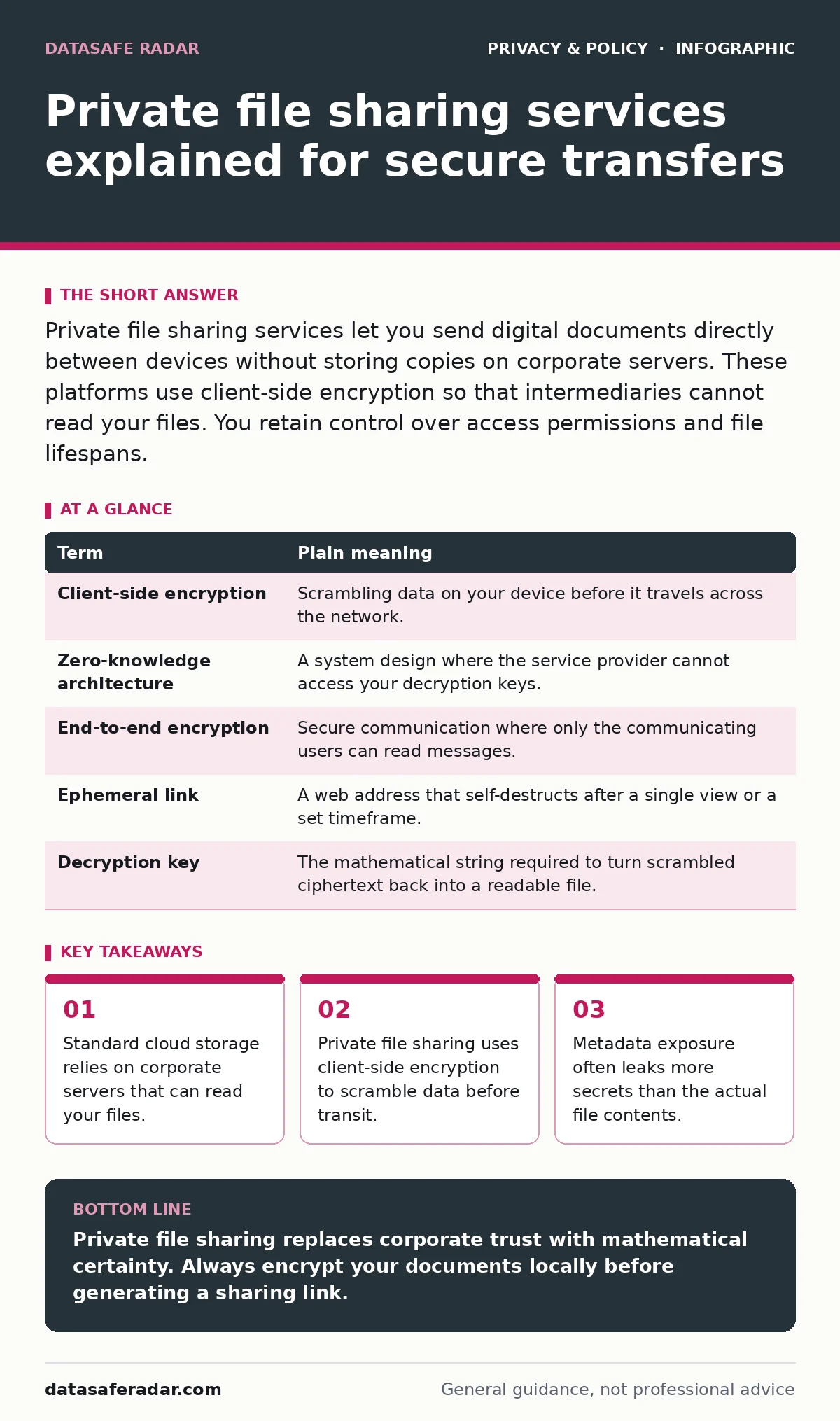
Private file sharing services let you send digital documents directly between devices without storing copies on corporate servers. These platforms use client-side encryption so that intermediaries cannot read your files. You retain control over access permissions and file lifespans.
How Private File Sharing Works Like a Sealed Courier Pouch
Imagine sending a sensitive document across town inside a locked metal briefcase. You snap the padlock shut at your desk, hand the briefcase to a courier who cannot open it, and the recipient unlocks it with a matching physical key. Private file sharing works on this exact principle. Standard cloud platforms act like postcard delivery where mail carriers read every word, while private services act as blind couriers transporting locked containers.
Corporate servers in standard setups store your documents in plain view of system administrators and automated scanners. Private file sharing services change this dynamic by shifting the cryptographic work entirely to your local device. The mechanism ensures that plaintext never leaves your machine. Your trade-off for this absolute privacy is the loss of instant password recovery if you forget your decryption credentials.
Decoding the Jargon of Secure Transfers
| Term | Plain meaning |
|---|---|
| Client-side encryption | Scrambling data on your device before it travels across the network. |
| Zero-knowledge architecture | A system design where the service provider cannot access your decryption keys. |
| End-to-end encryption | Secure communication where only the communicating users can read messages. |
| Ephemeral link | A web address that self-destructs after a single view or a set timeframe. |
| Decryption key | The mathematical string required to turn scrambled ciphertext back into a readable file. |
The Hidden Danger of Metadata Exposure
Digital files carry invisible luggage known as metadata that often reveals more secrets than the content itself. A shared photograph might contain the exact geographical coordinates where you took it, the model of the camera, and the precise timestamp. Private file sharing services sometimes strip this information automatically, but many do not. You must inspect your files for hidden tracking data before upload, much like reviewing your digital footprint before publishing personal thoughts online.
Automated systems often index shared files to build behavioral profiles for advertising networks. When you use private transfer tools, you bypass these harvesting loops because the storage node only sees random noise. However, this protection vanishes if you send the decryption key through an unencrypted messaging app. Security is only as strong as the weakest link in your delivery chain.
Why Standard Cloud Storage Fails Privacy Tests
Convenience usually demands a compromise with confidentiality. Cloud providers index your files to offer fast keyword searches and thumbnail previews, which requires them to keep unencrypted copies on their hard drives. Law enforcement requests or corporate policy changes can force these providers to hand over your data without your consent.
Transport encryption only protects your files while they move across the internet. Once the data lands on the provider's server, it sits unencrypted unless the service uses zero-knowledge architecture. Understanding this distinction prevents you from confusing basic web safety with genuine data ownership.
How to Share Your First Private File Today
- Open a trusted private file sharing tool in your web browser.
- Drag your chosen document into the upload window and configure a short lifespan.
- Copy the automatically generated link and send it to your recipient through a separate, secure channel.
Taking this practical step introduces you to the mechanics of ephemeral sharing. You will notice that you cannot recover the link once you close the browser tab. This permanence protects you from forgotten links lingering on the public internet, reducing your long-term exposure.
See also: Differential Privacy Example: How Noise Protects Your Data · What is Ad Tracking: How Your Data Moves and What You Can Do
Managing Access and Expiration Limits
Every private transfer should have a strict expiration date to minimize the window of vulnerability. Leaving a file link active indefinitely turns a temporary share into a permanent public archive if the URL leaks. Set your shares to self-destruct after a single download whenever possible.
You should also consider combining file transfers with email aliases to keep your primary contact details hidden from recipients. Minimizing the metadata you attach to your communications ensures that your private files remain truly anonymous.
Key takeaways
- Standard cloud storage relies on corporate servers that can read your files.
- Private file sharing uses client-side encryption to scramble data before transit.
- Metadata exposure often leaks more secrets than the actual file contents.
Private file sharing replaces corporate trust with mathematical certainty. Always encrypt your documents locally before generating a sharing link.
Frequently asked questions
Can the company that hosts the private file sharing service read my documents?
No, because client-side encryption scrambles your data before it leaves your device, meaning the host only sees unreadable ciphertext.
What happens if my recipient loses the decryption link?
You must generate a new link and upload the file again because private services do not store recovery copies.
Are private file sharing services legal to use?
Yes, encrypting your personal data is a standard privacy practice used globally by journalists, medical professionals, and businesses.
Do I need to install special software to use private file sharing?
Most services run directly inside modern web browsers without requiring local software installation.
How this guide was produced: written by the DataSafe Radar editorial team with AI assistance, checked against the public references listed below, and reviewed when the facts change. See our editorial policy or report an error.