Detect Medical Device Vulnerabilities: Signals, Tools and Blind Spots
Medical devices often run outdated operating systems that cannot receive security patches, forcing teams to monitor network behavior instead of fixing code flaws.

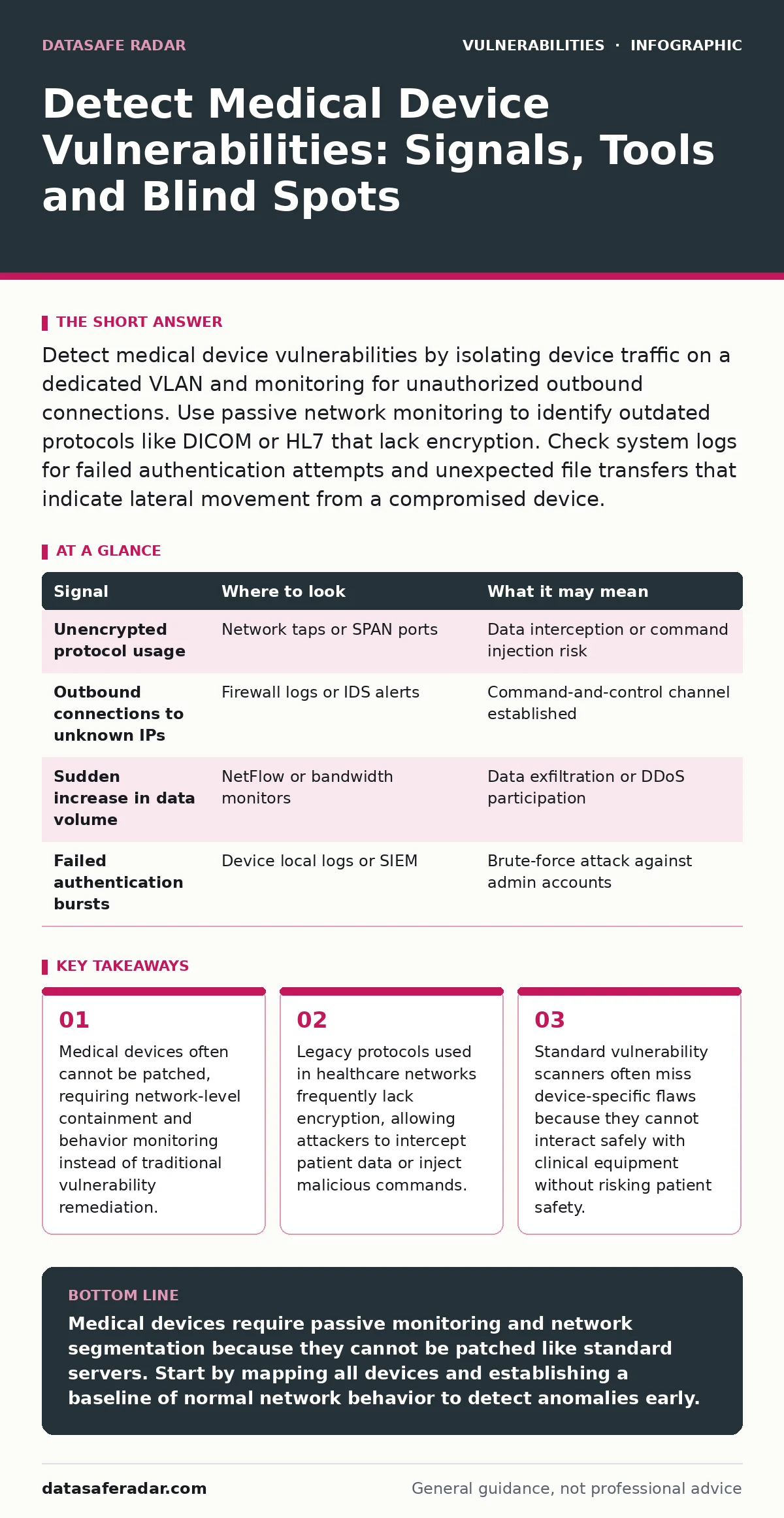
Detect medical device vulnerabilities by isolating device traffic on a dedicated VLAN and monitoring for unauthorized outbound connections. Use passive network monitoring to identify outdated protocols like DICOM or HL7 that lack encryption. Check system logs for failed authentication attempts and unexpected file transfers that indicate lateral movement from a compromised device.
Network Traffic Anomalies
Medical devices generate predictable traffic patterns. A patient monitor sends data at fixed intervals. An infusion pump transmits small packets only when a nurse adjusts settings. When this rhythm breaks, you have a signal. Look for devices sending data to unknown external IP addresses. This often indicates command-and-control communication. Check for large data transfers during off-hours.
Imaging devices like MRI machines store terabytes of data. A sudden upload of raw image files suggests data exfiltration. Monitor for protocol mismatches. If a device that only uses HTTP suddenly initiates an SSH connection, it may be compromised. Use network flow analysis tools to establish a baseline of normal behavior. Compare current traffic against this baseline to spot deviations.
| Signal | Where to look | What it may mean |
|---|---|---|
| Unencrypted protocol usage | Network taps or SPAN ports | Data interception or command injection risk |
| Outbound connections to unknown IPs | Firewall logs or IDS alerts | Command-and-control channel established |
| Sudden increase in data volume | NetFlow or bandwidth monitors | Data exfiltration or DDoS participation |
| Failed authentication bursts | Device local logs or SIEM | Brute-force attack against admin accounts |
Log Analysis and System Integrity
Device logs are often sparse. Many manufacturers disable detailed logging to save storage space. You must enable logging where possible. Look for repeated failed login attempts. This indicates brute-force attacks. Check for successful logins from unusual source IPs. An administrator logging in from a hospital ward instead of the IT office is suspicious. Monitor for changes to system files.
If a device’s binary files change without a scheduled maintenance window, malware may have replaced legitimate components. Verify file hashes against known good values. This confirms system integrity. Some devices store logs in volatile memory. These logs disappear on reboot. Configure remote log forwarding to a secure syslog server immediately. This preserves evidence for forensic analysis.
Device-Specific Protocol Inspection
Healthcare networks rely on specialized protocols. DICOM handles medical imaging. HL7 manages patient data exchange. These protocols are often not designed with security in mind. They rarely include authentication or encryption. Attackers exploit this by injecting malicious commands into protocol streams. Inspect packet payloads for malformed requests. A DICOM request with an unexpected file type may indicate an attempt to exploit a parser vulnerability.
Look for HL7 messages that contain script tags or executable code. This suggests an injection attack. Use deep packet inspection tools that understand healthcare protocols. Standard firewalls often allow these protocols through without inspection. This creates a blind spot. You need tools that can parse the application layer, not just the network layer.
Common Blind Spots in Detection
Many security teams miss device vulnerabilities because they focus only on endpoints. They scan Windows and Linux servers but ignore the imaging equipment. This leaves the network exposed. Another blind spot is the assumption that devices are isolated. Many devices have wired and wireless interfaces. An attacker might connect via Wi-Fi if the wired port is secured.
Check for enabled wireless interfaces on devices that should only use Ethernet. Disable them if not needed. A third blind spot is the supply chain. Devices often come with pre-installed software that contains known vulnerabilities. You must assess the security posture of the device before it enters the network. Review the manufacturer’s security documentation. Ask about patching policies and support lifecycles.
Tools for Passive Monitoring
Active scanning can disrupt clinical operations. Sending packets to a device to check for vulnerabilities might crash it. This is unacceptable in a hospital. Use passive monitoring tools instead. These tools listen to network traffic without sending any packets. They build a picture of what devices are connected and what they are doing. Deploy a network tap or configure a switch port mirror.
Feed this traffic into a security information and event management system. Configure alerts for known bad indicators. Look for connections to known malicious domains. Monitor for unusual protocol usage. Passive tools provide visibility without risk. They allow you to detect anomalies based on behavior rather than known signatures. This is critical for zero-day attacks.
See also: Web Filtering Misconceptions: 6 Errors That Leave Gaps · Data Encryption at Rest and in Transit: How to Secure Your Information
The Role of Firmware Analysis
Firmware contains the device’s operating system and applications. It often runs on outdated versions of Linux or Windows. These systems have known vulnerabilities. Manufacturers may not provide patches. You must analyze the firmware image. Extract the file system from the firmware update package. Scan for known vulnerabilities in the included libraries. Check for hardcoded credentials.
Developers often leave default passwords in the code. These are easy to find with static analysis tools. If you find a hardcoded password, change it immediately. If you cannot change it, isolate the device. Do not connect it to the main network. Firmware analysis helps you understand the attack surface. It reveals weaknesses that network monitoring cannot see.
Integrating Device Security into Workflow
Device security is not a one-time task. It requires continuous monitoring. Integrate device data into your broader security workflow. Correlate device logs with endpoint and network logs. This provides context. A failed login on a device might be harmless. But if it coincides with a spike in network traffic, it is suspicious. Use automation to respond to alerts.
Isolate a compromised device automatically. This reduces response time. Train clinical staff to report unusual device behavior. They are the first line of defense. They notice when a monitor freezes or a printer acts strangely. Create a clear reporting channel. Make it easy for them to alert IT. Security is a shared responsibility. It requires cooperation between technical and clinical teams.
Key takeaways
- Medical devices often cannot be patched, requiring network-level containment and behavior monitoring instead of traditional vulnerability remediation.
- Legacy protocols used in healthcare networks frequently lack encryption, allowing attackers to intercept patient data or inject malicious commands.
- Standard vulnerability scanners often miss device-specific flaws because they cannot interact safely with clinical equipment without risking patient safety.
Medical devices require passive monitoring and network segmentation because they cannot be patched like standard servers. Start by mapping all devices and establishing a baseline of normal network behavior to detect anomalies early.
Frequently asked questions
Can I use standard vulnerability scanners on medical devices?
No, standard scanners can crash devices by sending aggressive packets. Use passive monitoring tools that analyze traffic without interacting with the device.
How do I handle devices that cannot be patched?
Isolate unpatchable devices on a separate network segment. Use compensating controls like strict firewall rules and behavioral monitoring to limit risk.
What is the first step in securing a new medical device?
Review the manufacturer’s security documentation and assess the device’s attack surface before connecting it to the network. Disable unnecessary interfaces.
How do I detect a compromised device without logs?
Monitor network traffic for anomalies. Look for unexpected outbound connections, large data transfers, or protocol misuse that deviates from the established baseline.
How this guide was produced: written by the DataSafe Radar editorial team with AI assistance, checked against the public references listed below, and reviewed when the facts change. See our editorial policy or report an error.