Web Filtering Misconceptions: 6 Errors That Leave Gaps
Web filtering blocks URLs but cannot inspect encrypted payloads, leaving your network exposed to threats that hide inside allowed traffic streams.
Web filtering controls which websites users can visit, but it does not inspect the content inside encrypted connections. Misunderstanding this leads to false confidence. You must combine filtering with other security layers to catch malware, data theft, and social engineering that bypass simple blocklists.
Misreading: Web filtering stops all malware downloads
Correct reading: Web filtering blocks access to known malicious domains, but it cannot stop malware that originates from legitimate, whitelisted websites. A filter operates at the network edge, checking the destination address against a list. It does not analyze the file being transferred. If a trusted software vendor hosts a compromised update, the filter allows the connection. The malware enters your system through a clean door. You need endpoint detection and response tools to scan files after they arrive. Relying solely on perimeter blocking creates a blind spot for supply chain attacks.
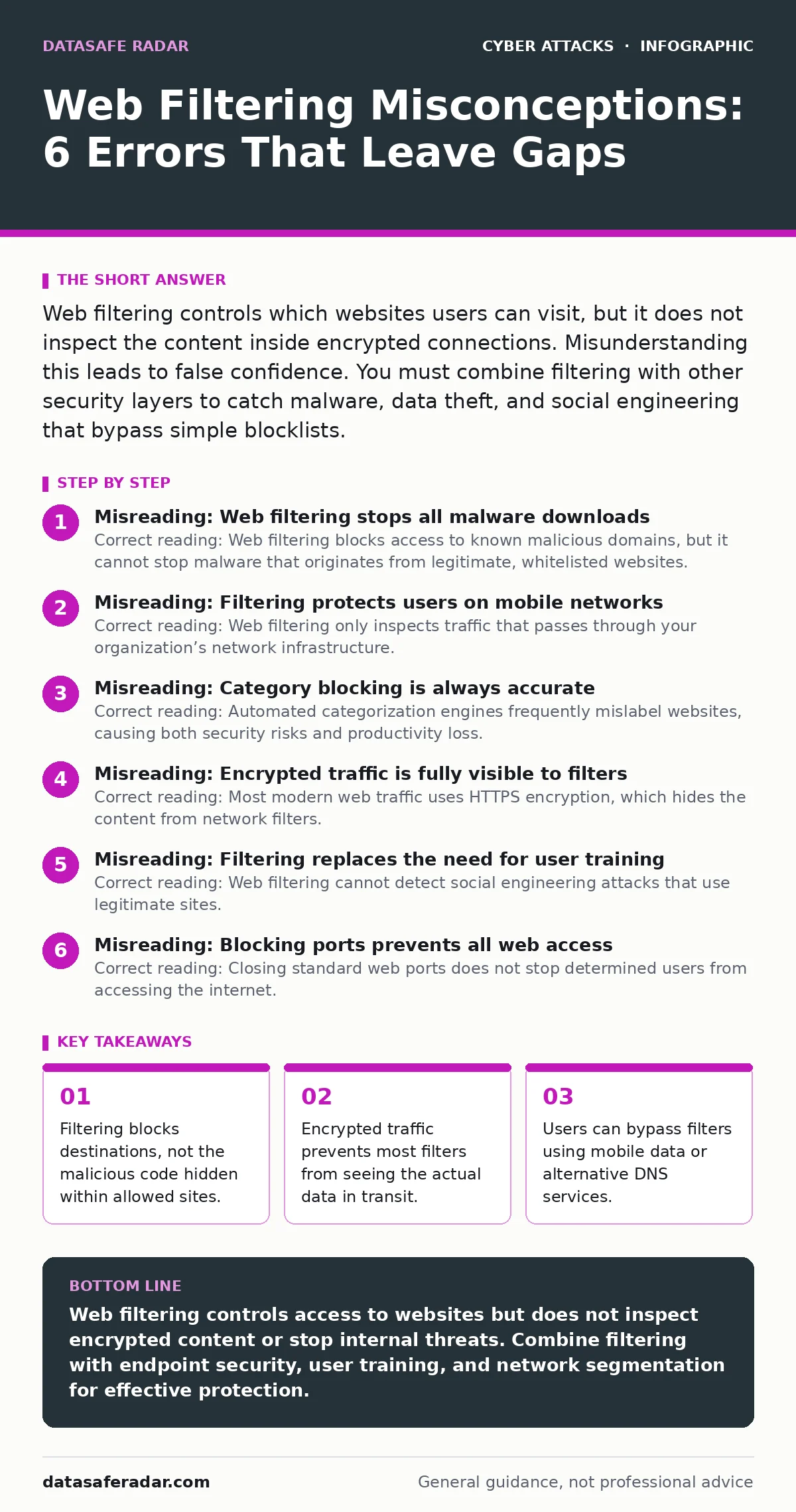
Misreading: Filtering protects users on mobile networks
Correct reading: Web filtering only inspects traffic that passes through your organization’s network infrastructure. When employees connect to cellular data or public Wi-Fi, their traffic bypasses your filters entirely. This creates a significant security gap for remote workers. Suppose an employee accesses a risky site on their phone while commuting. The filter never sees this request. The threat may then sync to corporate devices later. You must enforce mobile device management policies that extend filtering capabilities to off-network connections. Without this, your security posture drops the moment a user leaves the office.
Misreading: Category blocking is always accurate
Correct reading: Automated categorization engines frequently mislabel websites, causing both security risks and productivity loss. A legitimate news site might be flagged as gambling due to ads. A software repository might be blocked as suspicious. These false positives frustrate users and encourage them to seek workarounds. Users may disable security controls or use personal devices to bypass restrictions. This behavior undermines your security culture. You should regularly review blocklists and allowlist exceptions. Manual verification of critical business sites ensures that legitimate workflows are not disrupted by overly aggressive automated rules.
Misreading: Encrypted traffic is fully visible to filters
Correct reading: Most modern web traffic uses HTTPS encryption, which hides the content from network filters. Standard web filtering can see the domain name but not the specific page or data being exchanged. Advanced filtering solutions use SSL inspection to decrypt traffic, but this requires installing trusted certificates on every device. This process is complex and introduces privacy concerns. If SSL inspection is not configured, the filter treats all traffic to a trusted domain as safe. Malicious payloads inside encrypted streams pass through unnoticed. You must balance visibility with privacy and performance costs when implementing deep inspection.
Misreading: Filtering replaces the need for user training
Correct reading: Web filtering cannot detect social engineering attacks that use legitimate sites. Phishing emails often link to real domains that have been compromised or look-alike sites that are not yet on blocklists. A filter sees a valid URL and allows the connection. The user still enters credentials into a fake login page. This technique often pairs with shoulder surfing to capture physical tokens or PINs. No amount of blocking stops a user from voluntarily handing over access. You must train users to recognize suspicious requests and verify URLs manually. Technical controls support human judgment but do not replace it.
See also: Encryption in Transit Myths: What Data Protection Actually Does · Data Encryption at Rest and in Transit: How to Secure Your Information
Misreading: Blocking ports prevents all web access
Correct reading: Closing standard web ports does not stop determined users from accessing the internet. Users can change DNS settings to bypass proxy filters. They may use tunneling techniques to wrap web traffic inside other protocols. Some applications embed their own HTTP clients that ignore system proxy settings. This creates unmonitored channels for data exfiltration. Imagine an employee using a chat application to send sensitive files. The filter sees only encrypted chat traffic, not the file transfer. You must enforce strict application control policies on endpoints. Network-level filtering is just one layer of a broader defense strategy.
Misreading: Filters protect against internal threats
Correct reading: Web filtering assumes threats come from outside the network. It does not monitor or restrict traffic between internal devices. A compromised workstation can communicate with other systems without triggering web filters. This internal lateral movement often precedes data theft or ransomware deployment. Intrusion detection systems monitor internal network traffic for anomalies. They complement web filtering by watching what happens after the perimeter is breached. You must segment your network to limit the blast radius of an internal compromise. Filters are useless against threats that already reside inside your environment.
Misreading: Web filtering solves DNS-related attacks
Correct reading: Web filtering relies on accurate domain resolution. If an attacker performs DNS spoofing, they redirect users to malicious sites before the filter can block them. The filter sees the request for a legitimate domain but the traffic goes to a fake server. This technique can bypass even the most strict blocklists. You must secure your DNS infrastructure with DNSSEC and monitor for resolution anomalies. Combining filtering with secure DNS practices ensures that users reach the intended destination. Without this, the filter operates on false assumptions about where traffic is going.
Misreading: Filters prevent cryptomining on exposed servers
Correct reading: Web filtering blocks outbound connections to known cryptomining pools, but it cannot stop mining scripts that run directly on your servers. If a server is exposed to the internet with a vulnerability, attackers can inject mining code. This code executes locally and uses server resources. The traffic may appear as normal web requests to external sites. Filters do not inspect server-side processes. You must patch servers, restrict external access, and monitor for unusual CPU usage. Incident response plans should include procedures for detecting and removing cryptomining malware.
Misreading: Filters stop website defacement attempts
Correct reading: Web filtering prevents users from visiting sites that host defacement tools, but it does not protect your own website from being defaced. Attackers exploit vulnerabilities in your web applications to inject malicious content. This happens on your server, not the user’s browser. A filter on the client side cannot prevent an attacker from modifying your site’s files. You need web application firewalls and regular security audits to protect your own assets. Defacing your site damages your reputation and trust. Filters are a client-side control, not a server-side shield.
Key takeaways
- Filtering blocks destinations, not the malicious code hidden within allowed sites.
- Encrypted traffic prevents most filters from seeing the actual data in transit.
- Users can bypass filters using mobile data or alternative DNS services.
- Blocking categories often creates false positives that disrupt legitimate work.
Web filtering controls access to websites but does not inspect encrypted content or stop internal threats. Combine filtering with endpoint security, user training, and network segmentation for effective protection.
Frequently asked questions
Does web filtering protect against phishing emails?
No, web filtering blocks access to malicious URLs but cannot scan email attachments or detect phishing attempts that use legitimate domains. You need dedicated email security solutions.
Can users bypass web filtering on company devices?
Yes, users can bypass filters by using mobile data, changing DNS settings, or using applications that embed their own network connections. Enforce strict device management policies.
Is SSL inspection safe for all organizations?
SSL inspection introduces privacy risks and performance overhead. It requires installing trusted certificates on all devices. Consider the legal and operational implications before enabling it.
How often should I update my web filtering rules?
Update rules regularly to reflect new threats and business needs. Review blocklists monthly and adjust categories based on user feedback and security incidents.
How this guide was produced: written by the DataSafe Radar editorial team with AI assistance, checked against the public references listed below, and reviewed when the facts change. See our editorial policy or report an error.