Secure DNS for Small Business: Block Threats and Hide Traffic
Switching to encrypted DNS stops local networks from reading your web requests and blocks malware before it loads.
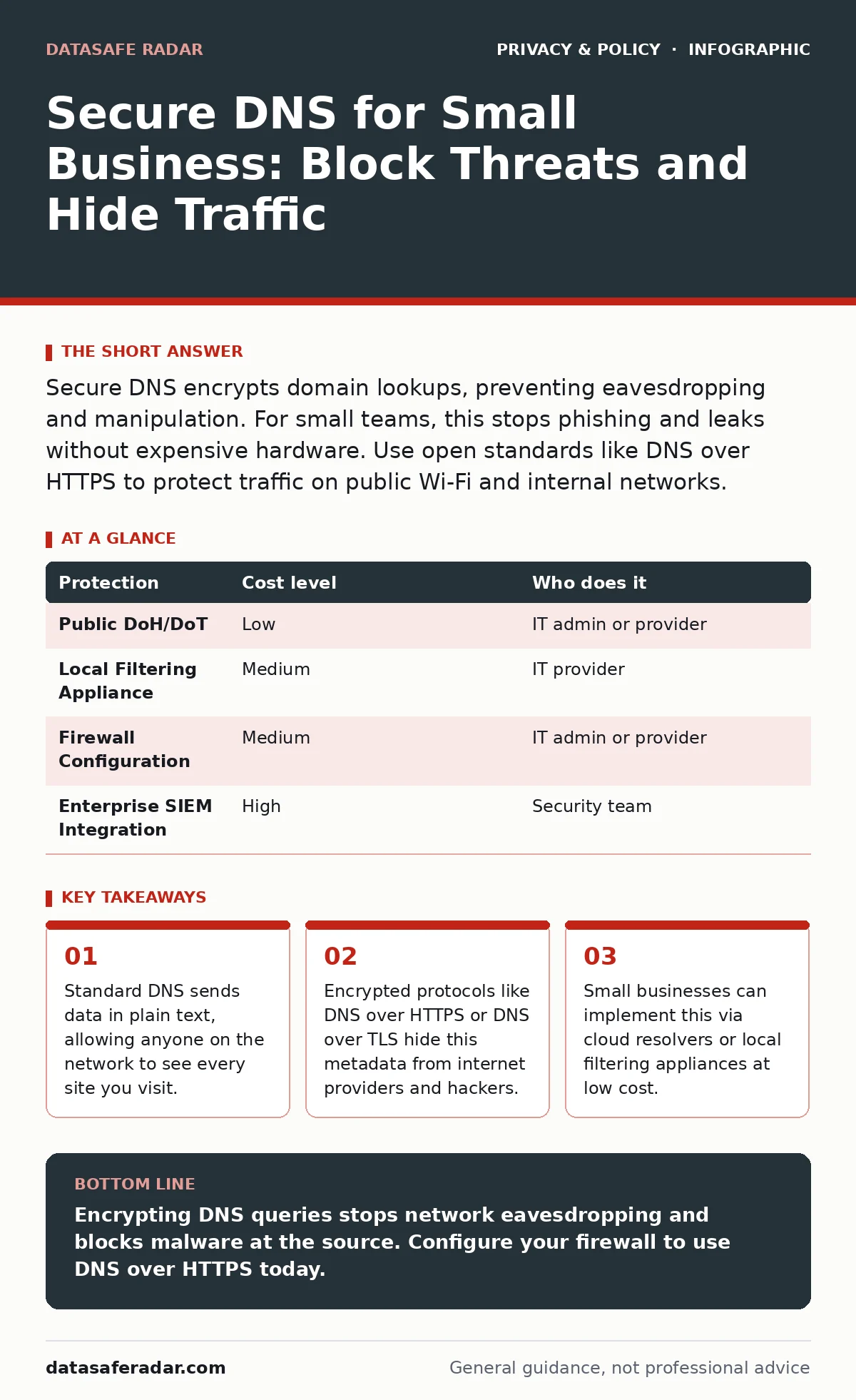
Secure DNS encrypts domain lookups, preventing eavesdropping and manipulation. For small teams, this stops phishing and leaks without expensive hardware. Use open standards like DNS over HTTPS to protect traffic on public Wi-Fi and internal networks.
The Plain Text Problem
Standard Domain Name System (DNS) translates human-readable website names into numerical IP addresses. It was built decades ago when trust was assumed. That assumption no longer holds. When you type a URL, your device asks a DNS server for the address. This request travels across multiple networks. Each hop can inspect the traffic.
This creates two distinct risks. First, an attacker on the same network can see every domain you query. This reveals your habits, clients, and interests. Second, an attacker can spoof the response. They can send you to a fake banking site instead of the real one. This is called DNS hijacking.
For a small business, this matters more than you might think. Employees often work from cafes, airports, or homes. These networks are rarely secure. If an employee accesses client data over unencrypted DNS, that metadata is exposed. You lose control of your digital footprint before the actual page even loads.
Why Small Teams Are Exposed
Large corporations have dedicated security teams to monitor traffic. Small businesses usually rely on a single IT provider or a generalist admin. You do not have the bandwidth to watch every packet. This makes automated protections necessary.
Standard consumer routers often lack robust DNS filtering. They may block obvious adult sites, but they miss sophisticated phishing domains. These bad domains change addresses frequently. A static block list becomes obsolete quickly. You need a solution that updates in real time.
Consider the cost of a breach. If one employee clicks a link that leads to malware, the ransomware spreads. The initial step was a simple DNS query. By securing that query, you block the infection vector. This is a high-return control for limited resources.
Affordable Implementation Methods
You do not need expensive hardware to secure DNS. Several cost-effective paths exist. The best choice depends on your technical skill and budget.
One option is using public recursive resolvers that support encryption. Services like Cloudflare or Google offer free tiers. They provide DNS over HTTPS (DoH) or DNS over TLS (DoT). These protocols wrap the DNS query in an encrypted tunnel. This hides the request from local observers.
Another option is a local filtering appliance. These are small boxes that sit on your network. They intercept all DNS requests and filter them against threat intelligence databases. They also prevent devices from bypassing filters by using external servers. This is useful for enforcing policy across many devices.
A third path is configuring your firewall. Many modern business-class firewalls support DoH or DoT natively. You simply enter the upstream server addresses. The firewall handles the encryption. This keeps management centralized.
| Protection | Cost level | Who does it |
|---|---|---|
| Public DoH/DoT | Low | IT admin or provider |
| Local Filtering Appliance | Medium | IT provider |
| Firewall Configuration | Medium | IT admin or provider |
| Enterprise SIEM Integration | High | Security team |
What to Delegate vs Keep In-House
You cannot manage everything. Decide what stays local and what goes to the cloud.
Delegate the threat intelligence. You cannot maintain a list of malicious domains. Use a service that does this for you. They analyze global traffic to find new threats. You benefit from their scale.
Delegate the encryption handling. If your firewall supports DoH, let it handle the cryptography. Do not try to write custom scripts to encrypt DNS. You will likely introduce errors.
Keep the policy rules in-house. You know your business. You know which sites are safe and which are not. A cloud filter might block a legitimate tool your team uses. You must override these blocks. You also need to review logs. A provider can give you the data, but you must interpret it.
Configuring the Client Devices
The network is only as strong as its weakest device. If one laptop bypasses the secure DNS, the protection fails.
Force all devices to use your internal DNS server. This is called split horizon DNS. Internal devices ask your server. Your server asks the secure upstream provider. This ensures all traffic is filtered.
Disable manual DNS entries. Employees should not be able to set their own DNS servers. This prevents them from bypassing filters to access blocked sites. It also stops malware from changing the DNS settings to redirect traffic.
Use Group Policy or Mobile Device Management to enforce these settings. This applies the configuration to all devices automatically. It reduces human error. If a new employee joins, their device is secure from the start.
See also: Privacy Browsers for Small Teams That Work · DNS Hijacking Risks: How Small Businesses Lose Traffic Control
Handling Edge Cases and Failures
Secure DNS adds complexity. It can break things if not done right.
Some older devices do not support DoH or DoT. They may fail to resolve domains. You must identify these devices and update them or isolate them on a separate network.
Latency can increase slightly. Encryption takes time. In most cases, this is negligible. But for real-time applications, it might matter. Monitor performance after deployment.
If the upstream provider goes down, your internet access stops. This is a single point of failure. Configure a backup provider. If the primary server fails, switch to the secondary. This ensures continuity.
Questions for Your IT Provider
If you hire help, ask specific questions. Do not accept vague answers.
- Do you support DNS over HTTPS or DNS over TLS natively?
- How do you handle DNS logs for compliance and forensics?
- What is the failover process if the primary DNS server fails?
- Can you provide a list of blocked domains and categories?
- How do you prevent devices from bypassing the DNS filter?
These questions reveal their expertise. A provider who cannot answer them may not be ready to secure your network.
Secure DNS is not a silver bullet. It does not stop all attacks. But it removes a large attack surface. It protects your metadata and blocks known bad sites. For small businesses, it is one of the most effective controls available.
For more on hiding your digital footprint, see our guide on metadata exposure. If you need to understand user rights, read about data subject access requests. To secure remote access, check the guide on VPNs. For general principles, see data privacy.
Key takeaways
- Standard DNS sends data in plain text, allowing anyone on the network to see every site you visit.
- Encrypted protocols like DNS over HTTPS or DNS over TLS hide this metadata from internet providers and hackers.
- Small businesses can implement this via cloud resolvers or local filtering appliances at low cost.
Encrypting DNS queries stops network eavesdropping and blocks malware at the source. Configure your firewall to use DNS over HTTPS today.
Frequently asked questions
Does secure DNS slow down my internet?
It adds a tiny amount of latency due to encryption overhead. Most users cannot notice the difference in daily browsing or work tasks.
Can I use secure DNS with my existing router?
It depends on your router model. Many modern business routers support it. Older consumer routers may need a firmware update or replacement.
Does this protect me from all hackers?
No. It protects DNS traffic specifically. It does not encrypt the actual web page content. You still need HTTPS for full protection.
How do I know if my DNS is encrypted?
Check your browser or device settings. Look for DNS over HTTPS or TLS options. You can also use online tools to test your DNS configuration.
How this guide was produced: written by the DataSafe Radar editorial team with AI assistance, checked against the public references listed below, and reviewed when the facts change. See our editorial policy or report an error.