Website Defacement Mistakes: 7 Configuration Errors That Invite Hackers
Website defacement rarely exploits new code vulnerabilities; it usually stems from neglected configuration details that leave administrative interfaces exposed to automated scanning tools.

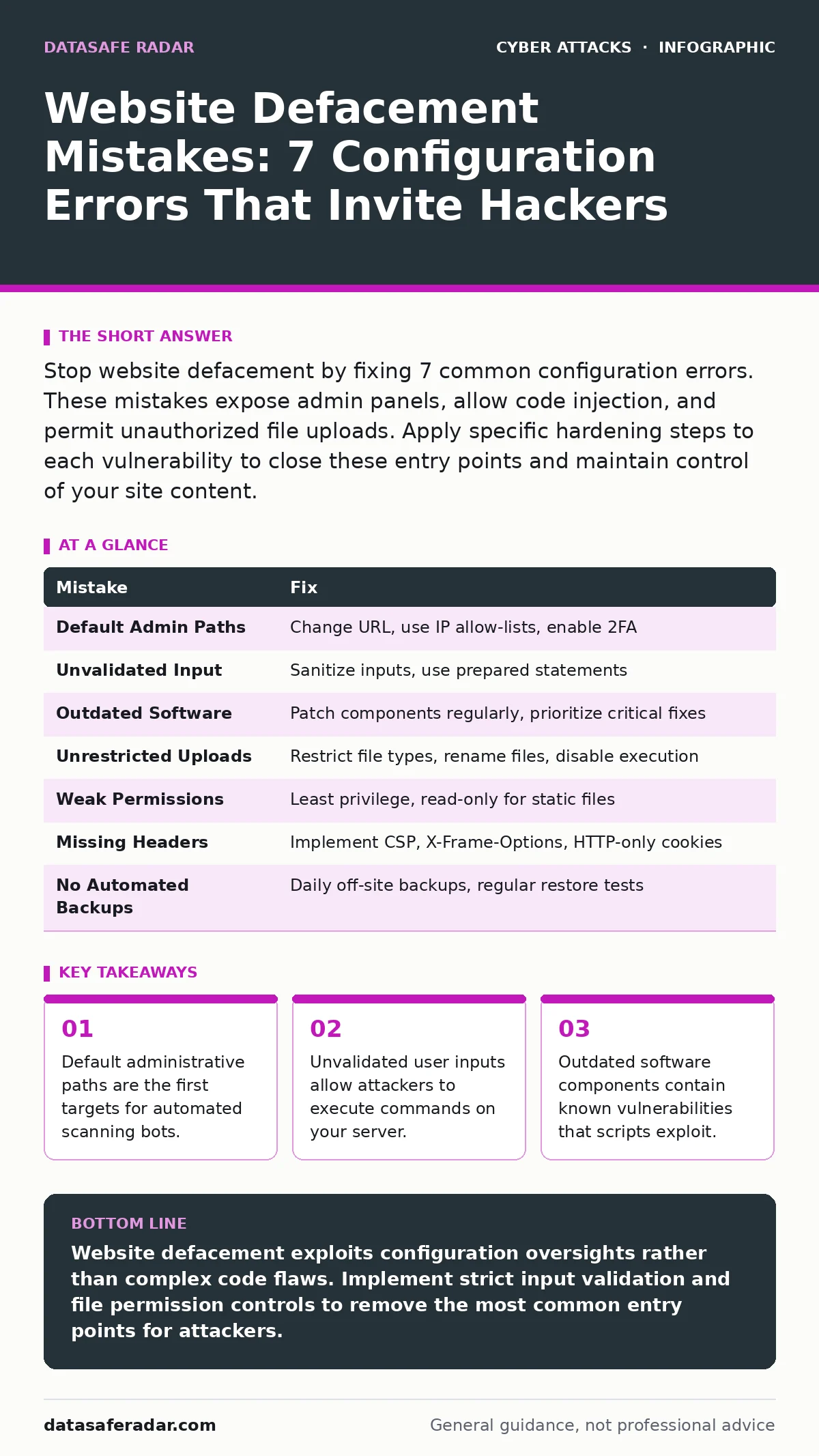
Stop website defacement by fixing 7 common configuration errors. These mistakes expose admin panels, allow code injection, and permit unauthorized file uploads. Apply specific hardening steps to each vulnerability to close these entry points and maintain control of your site content.
Mistake 1: Leaving Default Administrative Paths Accessible
Attackers use automated scripts to scan for common login pages like /admin or /wp-admin. You leave your site open when these paths remain accessible without additional verification layers. The scanner finds the door, then tries every password in a global dictionary. This brute-force method works because many administrators rely solely on username and password for authentication.
Why it hurts: Your administrative interface becomes a high-value target. Attackers do not need to guess your password immediately; they simply need to know the login page exists. Once located, they can attempt credential stuffing using passwords leaked from other services. The exposure invites continuous automated attacks that consume server resources and increase the risk of compromise.
The fix: Move the administrative login page to a non-standard URL path. Combine this change with IP address allow-listing, which restricts access to specific known addresses. Use two-factor authentication to add a second verification step. This layered approach ensures that even if an attacker guesses the path, they cannot proceed without physical access to a secondary device.
Mistake 2: Failing to Validate User Input
Your website accepts data from visitors through forms, search bars, and comment sections. You leave your site open when you insert this data directly into database queries or HTML output without sanitization. This allows an attacker to inject malicious scripts or commands. The server processes these inputs as legitimate instructions rather than plain text. This mechanism is known as injection, and it bypasses standard application logic.
Why it hurts: An attacker can execute arbitrary code on your server. They might read sensitive files, modify database records, or change the HTML content of your pages. This directly enables defacement by allowing the attacker to overwrite your homepage with their own message. The damage extends beyond cosmetic changes, as the attacker gains full control over the server environment and its data.
The fix: Implement strict input validation that rejects any data not matching expected formats. Use prepared statements for database queries to separate code from data. Sanitize all output by encoding special characters before displaying them in the browser. This ensures that user input is treated as text, never as executable code, regardless of its content or structure.
Mistake 3: Using Outdated Software Components
Your website relies on a web server, a database, and various libraries. You leave your site open when you delay updating these components after security patches are released. Old versions contain known vulnerabilities that attackers can exploit with publicly available scripts. These scripts automate the exploitation process, requiring no advanced skill from the attacker. Neglecting updates turns your server into a low-hanging fruit for automated tools.
Why it hurts: Attackers scan the internet for specific software versions with known flaws. When they find your outdated server, they deploy the corresponding exploit automatically. This results in immediate remote code execution. The attacker can then modify files, install backdoors, or deface your site within minutes of discovery. The delay between patch release and your update creates a window of vulnerability that scripts actively hunt.
The fix: Establish a routine for testing and applying security updates to all server components. Prioritize critical patches that address remote code execution vulnerabilities. Isolate your production environment to test updates before deployment. This reduces the risk of breaking functionality while ensuring you patch known weaknesses before attackers can exploit them at scale.
Mistake 4: Permitting Unrestricted File Uploads
Your application allows users to upload images, documents, or other files. You leave your site open when you accept these files without verifying their type or content. Attackers disguise malicious scripts as harmless images or documents. If your server executes these files, the attacker gains a foothold. This is a common vector for defacement, as the uploaded script can modify other files on the server.
Why it hurts: The attacker gains persistent access through the uploaded file. They can use this file to execute commands, download sensitive data, or change website content. Since the file resides on your server, it is difficult to detect without thorough monitoring. The attacker can restore their access even if you change passwords, as the malicious file remains in place.
The fix: Restrict file uploads to specific, safe file types such as JPEG or PNG. Rename uploaded files to random strings to prevent execution if the server misconfigures permissions. Store uploaded files in a directory with no execute permissions. This ensures that even if an attacker uploads a malicious script, the server cannot run it as code.
Mistake 5: Weak Server-Side Permissions
Your web server needs permissions to read and write files. You leave your site open when you grant the web server process write access to directories it should not modify. Attackers exploit this by writing new files or modifying existing ones. If the server process can write to the root directory, the attacker can change the homepage content or install malicious scripts. This misconfiguration turns a minor breach into a total takeover.
Why it hurts: The attacker can modify critical configuration files and website content. They can replace your legitimate HTML with defacement messages or redirect visitors to malicious sites. The damage is immediate and visible. Furthermore, the attacker can install persistence mechanisms that survive reboot cycles. The lack of permission boundaries means one small error grants full control.
The fix: Apply the principle of least privilege to your server directories. Grant write access only to directories that require it, such as upload folders or cache directories. Make all other directories read-only for the web server process. Regularly audit file permissions to ensure they have not drifted from the secure baseline over time.
See also: Watering Hole Attacks: How Hackers Target You Through Trusted Sites · Detecting Path Traversal Vulnerabilities in Web Applications
Mistake 6: Ignoring Security Headers
Your server sends HTTP headers with every response. You leave your site open when you fail to include headers that instruct browsers on how to handle content. Missing headers allow attackers to perform cross-site scripting or clickjacking attacks. These attacks can trick users into interacting with malicious content or reveal session tokens. While not a direct server breach, these weaknesses facilitate defacement by compromising user sessions.
Why it hurts: Attackers can hijack user sessions and perform actions as authenticated users. They can change profile settings, upload malicious files, or modify content if the user has write permissions. The defacement occurs through a compromised user account rather than a direct server exploit. This makes detection harder, as the actions appear to come from a legitimate user.
The fix: Implement strict security headers such as Content-Security-Policy to restrict where resources can be loaded from. Use X-Frame-Options to prevent clickjacking. Set HTTP-only flags on cookies to prevent script access. These headers add a layer of defense that protects users even if the server is partially compromised or if a user visits a malicious site.
Mistake 7: Lacking Automated Backups
Your website content changes frequently. You leave your site open when you do not have a reliable, automated backup system. Attackers deface your site knowing that recovery depends on your ability to restore previous versions. If backups are manual, incomplete, or stored on the same server, they are useless during an attack. The inability to quickly restore clean files extends the duration of the defacement and increases reputational damage.
Why it hurts: You lose control of your site content until you manually rebuild it. This downtime affects revenue and trust. Attackers may demand payment or publicize the breach while you struggle to recover. Without clean backups, you cannot simply revert to a pre-attack state. You must identify and remove every malicious file, a process that is time-consuming and error-prone.
The fix: Implement automated, off-site backups that run daily. Store backups in a separate environment with no write access from the production server. Test the restoration process regularly to ensure backups are valid. This allows you to quickly revert to a clean state, minimizing the impact of the defacement and reducing the attacker's leverage.
| Mistake | Fix |
|---|---|
| Default Admin Paths | Change URL, use IP allow-lists, enable 2FA |
| Unvalidated Input | Sanitize inputs, use prepared statements |
| Outdated Software | Patch components regularly, prioritize critical fixes |
| Unrestricted Uploads | Restrict file types, rename files, disable execution |
| Weak Permissions | Least privilege, read-only for static files |
| Missing Headers | Implement CSP, X-Frame-Options, HTTP-only cookies |
| No Automated Backups | Daily off-site backups, regular restore tests |
Key takeaways
- Default administrative paths are the first targets for automated scanning bots.
- Unvalidated user inputs allow attackers to execute commands on your server.
- Outdated software components contain known vulnerabilities that scripts exploit.
Website defacement exploits configuration oversights rather than complex code flaws. Implement strict input validation and file permission controls to remove the most common entry points for attackers.
Frequently asked questions
Can a website defacement lead to data theft?
Yes, attackers often use defacement as a cover for installing data-stealing scripts or backdoors that exfiltrate sensitive information while the site appears compromised.
Does using a CDN prevent website defacement?
A CDN can mitigate some attacks by caching content and filtering requests, but it does not stop defacement if the attacker compromises the origin server or administrative interface.
How do I detect if my site has been defaced?
Monitor for unexpected changes in file hashes, unusual outbound traffic, or sudden drops in search engine rankings, which often indicate unauthorized content modifications.
Is website defacement related to DNS spoofing?
Defacement alters the content of the site itself, while DNS spoofing redirects users to a different IP address entirely. Both disrupt service but operate at different network layers.
How this guide was produced: written by the DataSafe Radar editorial team with AI assistance, checked against the public references listed below, and reviewed when the facts change. See our editorial policy or report an error.