Backdoors Prevention Checklist for Securing Systems
Hidden access points often survive system wipes because they reside in firmware or bootloaders, making standard antivirus scans ineffective against persistent threats.

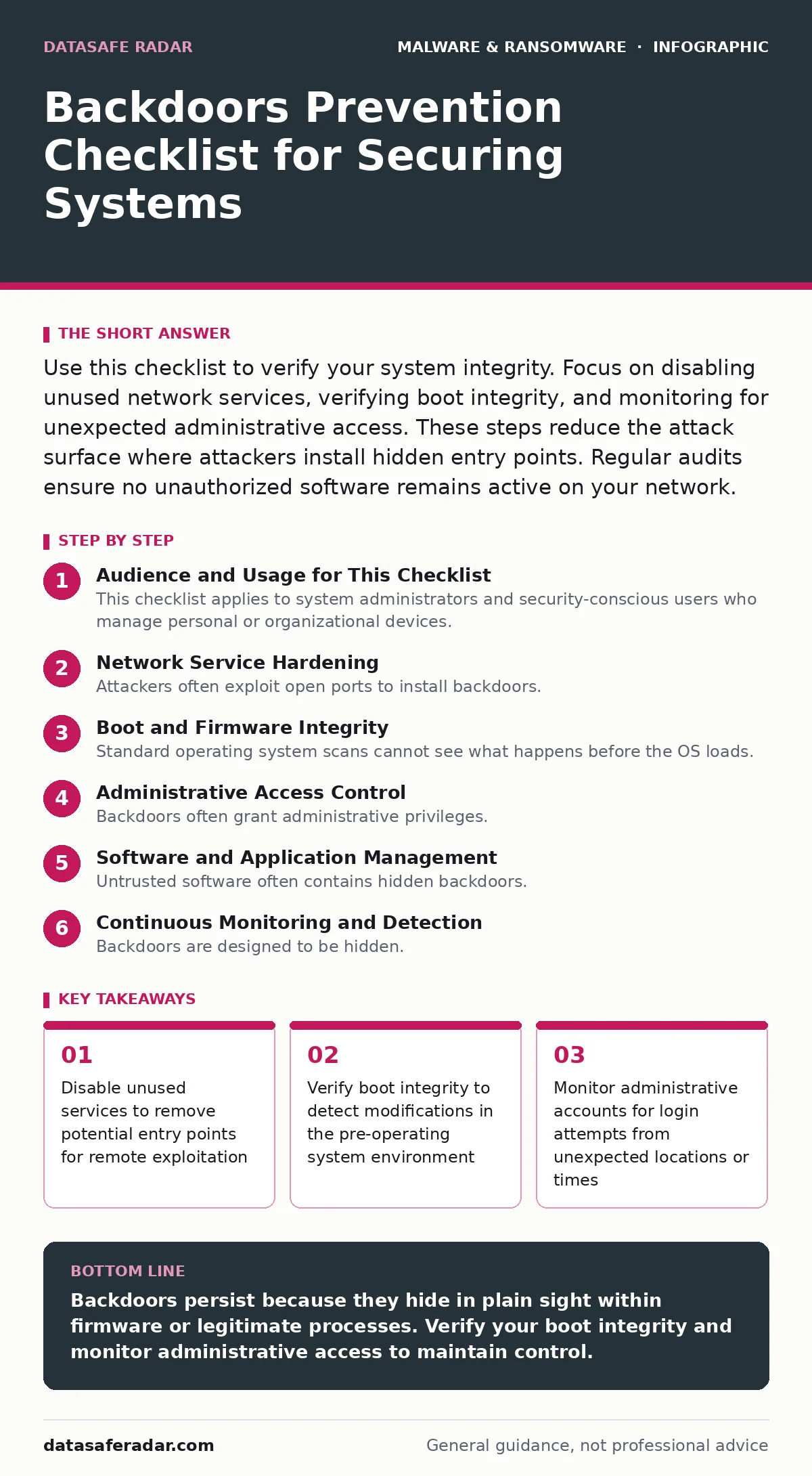
Use this checklist to verify your system integrity. Focus on disabling unused network services, verifying boot integrity, and monitoring for unexpected administrative access. These steps reduce the attack surface where attackers install hidden entry points. Regular audits ensure no unauthorized software remains active on your network.
Audience and Usage for This Checklist
This checklist applies to system administrators and security-conscious users who manage personal or organizational devices. You use it to verify that your systems do not contain unauthorized access mechanisms. Backdoors are hidden methods that allow bypassing normal authentication. They often remain undetected for long periods.
Use this list during routine maintenance or after a suspected compromise. Each item requires a specific action. You must verify the state of your system against these criteria. Ignoring any item leaves a potential gap in your defense.
Network Service Hardening
Attackers often exploit open ports to install backdoors. You must close any port that does not serve a business or personal need. Open ports provide a direct path into your system. Each open port increases the risk of unauthorized access.
- Disable unused network services: Reduces the number of entry points available to attackers.
- Block unnecessary inbound connections: Prevents remote exploitation of listening services.
- Verify firewall rules regularly: Ensures no unauthorized ports remain open over time.
- Monitor for unexpected outbound traffic: Detects communication with command and control servers.
Imagine a scenario where a printer service remains open on a public network. An attacker connects to this service and installs a hidden shell. You lose control of the device without noticing. Closing unused services prevents this initial foothold.
Boot and Firmware Integrity
Standard operating system scans cannot see what happens before the OS loads. Firmware malware resides in the hardware layer. It survives operating system reinstallation. You must verify the integrity of your boot process.
- Enable Secure Boot: Prevents unsigned or modified code from running during startup.
- Update firmware regularly: Patches known vulnerabilities in the hardware layer.
- Monitor for unauthorized firmware changes: Detects tampering with the boot process.
- Verify bootloader signatures: Ensures the code that starts the OS is authentic.
Refer to our guide on firmware malware for deeper context on hardware-level persistence. These measures protect against threats that operate below the operating system. If the bootloader is compromised, no software fix will suffice. You must restore the firmware from a trusted source.
Administrative Access Control
Backdoors often grant administrative privileges. You must limit who can access these high-level accounts. Excessive privileges allow attackers to modify system settings. They can disable security tools or create new accounts.
- Audit administrative accounts regularly: Identifies unused or unauthorized privileged accounts.
- Enforce multi-factor authentication: Adds a layer of security beyond passwords.
- Restrict remote administrative access: Limits the ability to manage systems from untrusted networks.
- Monitor for privilege escalation attempts: Detects efforts to gain higher access levels.
Suppose an attacker compromises a standard user account. They exploit a vulnerability to gain administrative rights. They then install a backdoor with full system control. Limiting administrative access restricts this escalation path.
Software and Application Management
Untrusted software often contains hidden backdoors. You must verify the integrity of all installed applications. Malicious documents can execute code that installs these backdoors. See our guide on malicious documents for details on file-based threats.
- Verify software signatures: Ensures applications are from trusted sources.
- Remove unused applications: Reduces the risk of exploiting outdated software.
- Monitor for unauthorized software installation: Detects attempts to add malicious programs.
- Keep applications updated: Patches vulnerabilities that could lead to backdoor installation.
Fileless malware often uses legitimate tools to execute malicious commands. This technique avoids detection by traditional antivirus. Refer to our guide on fileless malware for more on this evasion method. You must monitor process behavior, not just file hashes.
Continuous Monitoring and Detection
Backdoors are designed to be hidden. You need continuous monitoring to detect their activity. Real-time protection helps identify suspicious behavior as it happens. See our guide on real-time protection for implementation details.
- Deploy endpoint detection tools: Identifies suspicious process behavior and network activity.
- Analyze logs for anomalies: Detects patterns that indicate unauthorized access.
- Test detection capabilities regularly: Ensures your tools can identify known backdoor techniques.
- Respond to alerts promptly: Prevents attackers from maintaining persistent access.
Zero-day malware exploits unknown vulnerabilities. See our guide on zero-day malware for strategies on mitigating these risks. You cannot patch what you do not know. Monitoring for unusual behavior is your primary defense against unknown threats.
Incident Response and Recovery
If you detect a backdoor, you must act immediately. Isolate the affected system to prevent lateral movement. Do not attempt to fix the issue while the system is connected to the network.
- Isolate compromised systems: Prevents the attacker from spreading to other devices.
- Preserve evidence for analysis: Helps identify the entry point and scope of the breach.
- Rebuild systems from clean images: Ensures all backdoors are removed.
- Review security controls: Identifies weaknesses that allowed the compromise.
Ransomware often uses backdoors for initial access. See our guide on ransomware for prevention strategies. Screen locker ransomware may also exploit these hidden paths. Refer to our guide on screen locker ransomware for specific mitigation tactics. Adware can sometimes act as a precursor to more serious threats. See our guide on adware for related risks.
Key takeaways
- Disable unused services to remove potential entry points for remote exploitation
- Verify boot integrity to detect modifications in the pre-operating system environment
- Monitor administrative accounts for login attempts from unexpected locations or times
Backdoors persist because they hide in plain sight within firmware or legitimate processes. Verify your boot integrity and monitor administrative access to maintain control.
Frequently asked questions
How do I know if my system has a backdoor?
Look for unexpected network connections, unusual process behavior, or accounts you did not create. Regular audits and monitoring tools help identify these signs.
Can antivirus software detect all backdoors?
No. Antivirus relies on known signatures. Advanced backdoors use custom code or legitimate tools to evade detection. You need behavioral monitoring for better protection.
Is disabling remote access enough to prevent backdoors?
No. Attackers can install backdoors through local exploits or compromised software. You must also verify software integrity and limit administrative privileges.
How often should I run this checklist?
Run it quarterly or after any major system change. Regular checks ensure that new vulnerabilities or unauthorized changes are caught early.
How this guide was produced: written by the DataSafe Radar editorial team with AI assistance, checked against the public references listed below, and reviewed when the facts change. See our editorial policy or report an error.