File Integrity Monitoring: FAQs on Detection and Response
File integrity monitoring reveals hidden configuration drift and unauthorized code changes that traditional antivirus software consistently misses.
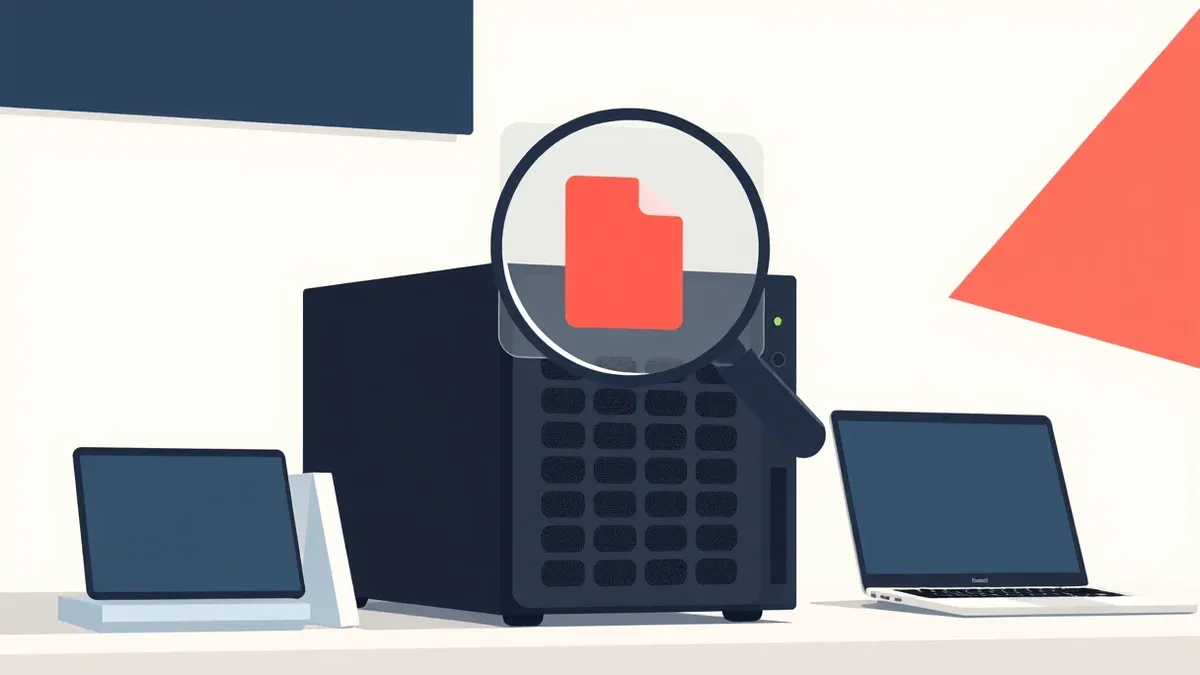
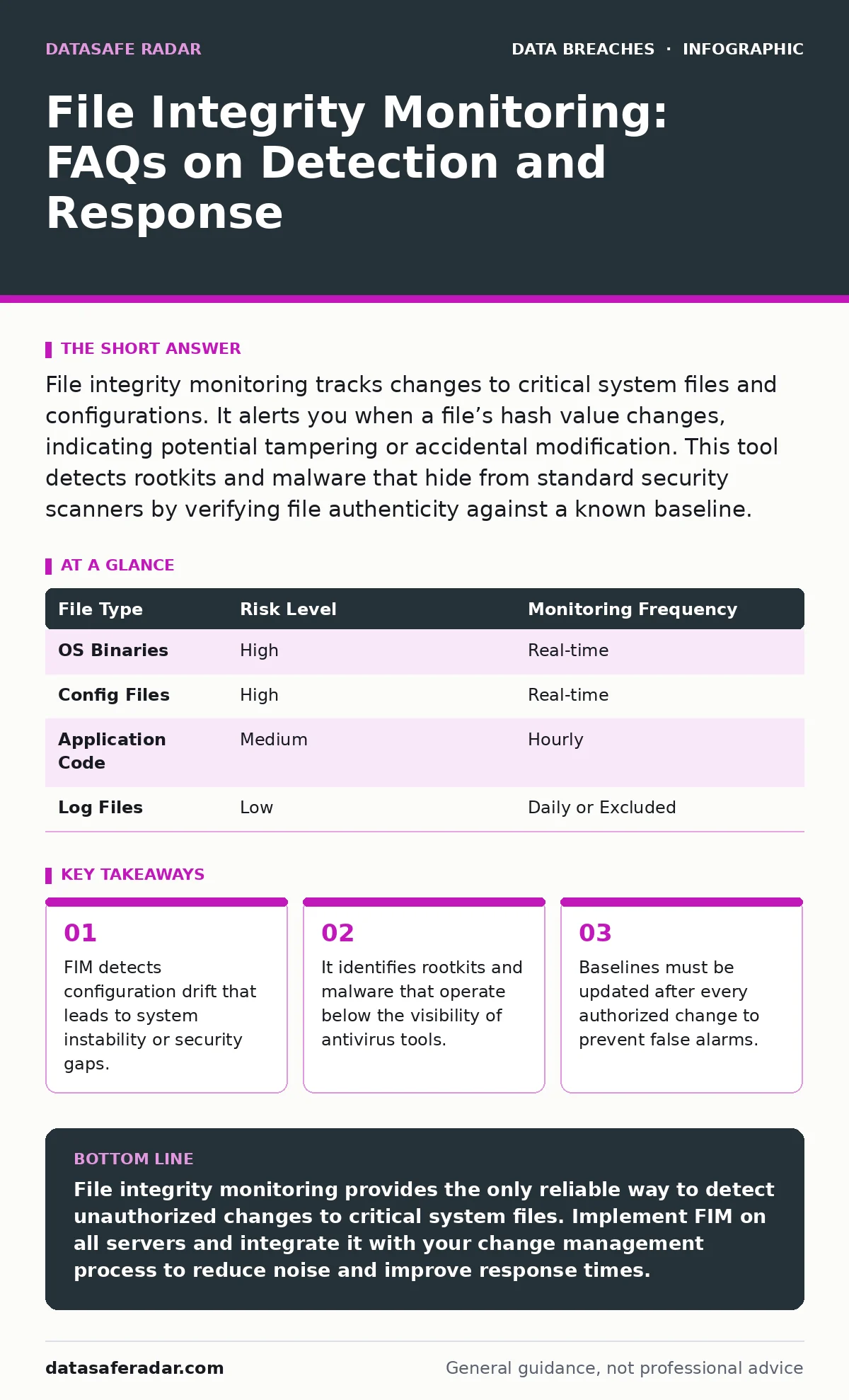
File integrity monitoring tracks changes to critical system files and configurations. It alerts you when a file’s hash value changes, indicating potential tampering or accidental modification. This tool detects rootkits and malware that hide from standard security scanners by verifying file authenticity against a known baseline.
What exactly does file integrity monitoring do?
File integrity monitoring (FIM) tracks changes to specific files and directories on your systems. It creates a cryptographic hash of each file to establish a baseline of what the system looks like when it is healthy. If a file changes, the hash changes, and the system alerts you immediately.
This mechanism does not prevent attacks. It only tells you that something has changed on your disk. You must investigate whether the change was authorized by an administrator or caused by a malicious actor.
How does FIM differ from antivirus software?
Antivirus software scans for known patterns of malicious code signatures. File integrity monitoring looks for any change to a file, regardless of whether the new content is known malware. This distinction matters because sophisticated threats often do not match existing virus signatures.
Imagine a attacker modifies a system library to include a backdoor. Antivirus might miss this if the code is new or obfuscated. FIM will catch it because the library file’s hash no longer matches the original installation. FIM complements antivirus by covering the blind spots where signature-based detection fails.
Which files should I monitor for changes?
You should monitor operating system binaries, configuration files, and critical application scripts. These are the components that control how your system behaves and connects to networks. Monitoring every single file on a drive creates too much noise and wastes resources.
Focus on files that, if altered, would change system behavior or grant access. This includes password files, firewall rules, and web server configurations. You must balance thoroughness with performance, as monitoring too many dynamic files can slow down your server.
Why do I get so many false positive alerts?
False positives occur when authorized changes happen without updating the FIM baseline. Software updates, patch installations, and manual configuration edits all change file hashes. If your monitoring tool expects the old version, it flags the new version as suspicious.
You must integrate your change management process with your FIM system. After every approved update, you should verify the new state and update the baseline. This ensures that the tool only alerts you to unexpected or unauthorized modifications.
| File Type | Risk Level | Monitoring Frequency |
|---|---|---|
| OS Binaries | High | Real-time |
| Config Files | High | Real-time |
| Application Code | Medium | Hourly |
| Log Files | Low | Daily or Excluded |
Can FIM detect a successful data breach?
FIM can detect the tools an attacker uses to maintain access, such as installed backdoors or modified shell scripts. It does not directly detect the exfiltration of data files. If an attacker copies a database and leaves, FIM will not see that action.
However, attackers often modify system files to hide their presence or escalate privileges. Detecting these changes can stop an attacker before they move laterally or steal more data. For visibility into data movement, you should also review guides on customer breach notification letters to understand the full scope of incident response.
See also: Privacy Audits: Benefits, Limits, and When They Actually Help
How does FIM help with compliance requirements?
Many regulatory frameworks require proof that critical system files have not been tampered with. FIM provides an audit trail that shows exactly when a file changed, who initiated the change, and what the new content is. This evidence is often required during security audits.
Without FIM, you cannot prove that your systems remained in a known good state between audits. The tool turns a theoretical security posture into verifiable data. This helps you demonstrate due diligence to regulators and insurers.
What is the performance impact of running FIM?
File integrity monitoring consumes CPU and disk I/O resources, especially if it scans in real-time. Real-time monitoring checks every file access, which can slow down high-transaction servers. Periodic scanning reduces the load but increases the window where a change might go undetected.
You must tune the scanning frequency based on your server’s workload. A database server might tolerate hourly scans, while a web server might need real-time monitoring for its configuration files. Test the impact in a staging environment before deploying to production.
How do I handle FIM alerts effectively?
Treat every FIM alert as a potential security incident until proven otherwise. Your security team should have a clear procedure for investigating changes. This involves checking change management logs to see if an administrator made the edit.
If no authorized change matches the alert, assume the system is compromised. Isolate the machine and begin forensic analysis. Ignoring alerts trains attackers that your monitoring is ineffective.
Why is FIM not enough on its own?
File integrity monitoring tells you that a file changed, but it does not tell you why. It lacks context about user activity or network traffic. An attacker could change a file and then delete the logs that show their login.
You need to correlate FIM data with other security signals. For example, if FIM detects a change to a web server file, check if there was unusual network traffic at that time. This holistic approach is similar to why you need backup testing to ensure your recovery plans actually work, rather than just trusting that backups exist.
How do I prevent attackers from disabling FIM?
Attackers often try to stop monitoring agents to hide their activities. You can mitigate this by running the FIM agent with minimal privileges and protecting it with application control policies. Application control prevents unauthorized programs from modifying or stopping the agent.
Additionally, use a centralized server to manage the agents. If an agent stops reporting, the central server should alert you immediately. This out-of-band monitoring ensures you know when the monitoring itself is compromised.
What happens if my baseline is corrupted?
If the stored baseline is tampered with, the FIM system will trust malicious files as legitimate. This renders the entire monitoring effort useless. You must protect the baseline storage with strict access controls and integrity checks of its own.
Store baselines on a separate, secure server that is not part of the production environment. Regularly verify the integrity of the baseline store. This practice mirrors the importance of employee offboarding security, where you must ensure former employees cannot access sensitive data stores.
How does FIM help with configuration drift?
Configuration drift happens when systems slowly diverge from their intended state due to small, untracked changes. Over time, these minor deviations can create security vulnerabilities or performance issues. FIM catches these small changes before they accumulate into major problems.
By maintaining a strict baseline, you ensure that all systems remain consistent. This consistency reduces the attack surface and makes troubleshooting easier. You can quickly identify which systems have deviated from the standard configuration.
Key takeaways
- FIM detects configuration drift that leads to system instability or security gaps.
- It identifies rootkits and malware that operate below the visibility of antivirus tools.
- Baselines must be updated after every authorized change to prevent false alarms.
File integrity monitoring provides the only reliable way to detect unauthorized changes to critical system files. Implement FIM on all servers and integrate it with your change management process to reduce noise and improve response times.
Frequently asked questions
Does FIM protect against ransomware?
FIM detects when ransomware modifies files, but it does not prevent the encryption. It serves as an early warning system that can help you isolate infected machines before the ransomware spreads further.
Can I use FIM on cloud infrastructure?
Yes, FIM works on cloud instances just like on physical servers. You must ensure the monitoring agent is installed on each instance and that the baseline is updated after any cloud-init scripts run.
How often should I update my FIM baselines?
Update baselines immediately after every authorized change, such as software patches or configuration updates. Delaying updates leads to false positives and reduces the trustworthiness of your alerts.
Is FIM necessary for workstations?
FIM is most critical for servers and network devices. Workstations have too many dynamic files and user-installed applications, making FIM noisy and difficult to manage effectively.
How this guide was produced: written by the DataSafe Radar editorial team with AI assistance, checked against the public references listed below, and reviewed when the facts change. See our editorial policy or report an error.