Incident Response Plans: How to Stop Damage When Attacks Happen
Most organizations lose control of breaches because they wait for permission to act, turning minutes of contained damage into days of widespread exposure.
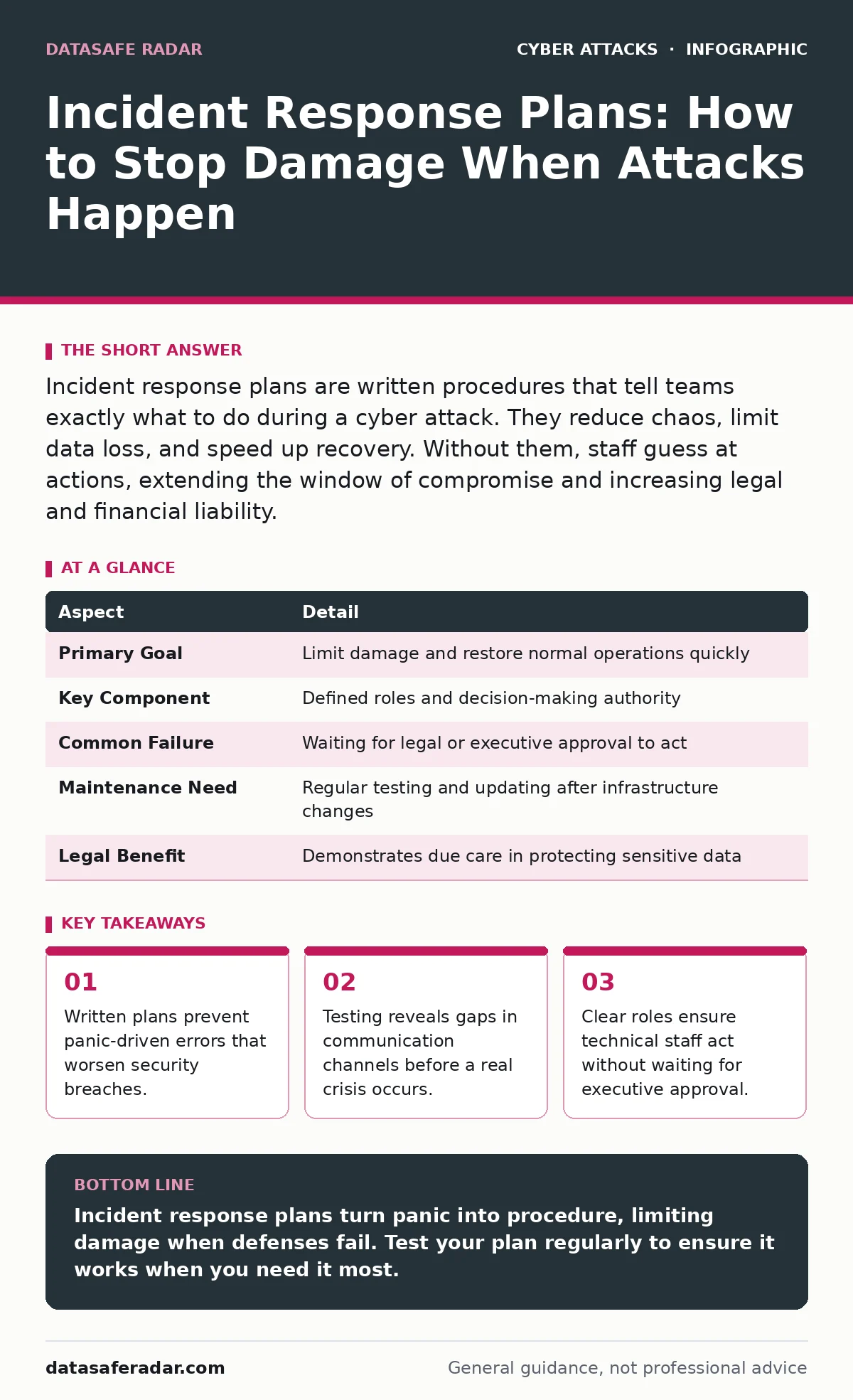
Incident response plans are written procedures that tell teams exactly what to do during a cyber attack. They reduce chaos, limit data loss, and speed up recovery. Without them, staff guess at actions, extending the window of compromise and increasing legal and financial liability.
The Fire Drill Analogy
Imagine a building fills with smoke. People do not stand around debating who owns the sprinkler system. They follow marked exits, use fire extinguishers, and call emergency services. This reaction works because the plan exists before the fire starts. Cyber attacks operate with similar urgency. You cannot write a response strategy while your servers are being encrypted. You need incident response plans that define actions before the alarm sounds.
What Incident Response Plans Actually Do
Incident response plans are documented procedures that guide an organization through the detection, containment, eradication, and recovery of a security breach. They transform a chaotic emergency into a managed process. The document specifies who makes decisions, how they communicate, and which technical controls to activate. It does not prevent the initial attack. It prevents the attack from becoming a disaster.
| Aspect | Detail |
|---|---|
| Primary Goal | Limit damage and restore normal operations quickly |
| Key Component | Defined roles and decision-making authority |
| Common Failure | Waiting for legal or executive approval to act |
| Maintenance Need | Regular testing and updating after infrastructure changes |
| Legal Benefit | Demonstrates due care in protecting sensitive data |
How The Process Works
The workflow follows a standard lifecycle. Detection occurs when monitoring tools or users report anomalies. Triage determines if the event is a true security incident or a false alarm. Containment stops the threat from spreading to other systems. Eradication removes the attacker’s access and tools. Recovery restores data and services to normal operation. Post-incident analysis reviews what happened and why. Each step requires pre-approved actions. Delaying containment to investigate fully often allows the attacker to move laterally.
Who Bears The Responsibility
Every employee affects incident response, but specific roles carry the weight. Security analysts detect and triage alerts. System administrators isolate affected machines. Legal counsel assesses regulatory notification requirements. Public relations teams manage external messaging. Executive leadership provides budget and authority. The plan must name specific individuals and backups. Vague titles like "IT Manager" fail when that person is on vacation. Clear ownership prevents the "bystander effect" where everyone assumes someone else is handling the crisis.
What People Usually Get Wrong
Most organizations treat incident response plans as compliance checkboxes. They write the document and file it away. This approach fails during a crisis. Teams panic when they cannot find the right procedure. Another common error is assuming technical staff can make all decisions. Security teams often need legal or executive sign-off to shut down critical systems. Waiting for approval extends the breach duration. Plans must grant pre-authorized power to act.
A hidden cost of poor planning is tool fragmentation. Security tools generate alerts, but without a plan, analysts waste time correlating data manually. Integrated workflows automate routine responses. You must also consider external dependencies. If your cloud provider goes down, your internal plan is useless. You need fallback procedures for third-party failures.
See also: Cloud Incident Response: A Step-by-Step Implementation Plan
Where Standard Advice Fails
Standard advice suggests isolating infected machines immediately. This works for ransomware but fails for advanced persistent threats. Isolating a machine might alert the attacker, causing them to wipe evidence or accelerate their exfiltration. In these cases, careful monitoring may be preferable to immediate isolation. You must balance containment with intelligence gathering.
Another edge case involves remote work. Traditional plans assume all staff are in one building. You cannot lock down a physical office if attackers are on home networks. Your plan must address remote device management and virtual private network disconnects. See our guide on evil twin Wi-Fi attacks for how attackers exploit home network vulnerabilities.
Testing And Maintenance
A plan that has never been tested is a fiction. You must run tabletop exercises where staff simulate responses to hypothetical breaches. These drills reveal communication gaps and missing contact information. Update the plan after every major infrastructure change. New cloud services, software updates, or hires require new procedures. Outdated plans create false confidence. They lead teams to follow steps that no longer work.
Regular reviews also catch personnel changes. If the primary incident commander leaves, the backup must be trained. Documentation must be accessible offline. Attackers often disable network access during a breach. Paper copies or air-gapped digital drives ensure you can follow the plan when the network is compromised.
The Human Element
Technology fails without human coordination. Stress impairs decision-making. Your plan must simplify choices under pressure. Use checklists rather than long narratives. Clear, binary instructions reduce cognitive load. Training must include soft skills. Staff need practice communicating with non-technical leaders. Explaining technical risks in business terms ensures executives understand the urgency.
Communication channels must be redundant. Attackers often compromise email accounts. If your plan relies solely on email, the attacker can block your coordination. Use out-of-band communication methods. Dedicated phone trees or secure messaging apps provide alternatives. See our guide on vishing to understand how attackers manipulate voice communications to bypass these safeguards.
Key takeaways
- Written plans prevent panic-driven errors that worsen security breaches.
- Testing reveals gaps in communication channels before a real crisis occurs.
- Clear roles ensure technical staff act without waiting for executive approval.
Incident response plans turn panic into procedure, limiting damage when defenses fail. Test your plan regularly to ensure it works when you need it most.
Frequently asked questions
How often should I update my incident response plan?
Update the plan after every major infrastructure change, personnel shift, or security incident. Review it at least annually to ensure contact details and procedures remain current.
Do small businesses need formal incident response plans?
Yes. Small businesses are frequent targets because they often lack sophisticated defenses. A simple, written plan helps them respond quickly and avoid costly mistakes during a breach.
What is the first step in an incident response plan?
The first step is detection and triage. Identify the anomaly, determine if it is a true threat, and classify the severity to trigger the appropriate response level.
Can incident response plans help with ransomware?
Yes. Plans define containment steps that stop encryption from spreading. They also outline recovery procedures using backups, reducing the pressure to pay ransoms.
How this guide was produced: written by the DataSafe Radar editorial team with AI assistance, checked against the public references listed below, and reviewed when the facts change. See our editorial policy or report an error.