Buffer Overflow Response: Steps to Contain and Recover
Isolating the host immediately prevents the attacker from using the corrupted memory to execute arbitrary code or escalate privileges before you can restore the system.
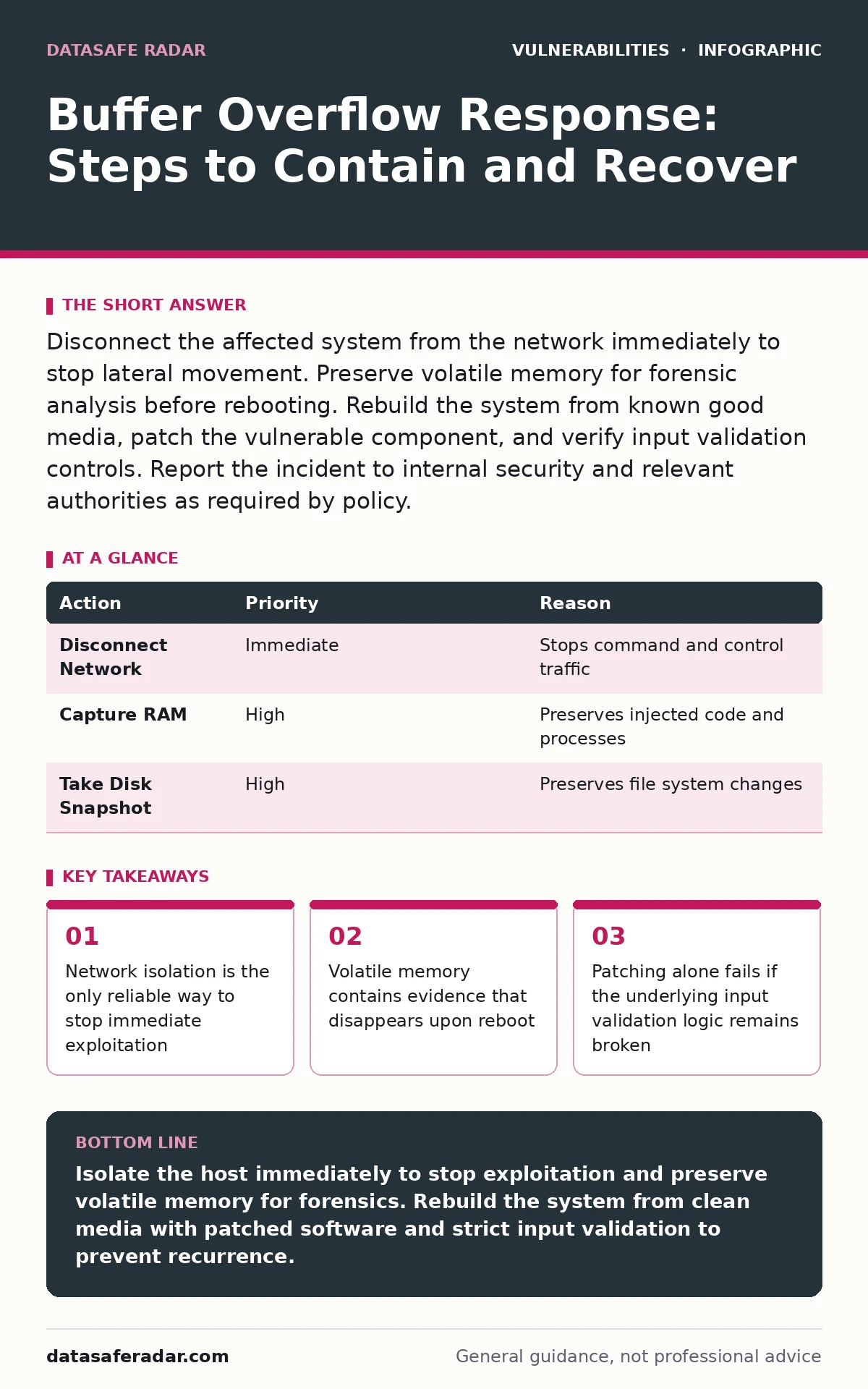
Disconnect the affected system from the network immediately to stop lateral movement. Preserve volatile memory for forensic analysis before rebooting. Rebuild the system from known good media, patch the vulnerable component, and verify input validation controls. Report the incident to internal security and relevant authorities as required by policy.
Initial Isolation and Preservation
The moment you suspect a buffer overflow, you must cut the network connection. A buffer overflow occurs when a program writes more data to a fixed-size block of memory than it can hold, spilling into adjacent memory. Attackers use this spillage to overwrite return addresses or function pointers, forcing the CPU to execute their code.
Imagine an attacker has injected shellcode into the heap of a web server. They are waiting for a specific condition to trigger execution. If you keep the server online, they may establish a reverse shell. Physical disconnection is the fastest method. For virtual machines, snapshot the disk state but isolate the network interface immediately.
| Action | Priority | Reason |
|---|---|---|
| Disconnect Network | Immediate | Stops command and control traffic |
| Capture RAM | High | Preserves injected code and processes |
| Take Disk Snapshot | High | Preserves file system changes |
First Hour Checklist
You have sixty minutes to stabilize the situation without destroying evidence. Follow this sequence strictly. Do not deviate based on hunches. Time is your most scarce resource.
- Identify the exact scope of the compromised host
- Isolate the host from all network segments
- Capture a memory dump using forensic tools
- Snapshot the disk volume before any changes
- Document the time of detection and initial indicators
- Notify the incident response team lead
Do not attempt to clean the system. Cleaning requires knowing every artifact the attacker left behind. You rarely know this in the first hour. Isolation buys time. The goal is containment, not remediation. If the system is part of a cluster, isolate the specific node. Check adjacent nodes for similar anomalies. Buffer overflows often exploit common libraries, making lateral movement likely if the vulnerability is widespread.
Containing Lateral Movement
An attacker who controls one host will look for others. They scan for systems running the same vulnerable software. You must assume they have moved laterally until proven otherwise. Review firewall logs for outbound connections from the compromised host. Look for unusual ports or protocols.
Check for new user accounts or changed permissions on the compromised host. Attackers often create backdoor accounts to maintain access. Inspect scheduled tasks or cron jobs for recently added entries. These persistence mechanisms survive reboots. If you find evidence of movement to other systems, isolate those hosts immediately. The blast radius of a buffer overflow is only limited by your network segmentation.
Imagine a database server with a buffer overflow in its query parser. The attacker executes code that reads the credentials file. They now have database admin rights. They use those rights to query user tables. They have escalated from a software bug to full data access. Containment stops this chain.
Recovery and Rebuilding
Recovery begins only after containment is confirmed. Do not restore from backups if the backup contains the vulnerable software version. You must patch the vulnerability before bringing the system back online. A buffer overflow exploit is repeatable. The same payload will work again if the flaw remains.
Rebuild the system from known good media. This is faster and more reliable than trying to clean an infected system. You cannot be certain you have removed all malware or backdoors. Use the latest stable version of the operating system and applications. Apply all security patches. Configure the system with minimal privileges. The principle of least privilege limits the damage of any future exploit.
Verify the integrity of restored data. Compare checksums against known good values. Ensure no malicious scripts or modified binaries are present. Test the application thoroughly. Look for input validation failures. If the application accepts untrusted input without checking length, it is vulnerable to buffer overflows. Fix the code, not just the configuration.
Who to Tell and Reporting
You must report the incident to internal stakeholders and potentially external parties. The security team needs the full timeline and technical details. They assess the business impact. Legal counsel determines if regulatory notification is required. Depending on the data involved, you may need to notify customers or partners.
Do not disclose technical details publicly. Attackers use public disclosures to refine their exploits. Share information only with trusted partners or industry ISACs. If the vulnerability is zero-day, coordinate with the vendor. They may need to release a patch. Your cooperation helps protect the broader ecosystem. Silence is dangerous, but transparency must be managed.
See also: Cloud Incident Response: A Step-by-Step Implementation Plan · GitHub Actions Workflow Injection Explained: Risks and Fixes
Preventing Recurrence
Patching is not enough. You must address the root cause. Buffer overflows stem from poor input validation and unsafe memory management. Review the codebase for functions that copy data without checking bounds. Replace unsafe functions with safer alternatives. Use compiler flags that enable stack protection and address space layout randomization.
Imagine a developer writes a function that copies a user string into a fixed buffer. They assume the string is short. A long string overflows the buffer. This assumption is the vulnerability. You must enforce input length limits at the application layer. Use libraries that handle memory management automatically. Static analysis tools can detect potential overflows before deployment.
Continuous monitoring is vital. Look for anomalous behavior in applications. High memory usage or unexpected crashes may indicate an overflow attempt. Integrate security testing into the development pipeline. Catch these flaws early. The cost of fixing a bug in production is far higher than in development.
Reviewing Related Risks
Buffer overflows are one type of memory corruption. Other vulnerabilities may exist in your environment. Check for default credentials on legacy systems. Attackers often combine easy access with exploit code. Review your exposure to IoT device vulnerabilities, as many embedded systems lack memory protection.
Assess your CVSS score for known vulnerabilities in your stack. High scores indicate severe risk. Monitor the EPSS score to predict exploit likelihood. Prioritize patching based on these metrics. Look for subdomain takeover risks if you use cloud services. These can be used to host exploit kits. Ensure your WordPress page builder vulnerabilities are patched if you run CMS platforms. Check for LDAP injection flaws in directory services. Prevent cross-site request forgery (CSRF) by implementing anti-CSRF tokens. These steps create depth.
Key takeaways
- Network isolation is the only reliable way to stop immediate exploitation
- Volatile memory contains evidence that disappears upon reboot
- Patching alone fails if the underlying input validation logic remains broken
Isolate the host immediately to stop exploitation and preserve volatile memory for forensics. Rebuild the system from clean media with patched software and strict input validation to prevent recurrence.
Frequently asked questions
How do I know if a buffer overflow occurred?
Look for application crashes, segmentation faults, or unexpected behavior. Forensic analysis of memory may reveal injected code or overwritten return addresses that do not match normal execution flow.
Can antivirus detect a buffer overflow exploit?
Antivirus scans files for known signatures. It often misses memory-only exploits or fileless malware injected via buffer overflows. Behavioral monitoring and EDR solutions are more effective for detecting execution anomalies.
Does ASLR prevent buffer overflows?
ASLR randomizes memory addresses, making it harder to predict where to jump. It does not prevent the overflow itself. It raises the difficulty for attackers but is not a substitute for input validation and safe coding practices.
Should I use fuzzing to find these bugs?
Fuzzing feeds random data to find crashes. It is highly effective for discovering buffer overflows. Integrate fuzzing into your CI/CD pipeline to catch memory safety issues before deployment.
How this guide was produced: written by the DataSafe Radar editorial team with AI assistance, checked against the public references listed below, and reviewed when the facts change. See our editorial policy or report an error.