Warning Signs of WordPress Page Builder Vulnerabilities
Page builder exploits often hide in visual glitches and database bloat rather than obvious error messages.

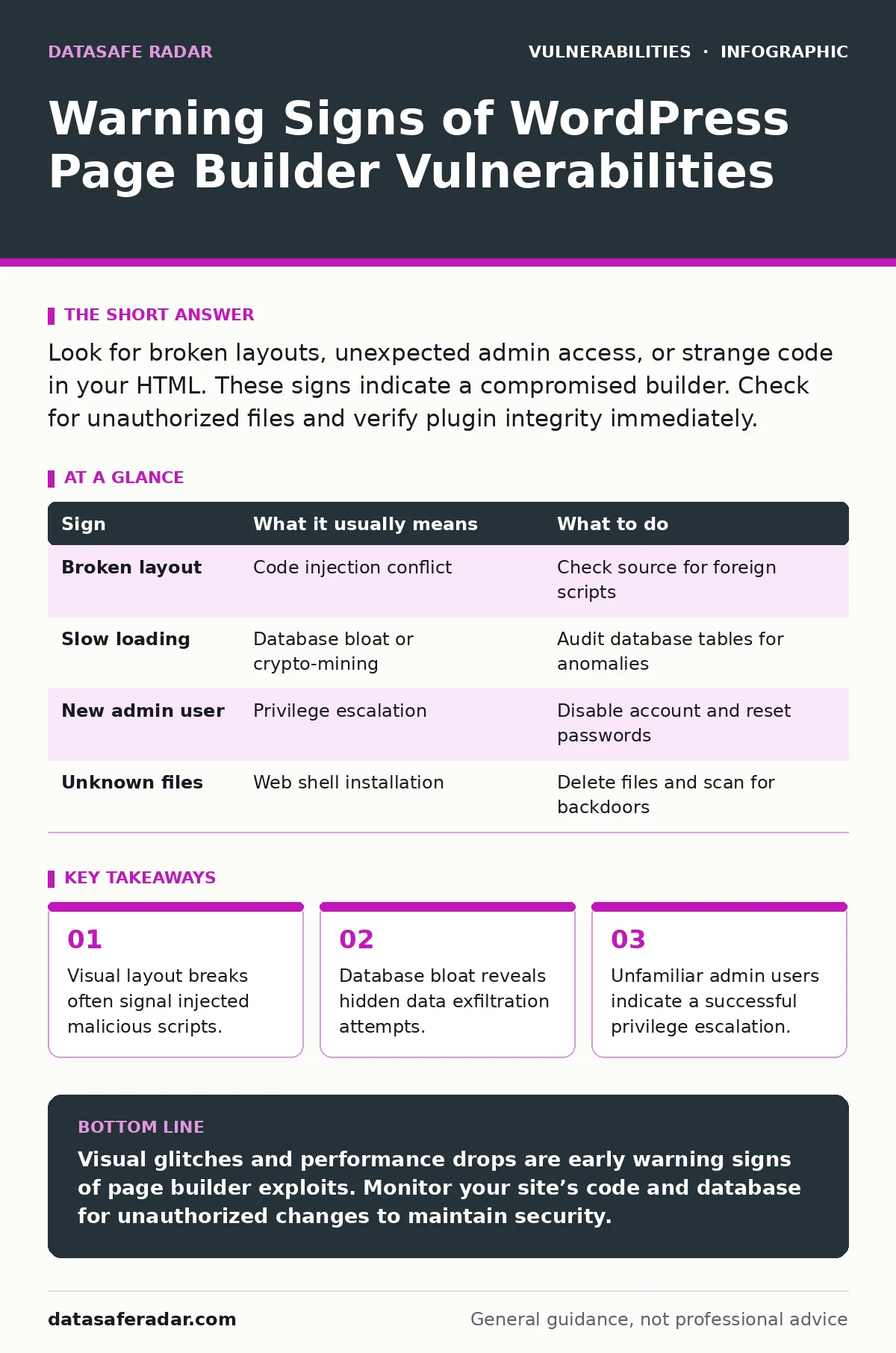
Look for broken layouts, unexpected admin access, or strange code in your HTML. These signs indicate a compromised builder. Check for unauthorized files and verify plugin integrity immediately.
Recognize Immediate Visual Indicators
Page builder vulnerabilities often manifest as visible layout errors. You notice sections of your site shifting, overlapping, or disappearing entirely. This happens when an attacker injects code that conflicts with the builder’s rendering engine. The builder tries to display both your legitimate content and the malicious payload. The result is a broken user experience. Do not ignore cosmetic issues. A misaligned button might be a delivery mechanism for malware. Check the front end of your site daily. Look for elements that do not match your design.
Detect Database and Performance Anomalies
Performance degradation is a subtle but reliable warning sign. Page builders store layout data in the database. Attackers exploit this to store stolen credentials or command-and-control scripts. This bloat slows down page loads and increases server load. You might see higher CPU usage without new traffic. Monitor your database size regularly. A sudden increase in database size without corresponding content updates is suspicious. This indicates data is being written by an unauthorized process. Investigate any unexplained growth in your post metadata tables.
Identify Unauthorized Administrative Access
Attackers often create hidden administrator accounts after exploiting a builder. These accounts allow persistent access to your site. You may notice new users in your dashboard that you did not create. Check the user list for accounts with odd names or recent creation dates. Look for users with administrator privileges that should not exist. Disable two-factor authentication for these accounts immediately. Reset all administrator passwords. Review the activity log for login attempts from unknown locations. This step prevents the attacker from retaining control.
Spot Suspicious Code in Templates
Inspect the source code of your pages for unexpected elements. Page builders generate complex HTML structures. Attackers hide malicious scripts within legitimate-looking classes or IDs. Look for inline JavaScript that you did not add. Check for iframes pointing to external domains. These elements often load remote code without your knowledge. Use the browser developer tools to view the page source. Search for strings that look like random characters. These are often encoded payloads designed to evade simple text searches.
| Sign | What it usually means | What to do |
|---|---|---|
| Broken layout | Code injection conflict | Check source for foreign scripts |
| Slow loading | Database bloat or crypto-mining | Audit database tables for anomalies |
| New admin user | Privilege escalation | Disable account and reset passwords |
| Unknown files | Web shell installation | Delete files and scan for backdoors |
Understand Hidden Data Exfiltration
Attackers use page builders to exfiltrate data quietly. They modify the builder’s save mechanism to send data to external servers. You will not see this in the visual editor. The data leaves your server during routine page saves. Monitor outbound network traffic for unusual patterns. Look for connections to domains you do not recognize. This technique bypasses many security plugins that focus on inbound threats. It resembles the mechanics of path traversal vulnerabilities where data access is manipulated. Focus on outbound logs to detect this silent theft.
See also: Web Application Firewall Tuning: Mechanisms, Limits, and False Positives
Address Compromised Plugin Integrity
A compromised page builder often indicates a broader infection. The attacker may have replaced core files with malicious versions. Verify the integrity of your plugin files. Compare them against the original distribution from the developer. Use checksums to ensure files have not been altered. If you find discrepancies, reinstall the plugin from a trusted source. Do not simply update the plugin. An update might not remove the backdoor. A clean reinstall ensures you start with known-good files. This approach is similar to handling default credentials where the base state is compromised.
Implement Ongoing Monitoring Practices
Prevention requires continuous monitoring of your site’s health. Set up alerts for file changes in your wp-content directory. Monitor for new files appearing in unexpected locations. Check for modifications to core configuration files. Use a file integrity monitoring tool to detect changes. Review server logs for suspicious activity regularly. Look for repeated failed login attempts. These attempts often precede a successful exploit. Combine this with vulnerability prioritization to focus on the most critical risks. Regular audits reduce the window of opportunity for attackers.
Evaluate Builder Security Posture
Not all page builders are equally secure. Some rely on complex code that is difficult to maintain. Choose builders with a strong security track record. Check for regular updates and responsive support. Avoid builders that have not been updated in a long time. Outdated code is a prime target for exploitation. Consider the security implications of each feature you enable. Disable features you do not use. This reduces the attack surface. Evaluate the builder’s handling of user input. Proper sanitization prevents most injection attacks. This is similar to how buffer overflow vulnerabilities are mitigated by strict input validation.
Recover from a Confirmed Breach
If you confirm a breach, act quickly to contain the damage. Take the site offline to prevent further data loss. Create a backup of the compromised site for forensic analysis. Do not restore from a backup until you have identified the vulnerability. Clean the server by removing all malicious files. Reset all passwords, including database and hosting accounts. Scan all connected devices for malware. Rebuild the site from a clean backup if necessary. Document the incident for future reference. This process helps you understand how the attacker gained access.
Prioritize Long-Term Security Measures
Long-term security requires a layered approach. Combine technical controls with regular audits. Use web application firewalls to filter malicious traffic. Keep all software up to date. Train your team to recognize phishing attempts. Phishing often leads to initial access. Review your security policies annually. Adapt to new threats and techniques. Consider the EPSS score when evaluating the likelihood of exploitation for specific vulnerabilities. This helps you allocate resources effectively. Focus on reducing the attack surface and improving detection capabilities.
Key takeaways
- Visual layout breaks often signal injected malicious scripts.
- Database bloat reveals hidden data exfiltration attempts.
- Unfamiliar admin users indicate a successful privilege escalation.
Visual glitches and performance drops are early warning signs of page builder exploits. Monitor your site’s code and database for unauthorized changes to maintain security.
Frequently asked questions
How do I know if my page builder has been hacked?
Check for broken layouts, new admin users, and unexpected files in your plugin directory.
Can a page builder leak my database credentials?
Yes, if an attacker exploits a vulnerability to access configuration files or inject code.
Should I disable my page builder if I suspect a breach?
Yes, disable it immediately to stop further execution of malicious code.
How often should I check for page builder updates?
Check for updates weekly and install security patches as soon as they are available.
How this guide was produced: written by the DataSafe Radar editorial team with AI assistance, checked against the public references listed below, and reviewed when the facts change. See our editorial policy or report an error.