CSRF Mistakes: 7 Configuration Errors That Bypass Token Protection
Attackers exploit trust in browser cookies more than they exploit code bugs, turning routine logins into unauthorized actions without stealing credentials.

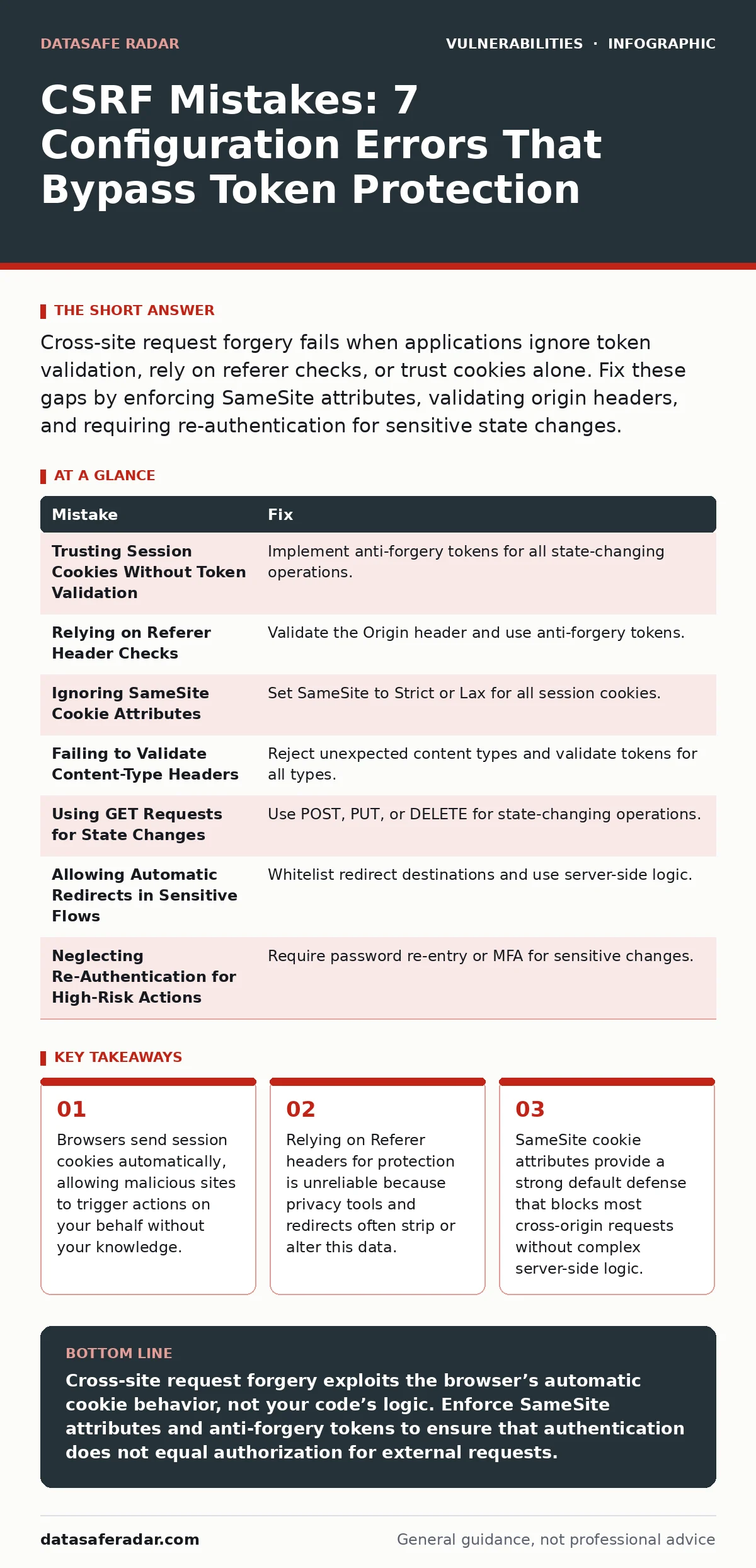
Cross-site request forgery fails when applications ignore token validation, rely on referer checks, or trust cookies alone. Fix these gaps by enforcing SameSite attributes, validating origin headers, and requiring re-authentication for sensitive state changes.
Mistake 1: Trusting Session Cookies Without Token Validation
Session cookies authenticate users automatically on every request. This convenience is the core mechanism attackers exploit in cross-site request forgery attacks. The browser sends the cookie regardless of where the request originates, assuming the user intended the action. If your application processes a state-changing request based solely on the presence of a valid session cookie, it cannot distinguish between a user clicking a button and a malicious script sending a request.
Why it hurts:
An attacker creates a page with a hidden form or image tag pointing to your sensitive endpoint. When a logged-in user visits that page, their browser submits the request with their authentication cookie. Your server sees a valid session and executes the action, such as changing an email address or transferring funds. The user remains unaware until the damage is done.
The fix:
Implement anti-forgery tokens for all state-changing operations. Generate a unique, unpredictable token for each user session and embed it in forms. Validate this token on the server before processing the request. Since an attacker cannot read your site’s cookies due to same-origin policies, they cannot include the valid token in their forged request.
Mistake 2: Relying on Referer Header Checks
Many developers check the Referer header to ensure requests originate from their own domain. This approach assumes the browser will always send the correct origin information. In practice, browsers and privacy extensions frequently strip or modify the Referer header to protect user privacy. Redirects between HTTP and HTTPS protocols also cause the browser to drop the Referer header entirely.
Why it hurts:
Legitimate requests from your own site may fail validation if the Referer header is missing or altered. This forces you to either disable the check, leaving the application vulnerable, or create a poor user experience where valid actions are blocked. Attackers can also manipulate headers in some scenarios to bypass these checks, making this defense unreliable and fragile.
The fix:
Stop using the Referer header as a primary security control. Instead, validate the Origin header, which is less likely to be stripped. Combine this with anti-forgery tokens for a defense-in-depth strategy. The Origin header provides a clear signal of the request’s source without the complexity and inconsistency of the Referer header.
Mistake 3: Ignoring SameSite Cookie Attributes
The SameSite attribute tells the browser under what conditions to send a cookie. When set to Strict or Lax, the browser will not send the cookie on cross-site requests. This feature directly addresses the cross-site request forgery problem by preventing the authentication cookie from reaching your server during an attack. Many older applications ignore this attribute or set it to None, allowing cookies to be sent freely.
Why it hurts:
Without SameSite restrictions, your application remains vulnerable to basic cross-site request forgery attacks. Attackers can use simple image tags or links to trigger actions. This mistake is particularly dangerous because it requires no complex scripting on the attacker’s part. The vulnerability exists simply because the browser follows the default behavior of sending cookies with every request to the domain.
The fix:
Set the SameSite attribute to Strict for all session cookies. This prevents the cookie from being sent on any cross-site request. If strict blocking breaks your application’s functionality, use Lax, which allows top-level navigations but blocks other cross-site requests. This simple configuration change provides significant protection against common attack vectors.
Mistake 4: Failing to Validate Content-Type Headers
Some applications accept requests with any Content-Type header, including text/plain or multipart/form-data, for endpoints that expect JSON or application/x-www-form-urlencoded. Attackers exploit this by crafting requests that bypass token validation logic. Many token validation frameworks only check for tokens in specific content types. If the header is different, the validation step is skipped entirely.
Why it hurts:
An attacker sends a request with a Content-Type of text/plain. Your server receives the request and, seeing the unexpected header, skips the anti-forgery token check. The request proceeds using only the session cookie for authentication. This bypass allows attackers to perform actions without needing to steal or guess the anti-forgery token, rendering your primary defense useless.
The fix:
Explicitly define and validate the Content-Type header for every endpoint. Reject requests with unexpected content types immediately. Ensure your anti-forgery token validation logic runs regardless of the content type, or enforce strict content-type matching before processing. This ensures that attackers cannot bypass security checks by manipulating header values.
Mistake 5: Using GET Requests for State Changes
The HTTP GET method is intended for retrieving data, not changing it. Some developers use GET requests for actions like deleting items, changing preferences, or confirming subscriptions. Browsers and web crawlers freely follow links and load images using GET requests. This makes it trivial for an attacker to trigger these actions by simply embedding a link or image in a malicious page.
Why it hurts:
An attacker places a link to your delete endpoint in a forum post or email. When a logged-in user clicks the link, the browser sends a GET request with their session cookie. The server processes the deletion because it treats GET requests as valid actions. This mistake is common in early-stage applications and remains a frequent source of vulnerabilities in mature systems that were not audited for proper HTTP method usage.
The fix:
Use POST, PUT, or DELETE methods for all state-changing operations. Configure your server to reject GET requests for these endpoints. This ensures that simple links and image tags cannot trigger actions. While this does not replace the need for anti-forgery tokens, it raises the bar for attackers, forcing them to use more complex scripts that are easier to detect and block.
See also: Watering Hole Attacks: How Hackers Target You Through Trusted Sites · Detecting Path Traversal Vulnerabilities in Web Applications
Mistake 6: Allowing Automatic Redirects in Sensitive Flows
Applications often redirect users after login or password changes. If these redirects are not carefully controlled, an attacker can inject their own URL into the redirect parameter. The application processes the sensitive action, then redirects the user to a malicious site. This technique can be used to capture tokens or perform further attacks, complicating the cross-site request forgery scenario.
Why it hurts:
An attacker crafts a login link that includes a redirect parameter pointing to their own server. After the user logs in, the application redirects them to the attacker’s site. The attacker can then use the user’s authenticated session to make requests on their behalf. This mistake undermines the security of the authentication flow and can lead to credential theft or session hijacking.
The fix:
Whitelist allowed redirect destinations. Reject any redirect parameter that does not match a predefined list of safe URLs. Use server-side logic to determine the post-login destination rather than accepting user input. This prevents attackers from chaining cross-site request forgery attacks with open redirect vulnerabilities to capture sensitive data.
Mistake 7: Neglecting Re-Authentication for High-Risk Actions
Some applications allow users to perform high-risk actions, such as changing payment details or admin settings, without re-entering their password. While convenient, this assumes the session cookie is sufficient proof of identity for every action. If a session cookie is compromised or if the user is logged in on a shared device, an attacker can perform these actions without further verification.
Why it hurts:
An attacker gains access to a user’s session cookie through a cross-site scripting attack or by stealing it from a shared computer. They can then change critical account settings without knowing the user’s password. This mistake increases the impact of any session compromise, turning a minor leak into a full account takeover. It also makes it harder to detect unauthorized activity, as the actions appear to come from a legitimate session.
The fix:
Require re-authentication for high-risk actions. Prompt the user to enter their password or use a multi-factor authentication code before processing the request. This adds a layer of security that is difficult for attackers to bypass remotely. It ensures that even if a session cookie is stolen, the attacker cannot perform the most damaging actions without the user’s direct involvement.
| Mistake | Fix |
|---|---|
| Trusting Session Cookies Without Token Validation | Implement anti-forgery tokens for all state-changing operations. |
| Relying on Referer Header Checks | Validate the Origin header and use anti-forgery tokens. |
| Ignoring SameSite Cookie Attributes | Set SameSite to Strict or Lax for all session cookies. |
| Failing to Validate Content-Type Headers | Reject unexpected content types and validate tokens for all types. |
| Using GET Requests for State Changes | Use POST, PUT, or DELETE for state-changing operations. |
| Allowing Automatic Redirects in Sensitive Flows | Whitelist redirect destinations and use server-side logic. |
| Neglecting Re-Authentication for High-Risk Actions | Require password re-entry or MFA for sensitive changes. |
Key takeaways
- Browsers send session cookies automatically, allowing malicious sites to trigger actions on your behalf without your knowledge.
- Relying on Referer headers for protection is unreliable because privacy tools and redirects often strip or alter this data.
- SameSite cookie attributes provide a strong default defense that blocks most cross-origin requests without complex server-side logic.
Cross-site request forgery exploits the browser’s automatic cookie behavior, not your code’s logic. Enforce SameSite attributes and anti-forgery tokens to ensure that authentication does not equal authorization for external requests.
Frequently asked questions
Does HTTPS prevent cross-site request forgery?
No, HTTPS encrypts data in transit but does not prevent the browser from sending cookies to malicious sites. You still need anti-forgery tokens and SameSite attributes.
Can I use CORS to stop CSRF?
CORS protects your data from being read by other sites, but it does not stop them from sending requests to your server. CSRF requires different defenses.
Are GET requests safe from CSRF?
GET requests are easier to exploit because browsers follow links automatically. Use POST or PUT for actions that change data to reduce risk.
Do modern browsers fix CSRF automatically?
Modern browsers support SameSite cookies, which helps, but they do not eliminate the risk. Developers must still implement server-side validation.
How this guide was produced: written by the DataSafe Radar editorial team with AI assistance, checked against the public references listed below, and reviewed when the facts change. See our editorial policy or report an error.