Cloud Incident Response: A Step-by-Step Implementation Plan
Most cloud breaches fail not because of detection gaps, but because manual remediation steps take too long to execute during high-stress events.

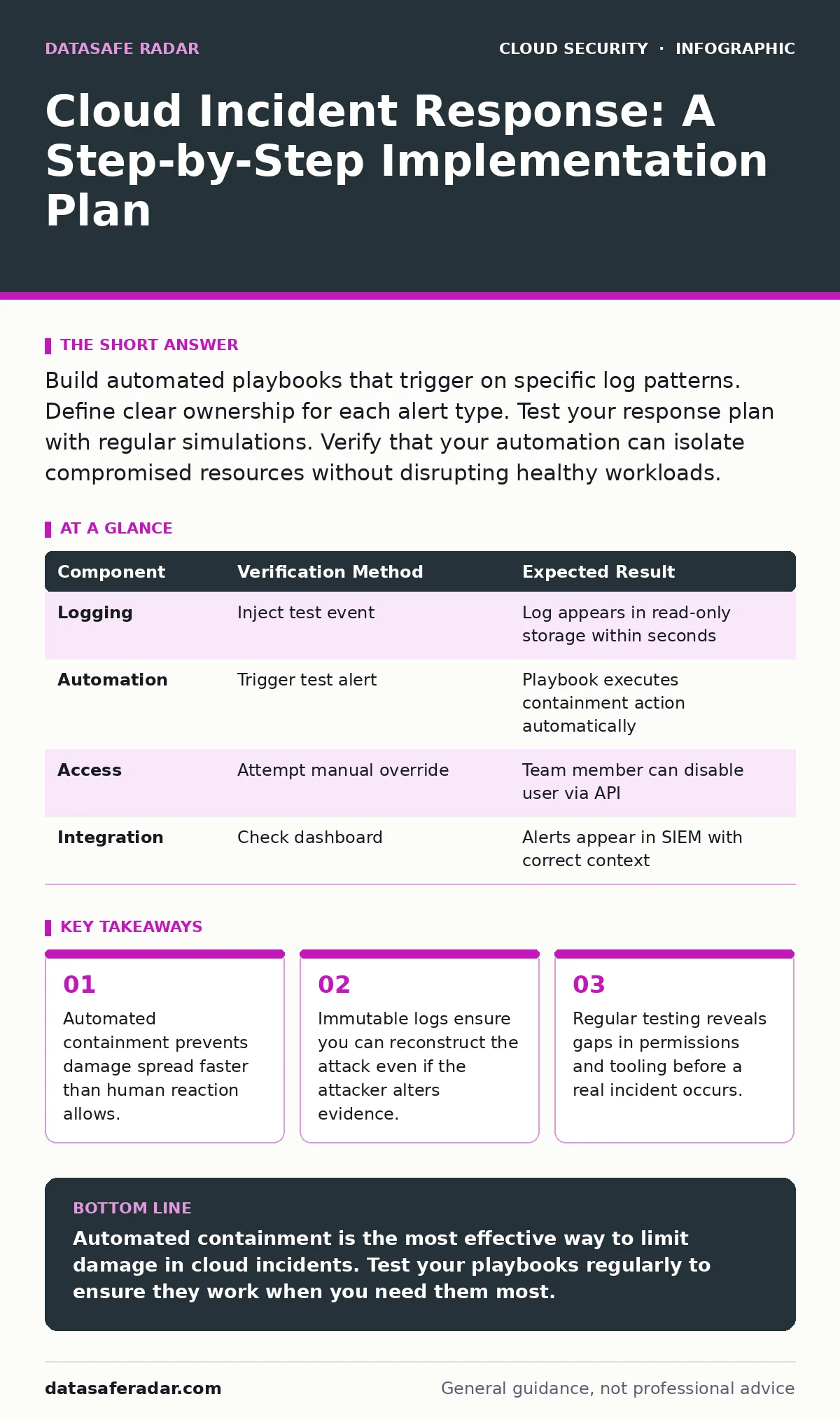
Build automated playbooks that trigger on specific log patterns. Define clear ownership for each alert type. Test your response plan with regular simulations. Verify that your automation can isolate compromised resources without disrupting healthy workloads.
Define Your Response Scope and Ownership
Cloud environments move faster than traditional data centers. You cannot rely on manual procedures alone. Start by mapping your critical assets. Identify which services hold sensitive data and which provide public access. This map determines where you place your sensors and what you prioritize during an event.
Assign specific roles to team members. One person manages communication. Another handles technical containment. A third preserves evidence. Clear ownership prevents duplication of effort and confusion. When an alert fires, everyone knows exactly what to do. This clarity reduces panic and speeds up resolution.
Establish Immutable Logging Infrastructure
You cannot respond to what you cannot see. Configure your cloud provider’s logging service to capture API calls, network traffic, and resource changes. Send these logs to a separate, read-only storage bucket. This separation ensures that an attacker who compromises your main environment cannot delete the evidence of their actions.
Enable detailed logging for all management planes. This includes changes to security groups, firewall rules, and user permissions. Many attackers move laterally by modifying these controls. If you do not log these changes, you lose the trail of how they moved. Retain these logs for a period that meets your compliance needs and supports forensic analysis.
Build Automated Playbooks for Common Scenarios
Manual response is too slow for cloud-scale attacks. Create automated playbooks for common incident types. These scripts trigger when specific conditions are met. For example, if a new administrative user is created outside of business hours, the playbook can disable that user and send an alert.
Focus on containment actions that limit damage. Isolate a compromised virtual private cloud subnet. Revoke suspicious access keys. Terminate rogue instances. These actions stop the bleeding while your team investigates. Automation ensures these steps happen instantly, every time, without human error or hesitation.
Integrate with Existing Security Tools
Your incident response plan must work with your current security stack. Integrate your logging platform with your security information and event management system. This allows you to correlate events across different sources. You can see if a login failure matches a subsequent successful login from a different location.
Connect your response automation to your identity provider. This allows you to disable accounts or revoke tokens programmatically. Ensure your cloud workload protection agents can communicate with your central dashboard. This visibility helps you identify compromised hosts quickly. Integration reduces the time spent switching between tools during an incident.
Test Your Plan with Regular Simulations
A plan that has never been tested is likely to fail. Run regular simulations of common attack scenarios. Imagine a scenario where an attacker gains access through a compromised server. Execute your playbook. Measure how long it takes to contain the threat. Identify where the automation failed or where human intervention was too slow.
Use chaos engineering principles to test resilience. Introduce faults into your system to see how your monitoring and response tools react. This reveals blind spots in your logging or gaps in your automation. Fix these gaps before a real incident occurs. Regular testing keeps your team sharp and your tools tuned.
See also: Cloud Workload Protection: Real Benefits vs. Hidden Costs · 7 Encrypted Cloud Storage Mistakes That Expose Your Data
Maintain and Update Your Response Procedures
Cloud services change frequently. New features introduce new attack surfaces. Review your incident response plan quarterly. Update your playbooks to reflect new services or changes in your architecture. Ensure your logging configurations still capture the necessary data.
Train your team on new procedures. Run tabletop exercises to discuss hypothetical incidents. Discuss what would happen if a major cloud provider outage occurred. Discuss how you would respond if your primary logging service was compromised. Continuous improvement ensures your plan remains effective against evolving threats.
Verify Your Implementation Effectiveness
How do you know your plan works? Check that your logs are flowing correctly. Verify that your automated playbooks trigger on test events. Ensure that your team can access the necessary tools during an incident. Conduct a post-mortem after each simulation or real incident.
Identify what went wrong. Did the automation cause unintended outages? Was the communication clear? Use these insights to refine your process. Incident response is not a one-time setup. It is a continuous cycle of improvement. Your goal is to reduce the time between detection and containment.
| Component | Verification Method | Expected Result |
|---|---|---|
| Logging | Inject test event | Log appears in read-only storage within seconds |
| Automation | Trigger test alert | Playbook executes containment action automatically |
| Access | Attempt manual override | Team member can disable user via API |
| Integration | Check dashboard | Alerts appear in SIEM with correct context |
Align with Broader Security Strategies
Your incident response plan does not exist in isolation. It must align with your broader security strategy. Ensure your cloud key management services are configured to rotate keys automatically. This limits the damage if a key is compromised.
Review your cloud vulnerability management processes. Unpatched vulnerabilities are common entry points for attackers. Ensure your container runtime security policies prevent unauthorized code execution. These preventive measures reduce the likelihood of an incident. When an incident does occur, your response plan handles the rest.
Consider how your multi-cloud security strategy affects your response. If you use multiple providers, your playbooks must work across all of them. Standardize your logging and response mechanisms. This consistency simplifies your operations. It also ensures that you can respond effectively regardless of where the incident occurs.
Key takeaways
- Automated containment prevents damage spread faster than human reaction allows.
- Immutable logs ensure you can reconstruct the attack even if the attacker alters evidence.
- Regular testing reveals gaps in permissions and tooling before a real incident occurs.
Automated containment is the most effective way to limit damage in cloud incidents. Test your playbooks regularly to ensure they work when you need them most.
Frequently asked questions
How often should I test my incident response plan?
Test your plan at least quarterly. Run more frequent tests if you make significant changes to your cloud architecture or security tools.
Can I use the same response plan for all cloud providers?
No. Each provider has different APIs and management consoles. You must tailor your playbooks to each environment, but the core principles remain the same.
What is the first step in a cloud incident response?
The first step is containment. Stop the attacker from causing more damage. Use automated playbooks to isolate affected resources quickly.
How do I ensure my logs are not tampered with?
Store logs in a separate, read-only storage bucket. Use cross-account access controls to prevent anyone, including administrators, from deleting or altering the logs.
How this guide was produced: written by the DataSafe Radar editorial team with AI assistance, checked against the public references listed below, and reviewed when the facts change. See our editorial policy or report an error.