Detect Cloud Ransomware: Logs, Signals, and Hidden Blind Spots
Cloud ransomware hides in plain sight by abusing legitimate API calls and normal user behavior patterns to encrypt data without triggering standard perimeter alerts.
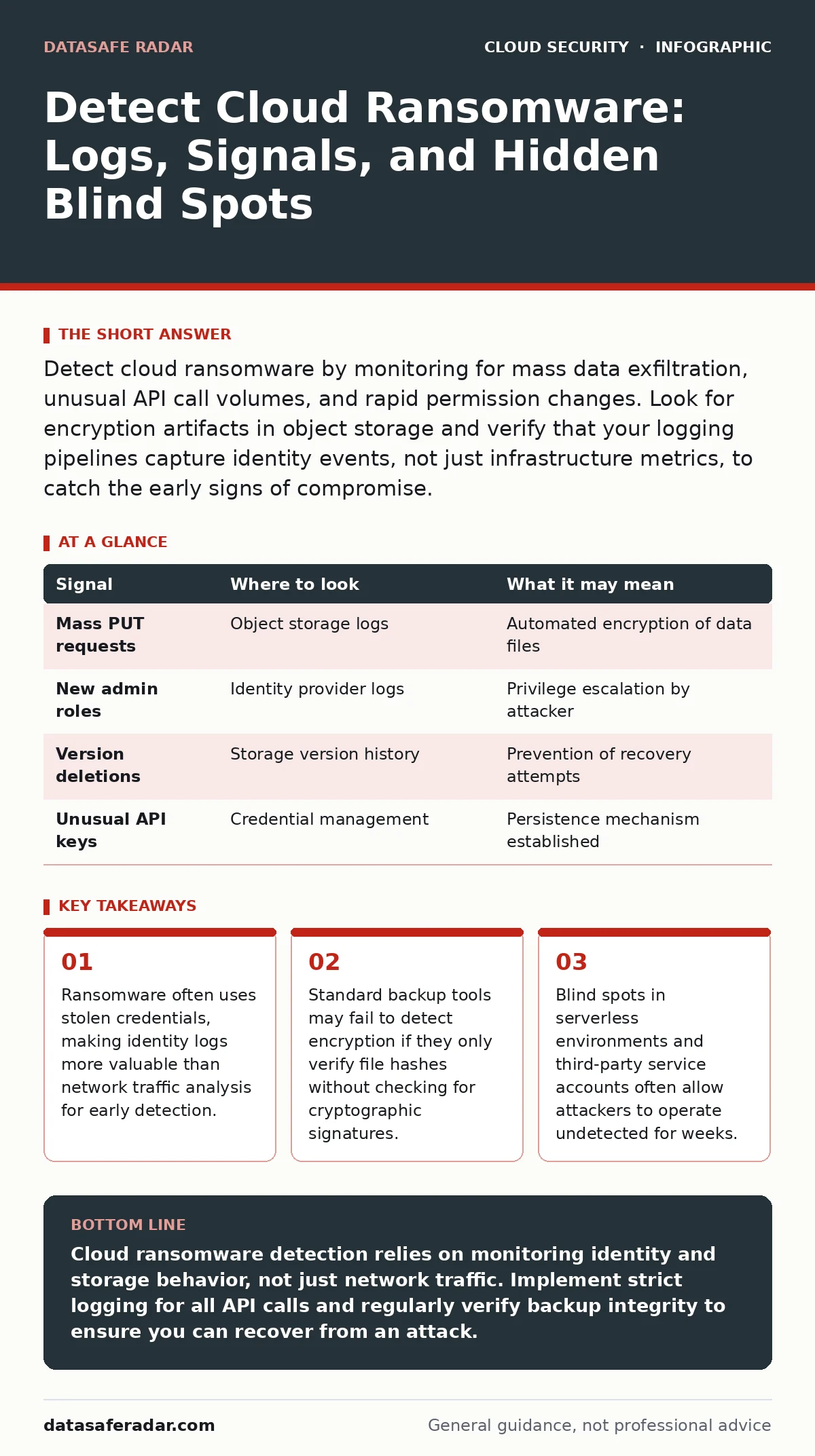
Detect cloud ransomware by monitoring for mass data exfiltration, unusual API call volumes, and rapid permission changes. Look for encryption artifacts in object storage and verify that your logging pipelines capture identity events, not just infrastructure metrics, to catch the early signs of compromise.
Identity Anomalies Reveal the Entry Point
Cloud ransomware rarely exploits a software vulnerability in the initial phase. Attackers usually steal credentials or abuse existing permissions. You must monitor identity providers for impossible travel, where a user logs in from two distant locations within minutes. This indicates account takeover rather than a remote code execution flaw.
Check for privilege escalation attempts that succeed. An attacker will often move from a low-privilege role to an administrator role to access sensitive data buckets. These role changes generate specific audit events. If you see a service account suddenly granted admin rights, investigate immediately.
Look for new API keys being created. Attackers generate new keys to maintain access even if you rotate the original credentials. This is a common persistence mechanism. Ensure your alerting system flags the creation of keys by users who do not normally perform administrative tasks.
Storage Activity Shows the Damage
Object storage is the primary target for cloud ransomware because it holds the most valuable data. You will see a spike in PUT or write requests to storage buckets. Normal users do not typically overwrite thousands of files in a short period. This pattern suggests automated encryption scripts are running.
Monitor for changes in file metadata. Attackers often rename files or add extensions to indicate they are encrypted. While this is obvious to a human, automated systems need to detect the volume of these changes. A sudden increase in file size changes also signals encryption activity, as encrypted data often expands slightly compared to plaintext.
Check for the deletion of previous versions. Many cloud storage services support versioning to protect against accidental deletion. Ransomware operators know this and will delete older versions to prevent recovery. If you see a mass deletion of historical versions, assume the current data is already compromised or targeted.
| Signal | Where to look | What it may mean |
|---|---|---|
| Mass PUT requests | Object storage logs | Automated encryption of data files |
| New admin roles | Identity provider logs | Privilege escalation by attacker |
| Version deletions | Storage version history | Prevention of recovery attempts |
| Unusual API keys | Credential management | Persistence mechanism established |
Network Traffic Hints at Exfiltration
Before encrypting data, attackers often exfiltrate it to ensure they have leverage. You will see large outbound data transfers to unknown IP addresses or cloud regions. This traffic looks like legitimate data replication if you only monitor bandwidth volume. You must inspect the destination.
Look for connections to non-standard ports. While cloud environments use standard ports for management, attackers may use alternative ports to bypass simple firewall rules. These connections often originate from compute instances that do not normally send external traffic.
Monitor for DNS queries to newly registered domains. Attackers use these domains to command and control their malware or to exfiltrate data. These domains often have short lifespans and unusual naming patterns. Your DNS logs should flag queries to domains created less than a week ago.
Compute Instances Host the Malware
Ransomware needs compute power to encrypt data at scale. You will see unusual CPU and memory usage on instances that normally run steady workloads. This spike indicates the encryption process is active. However, this signal is noisy and often triggers false positives during legitimate batch jobs.
Check for new processes running on instances. Attackers often download and execute scripts directly in the memory of a container or virtual machine. These processes may not have corresponding files on disk, a technique known as fileless malware. Your endpoint detection tools must inspect running processes, not just file hashes.
Look for disabled security agents. Attackers will try to stop logging or monitoring agents on compromised instances. If you see an agent stop reporting data, assume the instance is compromised. Do not restart the agent immediately, as this may alert the attacker. Isolate the instance first.
Automation Tools Become Weapons
Attackers use infrastructure-as-code tools and configuration management platforms to spread ransomware quickly. You will see unusual changes to cloud formation templates or terraform scripts. These changes may add new instances or modify security groups to allow unrestricted access.
Monitor for changes to security group rules. Attackers often open all ports on compromised instances to facilitate lateral movement. This change is visible in the configuration history of your network resources. If you see a security group modified to allow inbound traffic on all ports, investigate the source of the change.
Check for new scheduled tasks. Attackers may create cron jobs or cloud functions to ensure the ransomware runs periodically. These tasks may be hidden among legitimate maintenance scripts. Review the code of any new scheduled tasks to ensure they do not contain encryption logic or data exfiltration commands.
See also: 7 Encrypted Cloud Storage Mistakes That Expose Your Data · Cloud Workload Protection Mistakes and How to Fix Them
Blind Spots Hide the Attack
Serverless functions are difficult to monitor because they are ephemeral. They start, run, and stop quickly. Standard logging may not capture the execution details if the function fails or is deleted. You must ensure your logging pipeline captures the input and output of every serverless invocation.
Third-party service accounts often have broad permissions. If an attacker compromises a third-party vendor’s account, they can access your data without triggering user-based alerts. Review the permissions of all external accounts regularly. Remove any permissions that are not strictly necessary for their function.
Container images may contain pre-installed malware. If you pull images from untrusted registries, you may be introducing ransomware directly into your environment. Scan all images before deployment. This practice is covered in depth in our guide on container image scanning.
Tools Help but Require Tuning
Cloud-native monitoring tools provide the raw data for detection. You must configure alerts for the specific behaviors described above. Default alerts are often too noisy and miss subtle indicators. Tune your thresholds to reflect your normal operational baseline.
Identity and Access Management tools help track privilege changes. Use these tools to map which users and service accounts have access to critical data. This map helps you identify unusual activity when an account acts outside its normal pattern.
Data loss prevention tools can detect exfiltration. Configure these tools to block transfers of sensitive data to unknown destinations. This adds a layer of protection even if the attacker has valid credentials.
Response Speed Determines Recovery
Detection is only useful if you respond quickly. Isolate compromised instances immediately to stop the encryption process. Revoke all credentials associated with the compromised account. This prevents the attacker from moving laterally to other resources.
Restore data from verified backups. Ensure the backups were taken before the infection occurred. Test the restored data to ensure it is not encrypted or corrupted. This process is detailed in our cloud disaster recovery guide.
Review your logging configuration. Ensure all relevant events are being captured. Update your alerting rules to catch the specific tactics used in this attack. This continuous improvement is part of effective cloud incident response.
Key takeaways
- Ransomware often uses stolen credentials, making identity logs more valuable than network traffic analysis for early detection.
- Standard backup tools may fail to detect encryption if they only verify file hashes without checking for cryptographic signatures.
- Blind spots in serverless environments and third-party service accounts often allow attackers to operate undetected for weeks.
Cloud ransomware detection relies on monitoring identity and storage behavior, not just network traffic. Implement strict logging for all API calls and regularly verify backup integrity to ensure you can recover from an attack.
Frequently asked questions
How do I distinguish between a legitimate batch job and ransomware encryption?
Legitimate jobs usually follow a predictable schedule and access known data sets. Ransomware often runs at odd hours, accesses unrelated data, and generates a high volume of write operations to multiple buckets simultaneously.
Can ransomware infect serverless functions?
Yes, attackers can modify the code of serverless functions to encrypt data or exfiltrate it. Since these functions are ephemeral, the malicious code may disappear after execution, making logging critical for detection.
Should I disable all third-party service accounts?
No, but you should restrict their permissions to the minimum required. Regularly audit these accounts to ensure they have not been compromised or granted excessive access over time.
How often should I verify my backups?
You should verify backups regularly, at least monthly, by attempting to restore a sample of data. This ensures that your backups are not only present but also usable and free from encryption.
How this guide was produced: written by the DataSafe Radar editorial team with AI assistance, checked against the public references listed below, and reviewed when the facts change. See our editorial policy or report an error.