Cloud Workload Protection: Real Benefits vs. Hidden Costs
Cloud workload protection stops runtime attacks that static scans miss, but it cannot fix broken architecture or poor identity permissions.
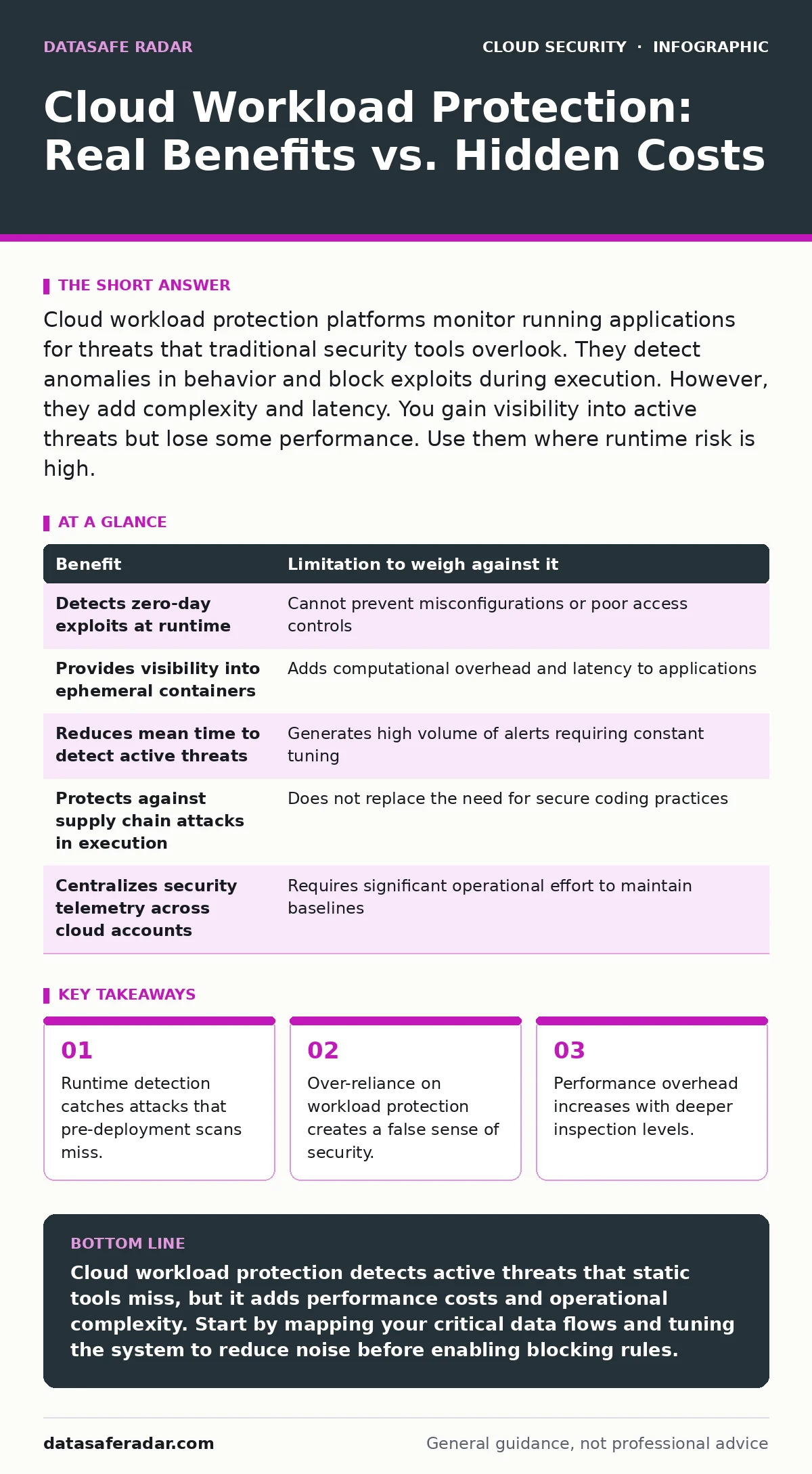
Cloud workload protection platforms monitor running applications for threats that traditional security tools overlook. They detect anomalies in behavior and block exploits during execution. However, they add complexity and latency. You gain visibility into active threats but lose some performance. Use them where runtime risk is high.
The Shift from Static to Dynamic Defense
Traditional security tools focus on the code before it runs. They scan for known vulnerabilities in images or source files. This is static analysis. It tells you what might go wrong if an attacker finds a specific flaw. It does not tell you what is happening right now.
Cloud workload protection platforms (CWPP) change this focus. They monitor the workload while it is executing. They look for abnormal behavior, such as a web server suddenly trying to access a database it never touched before. This dynamic view reveals attacks that bypass static checks.
Imagine a supply chain attack where the code looks clean but executes malicious payloads at runtime. Static tools see nothing. A CWPP sees the unexpected process creation and blocks it. This shift from checking the blueprint to watching the building is the core benefit.
Visibility Into the Runtime Environment
Workloads in the cloud are ephemeral. Containers spin up and down in seconds. Virtual machines scale automatically. Tracking these short-lived resources with traditional agents is difficult. Agents often fail to install in time or report stale data.
CWPP solutions use lightweight sensors or host-based agents that survive container restarts. They map the relationships between services. You see which container talks to which database and through which port. This mapping is invisible to standard network monitors.
This visibility helps you understand blast radius. If one service is compromised, you know exactly which other services it can reach. This knowledge speeds up containment. It turns a chaotic incident into a contained procedure. See our guide on cloud incident response for steps on using this data during an attack.
The Performance Tax You Must Pay
Nothing comes for free. Monitoring every system call, network packet, and file access consumes resources. The sensor must capture, analyze, and forward data. This processing happens on the same host as your application.
High-fidelity monitoring introduces latency. If you inspect every packet, your application slows down. If you sample only some packets, you might miss subtle attacks. You must choose between security depth and application speed. This trade-off is unavoidable.
Some organizations disable deep inspection to keep latency low. This leaves them vulnerable to sophisticated attacks that hide in normal traffic. Others accept the slowdown for maximum protection. You must decide where your threshold lies.
Alert Fatigue and Noise
The more you monitor, the more you see. A CWPP generates logs for every anomaly. Most of these anomalies are benign. A scheduled job runs at an odd time. A developer tests a new feature. The tool flags these as potential threats.
If you do not tune the system, you drown in alerts. Security teams ignore noise. They start trusting nothing. This is alert fatigue. It renders the tool useless because real threats get buried under false positives.
Tuning requires time and expertise. You must teach the system what your application does. You must update baselines when you release new features. This maintenance is a hidden cost. It is not a set-and-forget solution.
It Does Not Fix Broken Permissions
A CWPP can stop a hacker from exploiting a vulnerability. It cannot stop a user from misconfiguring a storage bucket. It cannot fix an identity that has too many privileges. These are architectural and policy failures.
If your database is exposed to the public internet, no runtime protection will save you from a direct brute-force attack. The attack surface is too large. You must reduce the surface first. Then you protect what remains.
See our guide on virtual private networks for how to isolate your workloads. See cloud key management services for how to protect your secrets. These controls reduce the need for heavy runtime monitoring. They are cheaper and more effective at the root level.
See also: Encrypted Cloud Storage Best Practices for Real Security · 7 Encrypted Cloud Storage Mistakes That Expose Your Data
The Table of Trade-Offs
Every security control has a cost. Understanding the trade-off helps you decide if the control fits your risk profile.
| Benefit | Limitation to weigh against it |
|---|---|
| Detects zero-day exploits at runtime | Cannot prevent misconfigurations or poor access controls |
| Provides visibility into ephemeral containers | Adds computational overhead and latency to applications |
| Reduces mean time to detect active threats | Generates high volume of alerts requiring constant tuning |
| Protects against supply chain attacks in execution | Does not replace the need for secure coding practices |
| Centralizes security telemetry across cloud accounts | Requires significant operational effort to maintain baselines |
When It Is Worth It
You should invest in cloud workload protection when your attack surface is large and dynamic. If you run hundreds of containers that change daily, manual monitoring is impossible. The automation provides necessary coverage.
It is worth it when you handle sensitive data that attracts targeted attacks. The cost of a breach outweighs the performance tax. You need the extra layer of detection to catch sophisticated adversaries who bypass perimeter defenses.
It is also worth it for regulated industries. Compliance often requires continuous monitoring of critical assets. A CWPP provides the audit trail and evidence needed to satisfy auditors. It proves you are watching your environment.
See our guide on DevSecOps for how to integrate these checks into your pipeline. See container runtime security for deeper technical details on container-specific threats.
When It Is Not
Do not deploy a CWPP if your environment is static and small. If you run a few virtual machines that rarely change, traditional agents and firewalls are sufficient. The complexity of a CWPP adds more risk than it mitigates.
It is not worth it if you lack the staff to manage it. If you cannot tune alerts, the tool becomes a liability. It creates noise and distracts your team. You are better off fixing basic hygiene first.
It is not worth it if your primary risk is internal policy failure. If your problem is users sharing credentials or leaving ports open, a runtime monitor will not help. You need identity and access management solutions. See our guide on shadow IT to understand how unmanaged devices create risk.
See cloud vulnerability management for how to prioritize patching. See Kubernetes admission controllers for how to enforce policy at the gate. These controls are more effective for preventing issues than detecting them.
Key takeaways
- Runtime detection catches attacks that pre-deployment scans miss.
- Over-reliance on workload protection creates a false sense of security.
- Performance overhead increases with deeper inspection levels.
Cloud workload protection detects active threats that static tools miss, but it adds performance costs and operational complexity. Start by mapping your critical data flows and tuning the system to reduce noise before enabling blocking rules.
Frequently asked questions
Does cloud workload protection replace firewalls?
No. Firewalls control network traffic based on rules. Workload protection monitors application behavior and system calls. They address different layers of the stack. You need both for defense in depth.
Can it detect insider threats?
It can detect abnormal behavior from any user or process. If an insider accesses files they never touch, the system flags it. However, it cannot determine intent. It only sees deviation from the baseline.
Is it effective against ransomware?
It can detect the rapid file encryption behavior typical of ransomware. It may block the process before significant damage occurs. However, if the ransomware has already encrypted files, the tool cannot restore them. Backups are still required.
How does it handle serverless functions?
Serverless functions are short-lived, making traditional agents difficult. CWPPs use eBPF or similar technologies to monitor the underlying host and attribute activity to the specific function. This provides visibility without installing agents in the function itself.
How this guide was produced: written by the DataSafe Radar editorial team with AI assistance, checked against the public references listed below, and reviewed when the facts change. See our editorial policy or report an error.