Container Image Scanning: A Step-by-Step Implementation Plan
Scanning images before they run stops vulnerabilities from becoming active threats, but you must block deployments that fail specific severity thresholds to enforce security.
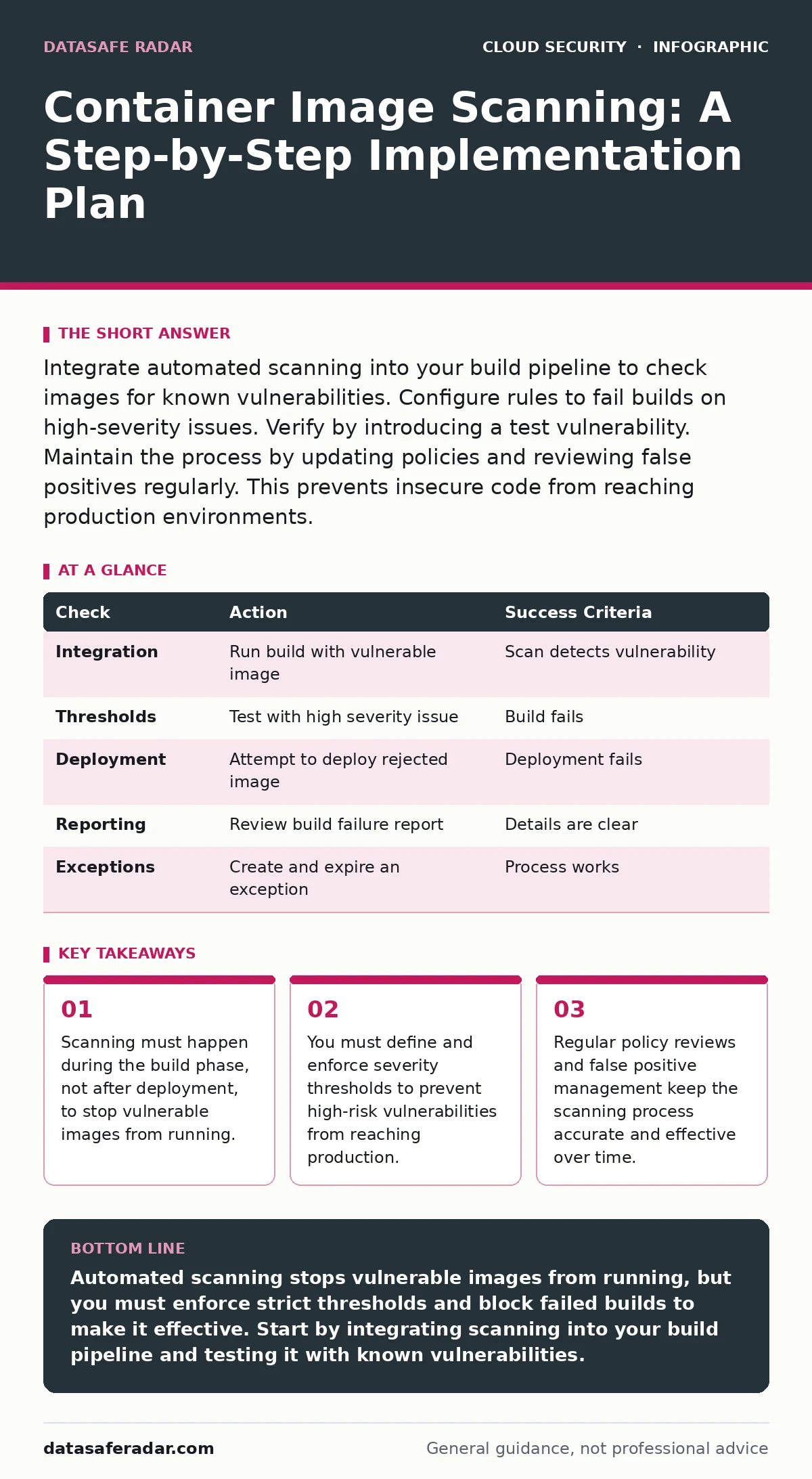
Integrate automated scanning into your build pipeline to check images for known vulnerabilities. Configure rules to fail builds on high-severity issues. Verify by introducing a test vulnerability. Maintain the process by updating policies and reviewing false positives regularly. This prevents insecure code from reaching production environments.
Preparation for Container Image Scanning
You must establish a clear security baseline before implementing automated scanning. Define which vulnerability severity levels are acceptable in your environment. Most organizations block high and critical vulnerabilities but allow low and medium ones with documented exceptions. This policy prevents the scanning tool from blocking every build due to minor issues.
Select a scanning tool that integrates with your existing build pipeline. The tool must support the container formats you use and provide detailed reports. Ensure your development team has access to the scanning results. Transparency helps developers understand and fix vulnerabilities quickly.
Step 1: Integrate Scanning into the Build Pipeline
Add the scanning step to your continuous integration pipeline. The scan must run after the image is built but before it is pushed to the registry. This timing ensures that only scanned images enter your storage. Configure the tool to output results in a format your pipeline can parse.
Verify this step by running a build with a known vulnerable base image. The pipeline should detect the vulnerability and report it. If the build continues without reporting, your integration is incomplete. The scan must interrupt the flow if it finds unacceptable issues.
Step 2: Configure Severity Thresholds
Set rules that define which vulnerabilities cause a build to fail. A common approach is to fail on critical and high severity vulnerabilities. You can set medium and low vulnerabilities to warn only. This allows development to continue while flagging issues for later review.
Check the configuration by triggering a scan with a medium severity vulnerability. The build should succeed but log a warning. Then trigger a scan with a high severity vulnerability. The build must fail. This confirms your thresholds are applied correctly.
Step 3: Block Deployment of Failed Images
Configure your deployment process to reject images that failed the scan. This often involves tagging successful builds as "approved" and failed builds as "rejected." Your deployment tool should only pull images with the approved tag. This prevents human error from bypassing security checks.
Verify this control by attempting to deploy a rejected image. The deployment should fail immediately. If the deployment succeeds, your gate is not effective. You must ensure that no manual override exists for production deployments without explicit approval.
Step 4: Enable Detailed Reporting for Developers
Ensure that scan results are visible to the developers who wrote the code. Integrate reports into your issue tracking system or build dashboard. Developers need to know which packages are vulnerable and how to fix them. Clear reporting reduces the time to remediation.
Check this by reviewing a recent build failure. The report should list the vulnerable package, the version, and the recommended fix. If the report is vague, developers will struggle to resolve issues. Accurate reports turn security findings into actionable tasks.
See also: How Cloud Disaster Recovery Works: The Mechanics and Limits · SaaS Data Exposure Prevention Checklist for Secure Apps
Step 5: Implement Exception Management
Some vulnerabilities may not apply to your specific workload. For example, a vulnerability in a library that is not executed might be a false positive. Create a process to review and approve exceptions. Document the reason for each exception and set an expiration date.
Verify this process by creating an exception for a non-exploitable vulnerability. The build should pass despite the finding. Review the exception after its expiration date. If the vulnerability is still present, decide whether to fix it or renew the exception. This keeps your security posture honest.
How to Check It Works
Run a comprehensive test to validate the entire scanning workflow. Build an image with multiple vulnerability severities. Ensure the pipeline detects them all. Verify that critical issues block the build and lower issues only warn. Check that rejected images cannot be deployed.
Review the reports for clarity and accuracy. Ensure developers can easily find the information they need. Test the exception process to confirm it works as intended. This end-to-end test proves your implementation is robust and reliable.
Upkeep and Maintenance
Scanning tools require regular updates to detect new vulnerabilities. Keep your scanning engine up to date with the latest vulnerability databases. Review your severity thresholds periodically. As your applications evolve, your risk tolerance may change.
Monitor for false positives and false negatives. Adjust your rules to improve accuracy. Train your development team on how to interpret scan results. Continuous improvement ensures your scanning process remains effective over time.
| Check | Action | Success Criteria |
|---|---|---|
| Integration | Run build with vulnerable image | Scan detects vulnerability |
| Thresholds | Test with high severity issue | Build fails |
| Deployment | Attempt to deploy rejected image | Deployment fails |
| Reporting | Review build failure report | Details are clear |
| Exceptions | Create and expire an exception | Process works |
For teams managing complex cloud environments, understanding cloud logging and monitoring helps track these scanning events. You also need to consider cloud incident response plans if a vulnerable image slips through. Proper Kubernetes admission controllers can enforce these policies at runtime.
Key takeaways
- Scanning must happen during the build phase, not after deployment, to stop vulnerable images from running.
- You must define and enforce severity thresholds to prevent high-risk vulnerabilities from reaching production.
- Regular policy reviews and false positive management keep the scanning process accurate and effective over time.
Automated scanning stops vulnerable images from running, but you must enforce strict thresholds and block failed builds to make it effective. Start by integrating scanning into your build pipeline and testing it with known vulnerabilities.
Frequently asked questions
How often should I scan container images?
Scan every time you build an image. This ensures that no vulnerable image ever reaches your registry or production environment.
Can scanning slow down my build pipeline?
Yes, scanning adds time to the build process. You can mitigate this by caching previous scan results and only scanning changed layers.
What is a false positive in container scanning?
A false positive is when the scanner reports a vulnerability that does not affect your application. You must review and document these to avoid unnecessary work.
Do I need to scan base images?
Yes, base images often contain vulnerabilities. Scanning them ensures your starting point is secure before you add your application code.
How this guide was produced: written by the DataSafe Radar editorial team with AI assistance, checked against the public references listed below, and reviewed when the facts change. See our editorial policy or report an error.