SaaS Data Exposure Prevention Checklist for Secure Apps
Most SaaS data leaks occur through misconfigured user permissions and unmanaged third-party integrations rather than direct attacks on the provider.
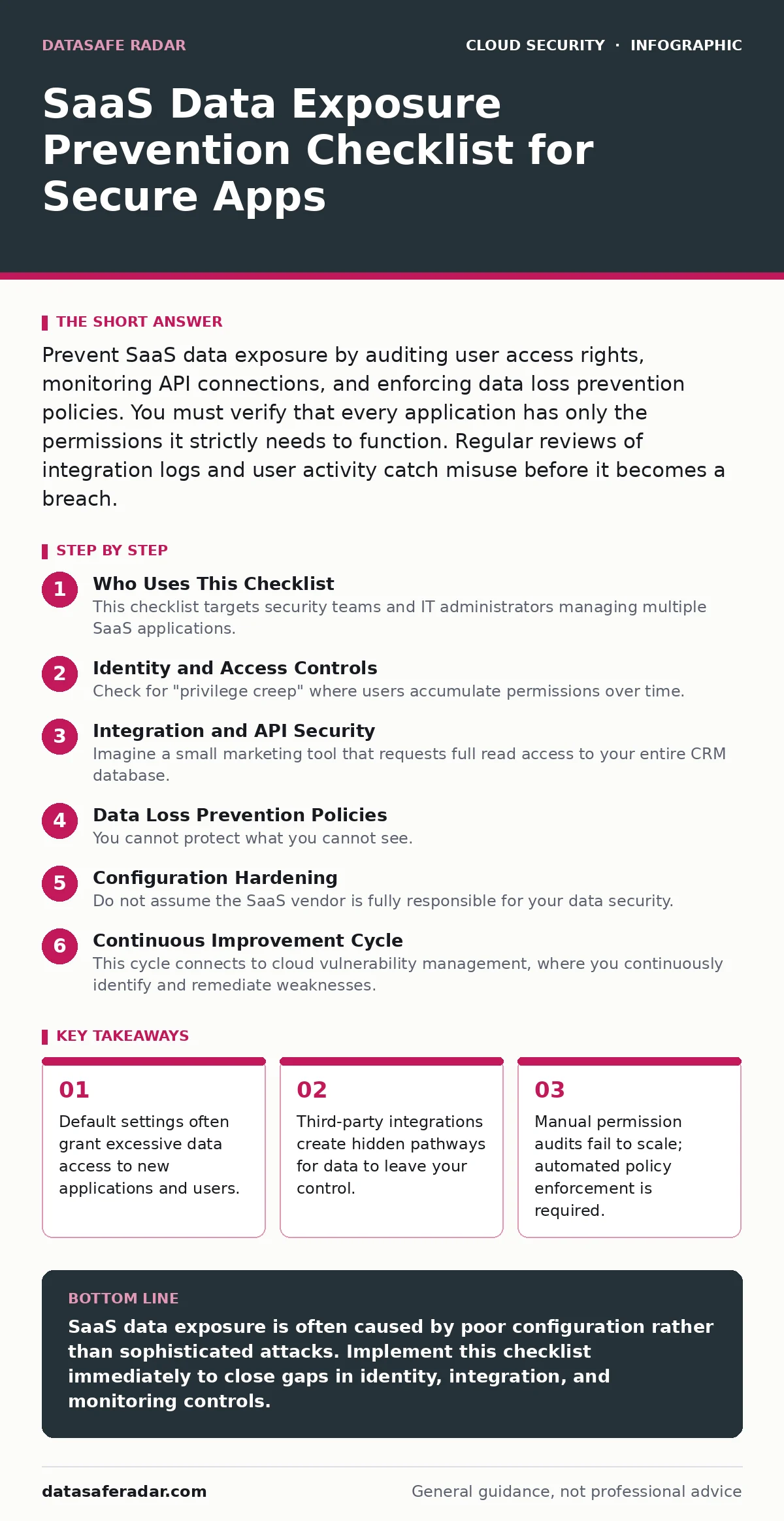
Prevent SaaS data exposure by auditing user access rights, monitoring API connections, and enforcing data loss prevention policies. You must verify that every application has only the permissions it strictly needs to function. Regular reviews of integration logs and user activity catch misuse before it becomes a breach.
Who Uses This Checklist
This checklist targets security teams and IT administrators managing multiple SaaS applications. You use it to identify gaps in your current data protection strategy. The list covers identity, integration, and monitoring controls. Do not treat this as a one-time task. SaaS environments change daily. New users join, applications update, and permissions drift. You must run these checks regularly to maintain a secure posture.
Identity and Access Controls
- Enforce strict role-based access control: Limit data access to only those who need it for their specific job functions.
- Require multi-factor authentication for all admin accounts: Prevents attackers from using stolen credentials to access sensitive configuration settings.
- Automate user offboarding workflows: Ensures access is revoked immediately when employees leave, preventing lingering access to corporate data.
- Review guest user permissions quarterly: External collaborators often have broader access than necessary, creating a high-risk exposure surface.
Integration and API Security
- Audit third-party application permissions: Verify that connected apps have only the data scopes required for their specific functionality.
- Monitor API call volumes for anomalies: Sudden spikes in API activity often indicate data exfiltration or compromised credentials.
- Disable unused OAuth tokens: Old tokens remain valid indefinitely unless revoked, allowing stale connections to access current data.
- Vet vendor security practices before integration: Ensure third-party providers encrypt data in transit and at rest to match your standards.
Imagine a small marketing tool that requests full read access to your entire CRM database. This is a common misconfiguration. The tool only needs contact names. Granting full access exposes customer details if the vendor suffers a breach. This relates to shadow IT, where unvetted tools enter the environment without proper security review.
Data Loss Prevention Policies
- Configure automatic data classification rules: Tag sensitive information as it enters the SaaS platform to apply stricter handling controls.
- Restrict export capabilities for non-admin users: Prevents bulk data downloads that can easily bypass monitoring and landing on personal devices.
- Enable watermarking for sensitive documents: Deters unauthorized sharing by marking files with user identifiers, creating accountability for leaks.
- Set retention policies for shared files: Automatically delete or archive old data to reduce the total volume of exposed information.
Monitoring and Audit Logging
- Centralize SaaS audit logs in a SIEM: Correlate events across different platforms to detect complex attack patterns that single apps miss.
- Alert on impossible travel events: Flags logins from geographically distant locations within short timeframes, indicating compromised credentials.
- Track changes to security settings: Notifications for policy changes help you catch misconfigurations before they expose data to attackers.
- Review shared link permissions monthly: External links with edit access often remain open long after the initial collaboration ends.
You cannot protect what you cannot see. Many organizations rely on the SaaS provider’s basic logs. These logs are often incomplete or hard to search. Centralizing them gives you a holistic view of activity. This supports broader multi-cloud security efforts by providing a single pane of glass for diverse environments.
See also: Difference Between ISO 27001 and 27701: Scope, Privacy, and Audit Reality · Data Encryption at Rest and in Transit: How to Secure Your Information
Configuration Hardening
- Disable unnecessary data sync features: Reduces the attack surface by limiting where your data is replicated and stored.
- Enforce strong password complexity rules: Makes brute-force attacks significantly harder and less likely to succeed against user accounts.
- Restrict administrative access to known IPs: Limits the ability for attackers to perform administrative changes from unknown locations.
- Regularly update application security settings: Vendors release new security features; failing to enable them leaves known vulnerabilities open.
Continuous Improvement Cycle
- Conduct quarterly permission audits: Regular reviews ensure that access rights align with current job responsibilities and business needs.
- Test incident response procedures for SaaS: Ensure your team knows how to revoke access and isolate compromised accounts quickly.
- Train users on safe sharing practices: Human error is a leading cause of exposure; education reduces risky behavior like sharing sensitive links.
- Review vendor security assessments annually: Vendor risk changes over time; regular reviews ensure their controls remain adequate for your needs.
This cycle connects to cloud vulnerability management, where you continuously identify and remediate weaknesses. It also supports DevSecOps practices by embedding security checks into the regular operational rhythm. You should also consider cloud disaster recovery plans that include SaaS data restoration procedures. If you manage complex containerized services, exposed Kubernetes dashboards can provide similar risks if not properly secured.
Final Checklist Review
- Verify single sign-on integration status: Ensures consistent policy enforcement across all SaaS applications through a central identity provider.
- Check for orphaned accounts: Identify and remove accounts that no longer have an active user associated with them.
- Validate data encryption standards: Confirm that all data at rest and in transit uses strong, industry-standard encryption algorithms.
- Document all third-party integrations: Maintain an up-to-date inventory of all connected apps to streamline audits and incident response.
This final review ensures no control is left behind. It ties into cloud workload protection concepts by securing the data that workloads process. You must view SaaS security as a continuous process, not a destination. Regular updates to this checklist reflect new threats and changes in your environment.
Key takeaways
- Default settings often grant excessive data access to new applications and users.
- Third-party integrations create hidden pathways for data to leave your control.
- Manual permission audits fail to scale; automated policy enforcement is required.
SaaS data exposure is often caused by poor configuration rather than sophisticated attacks. Implement this checklist immediately to close gaps in identity, integration, and monitoring controls.
Frequently asked questions
How often should I review SaaS application permissions?
Review permissions at least quarterly or whenever significant organizational changes occur, such as hiring waves or role reassignments. Automated tools can help flag excessive access in real-time.
Can SaaS providers protect me from data leaks?
Providers secure the infrastructure, but you control the data and access. You are responsible for configuring permissions, managing user accounts, and preventing internal misuse of the platform.
What is the biggest risk with third-party SaaS integrations?
Excessive data access scopes. Many integrations request more data than they need, creating a broad exposure surface if the third-party vendor is compromised.
How do I detect data exfiltration in SaaS apps?
Monitor for unusual download volumes, access from new locations, and API calls outside business hours. Centralized logging and anomaly detection alerts are critical for early warning.
How this guide was produced: written by the DataSafe Radar editorial team with AI assistance, checked against the public references listed below, and reviewed when the facts change. See our editorial policy or report an error.