SaaS Data Exposure Myths: What Actually Protects Your Information
Assuming the vendor secures your data ignores how identity flaws and sync errors bypass most standard controls.

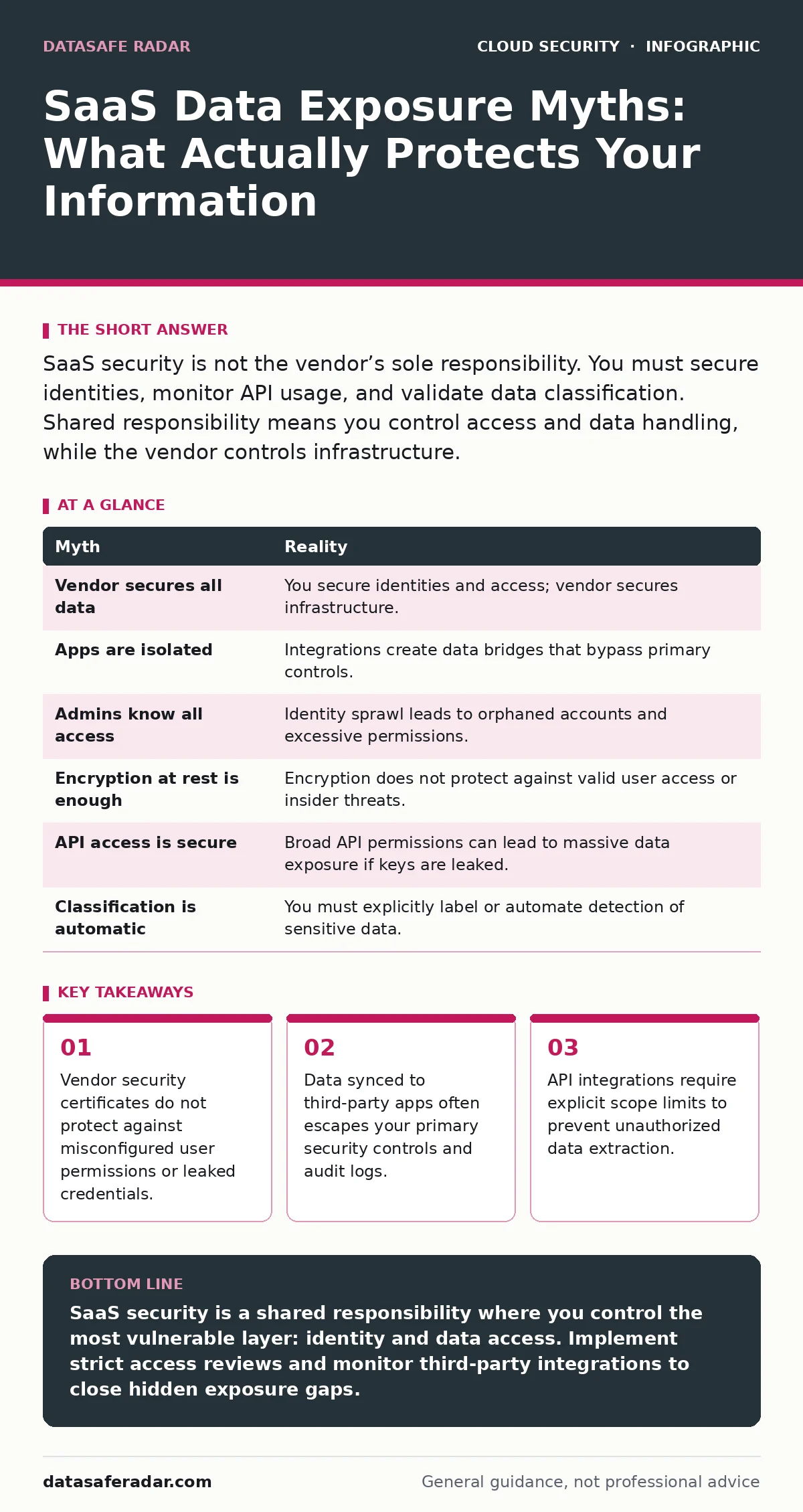
SaaS security is not the vendor’s sole responsibility. You must secure identities, monitor API usage, and validate data classification. Shared responsibility means you control access and data handling, while the vendor controls infrastructure.
Myth: The vendor secures my data because they host it
Reality: You share responsibility for data protection, but the split is not what most teams assume. The vendor secures the underlying infrastructure, including servers, networking, and physical facilities. You remain responsible for everything that happens above that layer, specifically user identities, access permissions, and the data itself.
Many organizations assume that because a provider holds security certifications, their data is safe. This is a logical error. Certifications prove the vendor manages their hardware and software stack correctly. They do not prove that your employees are not sharing login credentials or that your admin has not granted excessive permissions.
If an attacker steals a valid employee credential, the vendor’s infrastructure security is irrelevant. The attacker is using a legitimate identity to access your tenant. The vendor’s controls cannot distinguish between a malicious actor and a legitimate user in this scenario. You must secure the identity layer independently of the platform security.
Myth: SaaS apps are isolated from each other
Reality: Modern productivity suites rely heavily on integration, which creates hidden data pathways. When you connect a project management tool to a communication platform, you create a bridge for data to flow between them. This flow often bypasses the native security controls of the primary application.
Imagine you store sensitive customer records in a secure cloud storage service. You then connect a third-party analytics dashboard to that storage to visualize trends. The dashboard now has read access to every file in that bucket. If the dashboard vendor suffers a breach, your customer records are exposed, even though your primary storage service remained secure.
This is known as secondary application risk. The data leaves your primary control plane and enters the vendor’s ecosystem. You lose visibility into who accesses that data and how it is stored. The primary vendor’s security logs will not show the breach occurring in the analytics dashboard.
To mitigate this, you must treat every integration as a potential data exfiltration point. Review the permissions granted to each connected app. Revoke access for applications that are no longer in use. This practice aligns with broader cloud workload protection strategies that monitor behavior across interconnected services.
Myth: Admins always know who has access
Reality: Identity sprawl occurs when user accounts are created, modified, or deleted without centralized oversight. In large organizations, team leads often have the ability to add users to shared folders or applications. These actions rarely trigger a review by the central security team.
Over time, this leads to orphaned accounts and excessive permissions. An employee leaves the company, but their account remains active because HR did not notify the IT team. Or a contractor is given admin rights for a specific project and never has those rights revoked.
This lack of visibility makes auditing difficult. You cannot protect what you cannot see. Regular access reviews are necessary, but they are often manual and error-prone. Automated identity governance tools can help, but they require accurate directory synchronization.
Myth: Encryption at rest is enough
Reality: Encryption at rest protects data from physical theft or unauthorized server access. It does not protect data while it is being used or transmitted. If an attacker gains valid access to your account, they can view and copy the data in real-time. The encryption keys are used by the application to decrypt the data for the user.
Many organizations believe that enabling encryption is a silver bullet. It is not. Encryption ensures that if a disk is stolen, the data is unreadable. It does not prevent an insider from downloading sensitive files. It does not prevent an attacker with a stolen password from viewing emails.
You must also consider encryption in transit. This ensures that data moving between the user’s device and the cloud is protected from eavesdropping. Most modern SaaS providers enable this by default, but you should verify it. Additionally, consider cloud key management services if you need to retain control over your encryption keys. This allows you to revoke access by rotating keys, even if the vendor retains the data.
Myth: API access is always secure
Reality: Application Programming Interfaces allow different software systems to communicate. They are powerful but often poorly secured. Many organizations grant broad API permissions to third-party applications without understanding the scope of data access.
Suppose you grant a backup tool full read access to your email archive. The tool can read every email, including those containing sensitive financial information. If the backup tool’s API key is leaked, an attacker can access your entire email history.
API permissions should follow the principle of least privilege. Grant only the minimum access required for the application to function. Regularly review API keys and tokens. Revoke any that are no longer needed. This is a core component of DevSecOps practices, where security is integrated into the development and integration lifecycle.
See also: Detect Cloud Ransomware: Logs, Signals, and Hidden Blind Spots · How Cloud Disaster Recovery Works: The Mechanics and Limits
Myth: Data classification happens automatically
Reality: SaaS platforms do not inherently know what data is sensitive. They treat all files equally unless you explicitly label them. Without classification, you cannot apply targeted security policies. You cannot encrypt only sensitive documents if you cannot identify them.
Many organizations rely on users to tag files correctly. This is unreliable. Users often forget to label sensitive data or mislabel non-sensitive data. This leads to either over-encryption, which hinders productivity, or under-protection, which creates risk.
Automated data loss prevention tools can help identify sensitive information based on patterns, such as credit card numbers or social security numbers. However, these tools require tuning to avoid false positives. You must define clear policies for how different types of data are handled.
This process is part of broader cloud vulnerability management, which includes identifying and remediating risks associated with data exposure. It requires ongoing effort, not a one-time setup.
Summary of Myths and Realities
| Myth | Reality |
|---|---|
| Vendor secures all data | You secure identities and access; vendor secures infrastructure. |
| Apps are isolated | Integrations create data bridges that bypass primary controls. |
| Admins know all access | Identity sprawl leads to orphaned accounts and excessive permissions. |
| Encryption at rest is enough | Encryption does not protect against valid user access or insider threats. |
| API access is secure | Broad API permissions can lead to massive data exposure if keys are leaked. |
| Classification is automatic | You must explicitly label or automate detection of sensitive data. |
Key takeaways
- Vendor security certificates do not protect against misconfigured user permissions or leaked credentials.
- Data synced to third-party apps often escapes your primary security controls and audit logs.
- API integrations require explicit scope limits to prevent unauthorized data extraction.
SaaS security is a shared responsibility where you control the most vulnerable layer: identity and data access. Implement strict access reviews and monitor third-party integrations to close hidden exposure gaps.
Frequently asked questions
Does zero-trust architecture help with SaaS security?
Yes, zero-trust assumes no user or device is trusted by default. It requires continuous verification of identity and device health before granting access to SaaS applications.
How do I manage SaaS sprawl?
Use a cloud access security broker to discover and manage all SaaS applications in use. This provides visibility into shadow IT and allows you to enforce consistent security policies.
Is multi-factor authentication enough for SaaS?
MFA is a strong baseline but not sufficient on its own. You should combine it with conditional access policies that consider location, device health, and risk level.
What is shadow IT in SaaS?
Shadow IT refers to SaaS applications used by employees without IT approval. These apps often lack security controls and can expose data to unauthorized third parties.
How this guide was produced: written by the DataSafe Radar editorial team with AI assistance, checked against the public references listed below, and reviewed when the facts change. See our editorial policy or report an error.