How Cloud Disaster Recovery Works: The Mechanics and Limits
Cloud disaster recovery shifts the burden from hardware replacement to state synchronization, introducing new failure modes that traditional on-premise plans cannot predict or prevent.
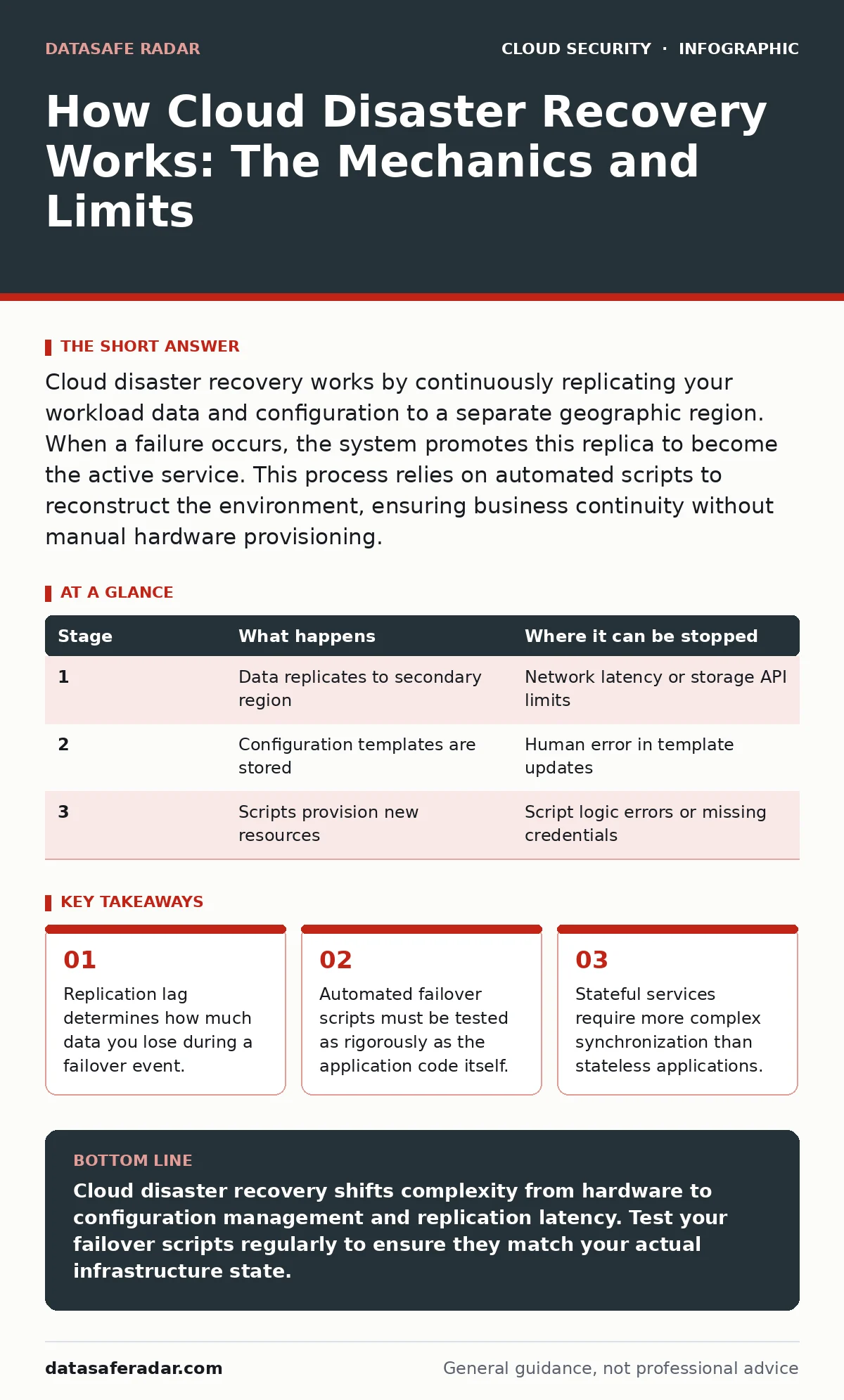
Cloud disaster recovery works by continuously replicating your workload data and configuration to a separate geographic region. When a failure occurs, the system promotes this replica to become the active service. This process relies on automated scripts to reconstruct the environment, ensuring business continuity without manual hardware provisioning.
Understanding the Replication Foundation
Cloud disaster recovery relies on continuous data replication rather than periodic backups. You move your workload data to a secondary location in real-time or near-real-time. This secondary location resides in a different availability zone or geographic region. The primary goal is maintaining a shadow copy of your infrastructure. This copy remains inactive until a failure forces you to activate it.
The mechanism depends on the type of storage you use. Block storage devices replicate at the sector level. Object storage services replicate entire files or blobs. Database services often use log shipping to keep secondary nodes synchronized. Each method introduces different latency characteristics. You must choose the replication method based on your acceptable data loss window.
### Stage 1: Continuous Data Synchronization
The first stage involves capturing changes to your primary workload and sending them to the target region. This process runs in the background while your users interact with the live system. The cloud provider’s infrastructure handles the network transport. You configure the frequency of these updates. Higher frequency reduces data loss but increases network bandwidth usage and cost.
Imagine a database that receives thousands of writes per second. If you replicate every hour, you lose an hour of transactions during a failure. If you replicate every second, you preserve almost all transactions. The trade-off is clear. Frequent replication requires more resources. You pay for the bandwidth and the storage of the replica. This cost is the price of reduced data loss.
### Stage 2: Infrastructure Blueprint Capture
Data alone does not make a functional system. You must also replicate the configuration of the servers and network. This stage captures the infrastructure as code. You store the templates that define your virtual machines, load balancers, and firewalls. These templates live in a secure repository. They remain static until you need to rebuild the environment.
This approach prevents configuration drift. Drift occurs when manual changes are made to live servers but not recorded in the templates. If you rely on manual documentation, the recovery fails. Automated templates ensure the rebuilt environment matches the original exactly. You define the instance size, the operating system image, and the security groups in code. This code is version-controlled and auditable.
### Stage 3: Automated Failover Execution
When a disaster strikes, you trigger the failover process. This stage activates the scripts defined in your infrastructure blueprint. The system provisions new resources in the target region. It attaches the replicated storage volumes to these new instances. The network routes traffic to the new endpoints. This process happens automatically if you have configured active-passive switching.
The speed of this stage depends on the complexity of your application. Simple web servers start quickly. Complex microservices architectures require orchestrated startup sequences. You must define dependencies. Database servers must start before application servers. Cache layers must start before the database. Incorrect sequencing causes cascading failures. The automation must handle these dependencies gracefully.
| Stage | What happens | Where it can be stopped |
|---|---|---|
| 1 | Data replicates to secondary region | Network latency or storage API limits |
| 2 | Configuration templates are stored | Human error in template updates |
| 3 | Scripts provision new resources | Script logic errors or missing credentials |
### Stage 4: Traffic Routing and Validation
The final stage redirects user traffic to the new environment. You update your DNS records to point to the new IP addresses. The DNS propagation time determines how long users wait. Some systems use global load balancers that detect failure and switch traffic instantly. This method requires health checks to be configured correctly.
You must validate the new environment immediately. Automated health checks verify that the services are responsive. You monitor error rates and latency. If the new environment behaves incorrectly, you must decide whether to fail back or troubleshoot. This decision point is critical. Rushing to fail back can cause further data corruption.
See also: SaaS Data Exposure Prevention Checklist for Secure Apps · Exposed Kubernetes Dashboards: 7 Mistakes That Leak Your Cluster Data
Limits of Cloud Disaster Recovery
Cloud disaster recovery is not a magic bullet. It has inherent limits that you must accept. The most significant limit is replication lag. No system replicates data instantly. There is always a small window where data exists on the primary but not the replica. You lose this data during a failover.
Another limit is cost. Maintaining a hot standby environment is expensive. You pay for compute, storage, and network in two regions. Cold standby reduces cost but increases recovery time. You must balance these factors. There is no free lunch in disaster recovery.
Integration with Security Practices
Disaster recovery plans must align with your security posture. You cannot recover to a compromised state. If a ransomware attack encrypts your primary data, the replica may also be encrypted. You must isolate your backups from your live systems. This isolation prevents lateral movement of threats.
Review your cloud incident response procedures. Ensure they include steps for verifying the integrity of recovery images. Integrate container image scanning into your build pipeline. This ensures that the images you deploy during recovery are clean. Use Kubernetes admission controllers to enforce security policies during the rebuild. These controls prevent malicious configurations from being deployed.
Testing and Validation Requirements
A disaster recovery plan is useless if it has never been tested. You must run regular failover drills. These drills validate that your scripts work and your data is consistent. Do not rely on theoretical assumptions. Real-world failures behave differently than simulations.
Test your recovery time objectives. Measure how long it takes to restore service. Compare this to your business requirements. If the recovery takes too long, you must optimize your scripts or infrastructure. Testing also reveals hidden dependencies. You may discover services that are not documented but are required for operation.
Final Considerations for Resilience
Building a resilient cloud architecture requires discipline. You must treat your infrastructure as code. You must test your recovery procedures regularly. You must understand the trade-offs between cost and speed. Cloud disaster recovery is a continuous process, not a one-time project.
Stay informed about changes in cloud provider services. New features may improve your recovery options. New threats may require updated controls. Keep your documentation current. Ensure your team understands the failover process. Regular training prevents panic during actual emergencies.
Key takeaways
- Replication lag determines how much data you lose during a failover event.
- Automated failover scripts must be tested as rigorously as the application code itself.
- Stateful services require more complex synchronization than stateless applications.
Cloud disaster recovery shifts complexity from hardware to configuration management and replication latency. Test your failover scripts regularly to ensure they match your actual infrastructure state.
Frequently asked questions
How does cloud disaster recovery differ from backups?
Backups are periodic snapshots used to restore specific files or systems. Disaster recovery involves replicating the entire environment to a secondary location for immediate failover. Backups protect data; disaster recovery protects continuity.
What is the role of infrastructure as code in recovery?
Infrastructure as code allows you to rebuild your environment automatically from templates. This ensures consistency and speed during recovery. It eliminates manual configuration errors and reduces recovery time significantly.
Can cloud disaster recovery prevent data loss entirely?
No, replication lag means some data will always be lost during a failover. The amount of loss depends on your replication frequency. You must define an acceptable data loss window based on your business needs.
How often should I test my disaster recovery plan?
You should test your plan at least quarterly. More frequent testing is better for complex environments. Automated tests can run daily. Manual failover drills should happen regularly to verify end-to-end functionality.
How this guide was produced: written by the DataSafe Radar editorial team with AI assistance, checked against the public references listed below, and reviewed when the facts change. See our editorial policy or report an error.