What is Cloud Logging: The Hidden Truth About Your Data Trail
Cloud logs are not a video recording of activity; they are fragmented text entries that require complex correlation to reveal the actual sequence of events.

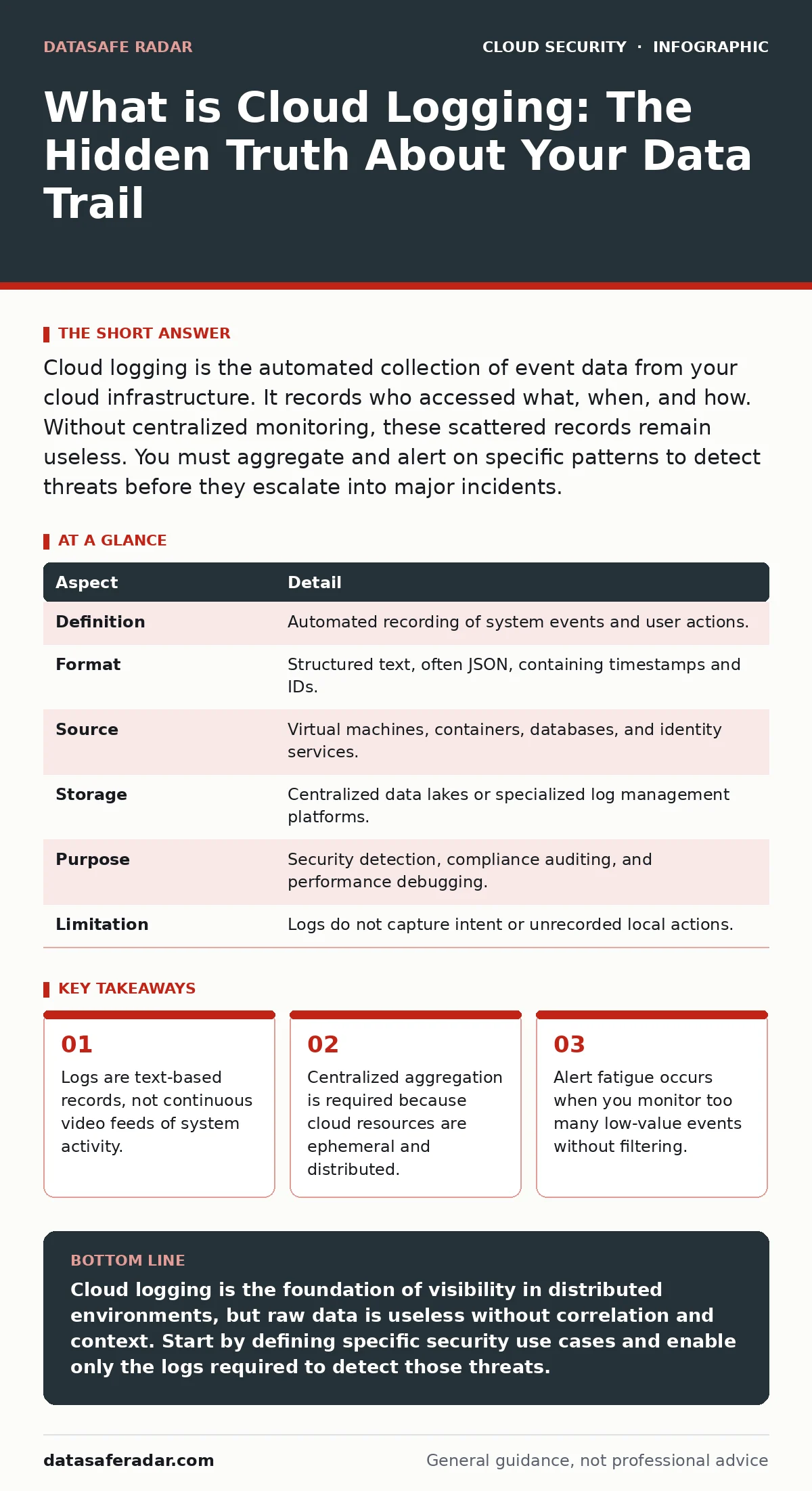
Cloud logging is the automated collection of event data from your cloud infrastructure. It records who accessed what, when, and how. Without centralized monitoring, these scattered records remain useless. You must aggregate and alert on specific patterns to detect threats before they escalate into major incidents.
The Library of Broken Notes
Imagine a library where every book is checked out for five minutes. The librarian does not watch the shelves. Instead, they write a single line on a slip of paper: "Book 42 taken by Person A." Another slip says: "Book 42 returned." A third slip says: "Book 42 burned." If you only look at one slip, you see nothing wrong. You must collect all slips, sort them by time, and read them together to see the theft. This is how cloud logging works. It is not a camera. It is a collection of discrete, textual records that describe state changes and actions.
| Aspect | Detail |
|---|---|
| Definition | Automated recording of system events and user actions. |
| Format | Structured text, often JSON, containing timestamps and IDs. |
| Source | Virtual machines, containers, databases, and identity services. |
| Storage | Centralized data lakes or specialized log management platforms. |
| Purpose | Security detection, compliance auditing, and performance debugging. |
| Limitation | Logs do not capture intent or unrecorded local actions. |
What Is Cloud Logging and Why It Matters
What is cloud logging? It is the mechanism that captures digital footprints across your cloud environment. Every time a user logs in, a server starts, or a firewall blocks traffic, the system generates a record. These records are called logs. They are the primary source of truth for what happened in your infrastructure. Without them, you are flying blind. You cannot prove who did what. You cannot debug why a service failed. You cannot detect an intruder who moves slowly to avoid detection.
Cloud logging affects every organization that uses public cloud services. It impacts security teams who hunt for threats. It impacts developers who need to fix broken code. It impacts compliance officers who must prove they followed the law. The scope is vast. A single cloud account might generate millions of log entries per day. The volume is too large for humans to read manually. You need tools to filter, search, and alert on specific patterns.
How Cloud Logging Works Under the Hood
The process begins with the emitter. This is the source of the event. It could be a virtual machine running Linux. It could be a container in a Kubernetes cluster. It could be an identity service like Azure Active Directory. The emitter writes a log entry to a local buffer or sends it directly to a collector. The collector is an agent or a sidecar process that gathers these entries. It tags them with metadata. This metadata includes the source IP address, the user ID, and the timestamp.
The collector then forwards the logs to a central repository. This repository is often a data lake or a specialized log management service. Here, the logs are indexed. Indexing allows you to search for specific keywords or values instantly. Without indexing, you would have to read every single log entry to find one relevant record. This is impossible at scale. Once indexed, you can create dashboards and alerts. An alert triggers when a specific pattern appears. For example, if a user fails to log in ten times in one minute, the system might flag this as a brute-force attack.
The Hidden Cost of Context Loss
Most people think logs are the problem. They are not. The problem is context. A single log entry is meaningless. "User A logged in" tells you nothing. Did they log in from their usual office? Or from a country they have never visited? Did they log in at 2 AM? Or at 2 PM? You need to correlate multiple log sources to build a picture. This is called log correlation. It requires joining data from identity providers, network firewalls, and endpoint agents.
If your log sources are not synchronized, correlation fails. Clocks must be synchronized using Network Time Protocol. If one server is five minutes ahead, the sequence of events looks wrong. You might see the response before the request. This breaks your investigation. You also need consistent naming conventions. If one system calls a user "admin" and another calls them "Administrator", automated tools may fail to link the two records. You must normalize your data. This takes effort. It is often overlooked.
Another hidden cost is retention. Storing logs costs money. Many organizations delete old logs to save costs. This is dangerous. Threat actors often stay in a network for months before striking. If you delete logs after 30 days, you lose the trail of their initial entry. You cannot see how they got in. You can only see the damage they caused. You must balance cost with risk. Keep high-value security logs longer than operational logs.
What People Usually Get Wrong
Many teams treat logging as a compliance checkbox. They enable every log type available and send it all to a central bucket. They think more data is better. This is wrong. More data increases noise. It hides the signal. You get alert fatigue. You stop looking at alerts because most are false positives. You miss the real attack. You must define a logging strategy. Identify what matters. Focus on authentication events, privilege changes, and data access. Ignore routine health checks.
Another mistake is assuming logs are secure. Logs contain sensitive information. They may include IP addresses, user IDs, and sometimes fragments of data. If an attacker compromises your log storage, they gain a map of your environment. They can see who has access to what. They can identify critical assets. You must protect your logs. Encrypt them at rest. Restrict access to them. Only authorized personnel should be able to read or delete logs. This prevents tampering. It ensures the integrity of your audit trail.
See also: Container Image Scanning: A Step-by-Step Implementation Plan · SaaS Data Exposure Prevention Checklist for Secure Apps
Integrating with Broader Security Controls
Logging does not work in isolation. It must feed into other security controls. For example, if your logs detect a suspicious login, they should trigger a response. This might be a password reset. It might be a temporary account lockout. This is part of cloud incident response. Speed matters. The faster you react, the less damage occurs. You need automated playbooks to handle common threats. Manual response is too slow for large environments.
You should also integrate logging with identity management. If you suspect a compromised account, you need to know what that account has accessed. This requires linking logs to misconfigured IAM roles. If a role has too many permissions, a compromised account can do more damage. Logging helps you audit these roles. You can see which permissions are actually used. You can remove unused permissions. This reduces the blast radius of a breach.
Practical Steps for Effective Monitoring
Start by defining your use cases. What are you trying to detect? Is it unauthorized access? Is it data exfiltration? Is it service degradation? Write down the specific indicators for each. Then, identify the log sources that provide this data. Enable those logs. Disable the rest. This reduces noise. It lowers costs. It makes analysis easier.
Next, build your pipelines. Ensure logs flow from sources to your central repository without loss. Test this flow. Simulate an event and check if the log appears. Verify the timestamp is correct. Verify the fields are populated. Then, create your alerts. Start with simple rules. Refine them over time. Remove alerts that trigger too often. Add alerts for new threats. This is an iterative process. It never ends.
Finally, test your detection. Run red team exercises. Simulate attacks. Check if your logs captured the activity. Check if your alerts triggered. If not, fix your configuration. This is part of cloud vulnerability management. You are managing the vulnerability of not knowing you are breached. Regular testing ensures your system works when you need it.
The Future of Cloud Observability
The technology continues to evolve. Machine learning is being applied to log analysis. It can detect anomalies that rule-based systems miss. It can identify subtle changes in behavior. However, it is not a silver bullet. It requires high-quality data. It can produce false positives. You still need human expertise to interpret the results. You still need to understand your environment.
The trend is toward unified observability. This combines logs, metrics, and traces. Metrics provide aggregate data, like CPU usage. Traces show the path of a request through services. Logs provide detailed context. Together, they give a complete picture. You no longer switch between three tools. You use one platform. This reduces complexity. It improves efficiency. But the core principle remains the same. You must collect, store, and analyze data to understand your environment.
Key takeaways
- Logs are text-based records, not continuous video feeds of system activity.
- Centralized aggregation is required because cloud resources are ephemeral and distributed.
- Alert fatigue occurs when you monitor too many low-value events without filtering.
Cloud logging is the foundation of visibility in distributed environments, but raw data is useless without correlation and context. Start by defining specific security use cases and enable only the logs required to detect those threats.
Frequently asked questions
How long should I keep my cloud logs?
Retention depends on compliance requirements and threat hunting needs. Keep security logs for at least one year to support forensic investigations. Operational logs can be deleted sooner to save costs.
Do I need a separate tool for log management?
Cloud providers offer basic logging, but they lack advanced correlation and long-term storage. Dedicated tools provide better search, alerting, and retention capabilities. They are worth the investment for serious security.
Can logs help with performance issues?
Yes. Logs record latency and error rates. You can correlate slow responses with specific code paths or database queries. This helps developers identify bottlenecks and optimize application performance.
How do I prevent log tampering?
Use write-once storage for critical logs. Restrict access to log management interfaces. Enable integrity checks. This ensures that attackers cannot delete or modify records to cover their tracks.
How this guide was produced: written by the DataSafe Radar editorial team with AI assistance, checked against the public references listed below, and reviewed when the facts change. See our editorial policy or report an error.