Multi-Cloud Security Mistakes: 7 Errors That Break Your Defense
Treating multiple cloud providers as a single network creates hidden blind spots that standard security tools fail to detect, leaving your data exposed to lateral movement.

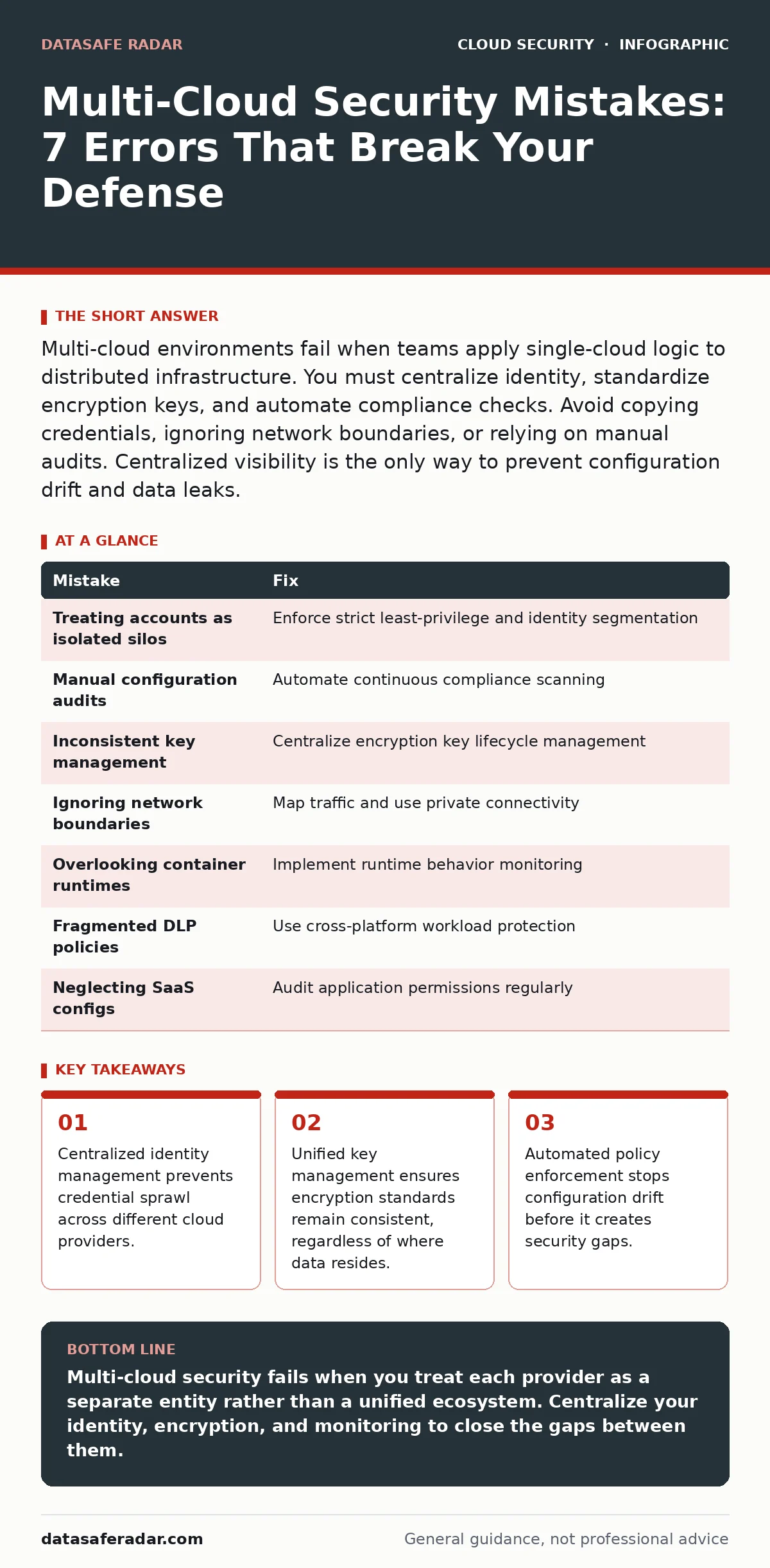
Multi-cloud environments fail when teams apply single-cloud logic to distributed infrastructure. You must centralize identity, standardize encryption keys, and automate compliance checks. Avoid copying credentials, ignoring network boundaries, or relying on manual audits. Centralized visibility is the only way to prevent configuration drift and data leaks.
Managing infrastructure across multiple cloud providers introduces complexity that simple firewall rules cannot handle. You are not just managing servers; you are managing distinct security models, APIs, and network architectures. When you spread your workload, you multiply the attack surface. A mistake in one provider’s configuration does not stay contained. It often exposes vulnerabilities in the others because the underlying logic remains flawed.
Mistake 1: Treating Cloud Accounts as Isolated Silos
Many teams assume that moving workloads to a second provider automatically isolates risk. This is false. If an attacker compromises your primary identity provider, they can pivot to secondary accounts if permissions are not strictly segmented.
Why it hurts:
Attackers use lateral movement to bypass isolation. If your identity credentials are shared or loosely scoped, a breach in one environment grants access to all. You lose the benefit of distribution because the trust boundary is too wide.
The fix:
Implement strict least-privilege access for every cloud account. Use separate identity providers for each environment or enforce strict resource tagging and boundary policies. See our guide on cloud incident response for how to detect this lateral movement early.
Mistake 2: Manual Configuration Audits
You cannot manually review security settings for hundreds of instances across three different platforms. Manual checks are slow, error-prone, and quickly become outdated.
Why it hurts:
Configuration drift occurs when settings change over time without authorization. A manually secured server today may be vulnerable tomorrow after an automated update or a developer’s change. You are always reacting to old data.
The fix:
Automate compliance scanning. Use tools that continuously monitor configurations against a baseline. This ensures that any deviation triggers an alert or automatic remediation. Refer to cloud vulnerability management for strategies to keep these scans effective.
Mistake 3: Inconsistent Encryption Key Management
Different clouds offer different key management services. Using native tools for each provider creates a fragmented key lifecycle. You may lose track of which keys encrypt which data.
Why it hurts:
Rotating keys becomes a nightmare. If you lose access to a key in one provider, your data is effectively lost. Furthermore, inconsistent key policies mean some data may be protected with weak algorithms while other data uses strong ones.
The fix:
Adopt a centralized key management strategy. This allows you to manage keys from a single pane of glass, ensuring consistent rotation and access policies. Read more in our guide on cloud key management services to understand the architecture.
Mistake 4: Ignoring Network Boundary Complexity
Connecting multiple clouds requires complex networking setups, often involving virtual private clouds and transit gateways. Misconfiguring these connections creates unintended paths for data exfiltration.
Why it hurts:
Incorrect routing rules can expose internal services to the public internet. You might think traffic is internal, but a misconfigured route sends it through a less secure gateway. This breaks network segmentation.
The fix:
Map your network traffic meticulously. Use private connectivity options wherever possible. Ensure that security groups and network access lists are consistent across all environments. Our guide on virtual private clouds explains how to segment these networks effectively.
Mistake 5: Overlooking Container Runtime Security
Containers are often moved between clouds without re-scanning. Teams assume that if an image is secure in one environment, it is secure in another. This ignores the runtime environment.
Why it hurts:
The underlying host OS and kernel settings differ between providers. A container that runs safely on one platform may exploit a kernel vulnerability on another. You are introducing runtime risks that image scanning misses.
The fix:
Secure the runtime, not just the image. Implement runtime protection that monitors behavior, not just static code. Check our guide on container runtime security for specific mitigation techniques.
See also: 7 Encrypted Cloud Storage Mistakes That Expose Your Data · Container Image Scanning: A Step-by-Step Implementation Plan
Mistake 6: Fragmented Data Loss Prevention Policies
Data moves freely between clouds in a multi-cloud setup. If your data loss prevention policies are not unified, sensitive information can slip through the cracks during transfer.
Why it hurts:
You cannot protect data you cannot see. Fragmented policies mean that data classified as sensitive in one cloud might be treated as public in another. This leads to accidental exposure.
The fix:
Implement cloud workload protection platforms that operate across all environments. These tools enforce consistent data handling rules regardless of location. See cloud workload protection for implementation details.
Mistake 7: Neglecting SaaS Application Configurations
Multi-cloud strategies often include various SaaS applications. Teams focus on infrastructure security but ignore the configuration of these applications.
Why it hurts:
SaaS apps have their own security settings. Misconfigured sharing permissions or weak authentication in these apps can bypass your cloud infrastructure security entirely. This is a common vector for data leaks.
The fix:
Audit SaaS application permissions regularly. Enforce strong authentication and restrict data sharing capabilities. Our guide on SaaS data exposure details how to lock down these applications.
| Mistake | Fix |
|---|---|
| Treating accounts as isolated silos | Enforce strict least-privilege and identity segmentation |
| Manual configuration audits | Automate continuous compliance scanning |
| Inconsistent key management | Centralize encryption key lifecycle management |
| Ignoring network boundaries | Map traffic and use private connectivity |
| Overlooking container runtimes | Implement runtime behavior monitoring |
| Fragmented DLP policies | Use cross-platform workload protection |
| Neglecting SaaS configs | Audit application permissions regularly |
Key takeaways
- Centralized identity management prevents credential sprawl across different cloud providers.
- Unified key management ensures encryption standards remain consistent, regardless of where data resides.
- Automated policy enforcement stops configuration drift before it creates security gaps.
Multi-cloud security fails when you treat each provider as a separate entity rather than a unified ecosystem. Centralize your identity, encryption, and monitoring to close the gaps between them.
Frequently asked questions
Does multi-cloud reduce risk by spreading workloads?
It reduces the risk of a single provider outage, but it increases security complexity. Without centralized controls, the expanded attack surface often outweighs the resilience benefits.
Can I use the same security tools for all clouds?
Yes, but only if they support multi-cloud management. Native tools from one provider often do not work effectively in another, leading to fragmented visibility.
How do I handle identity across multiple clouds?
Use a single sign-on solution that integrates with all your cloud providers. This ensures consistent access policies and simplifies audit trails.
Is manual security auditing ever acceptable in multi-cloud?
No. The scale and rate of change in multi-cloud environments make manual auditing impossible to maintain. Automation is required for consistent security.
How this guide was produced: written by the DataSafe Radar editorial team with AI assistance, checked against the public references listed below, and reviewed when the facts change. See our editorial policy or report an error.