7 Credential Leak Mistakes That Expose Your Accounts
Most credential leaks stem from predictable configuration errors and human habits that attackers automate to bypass basic security controls.

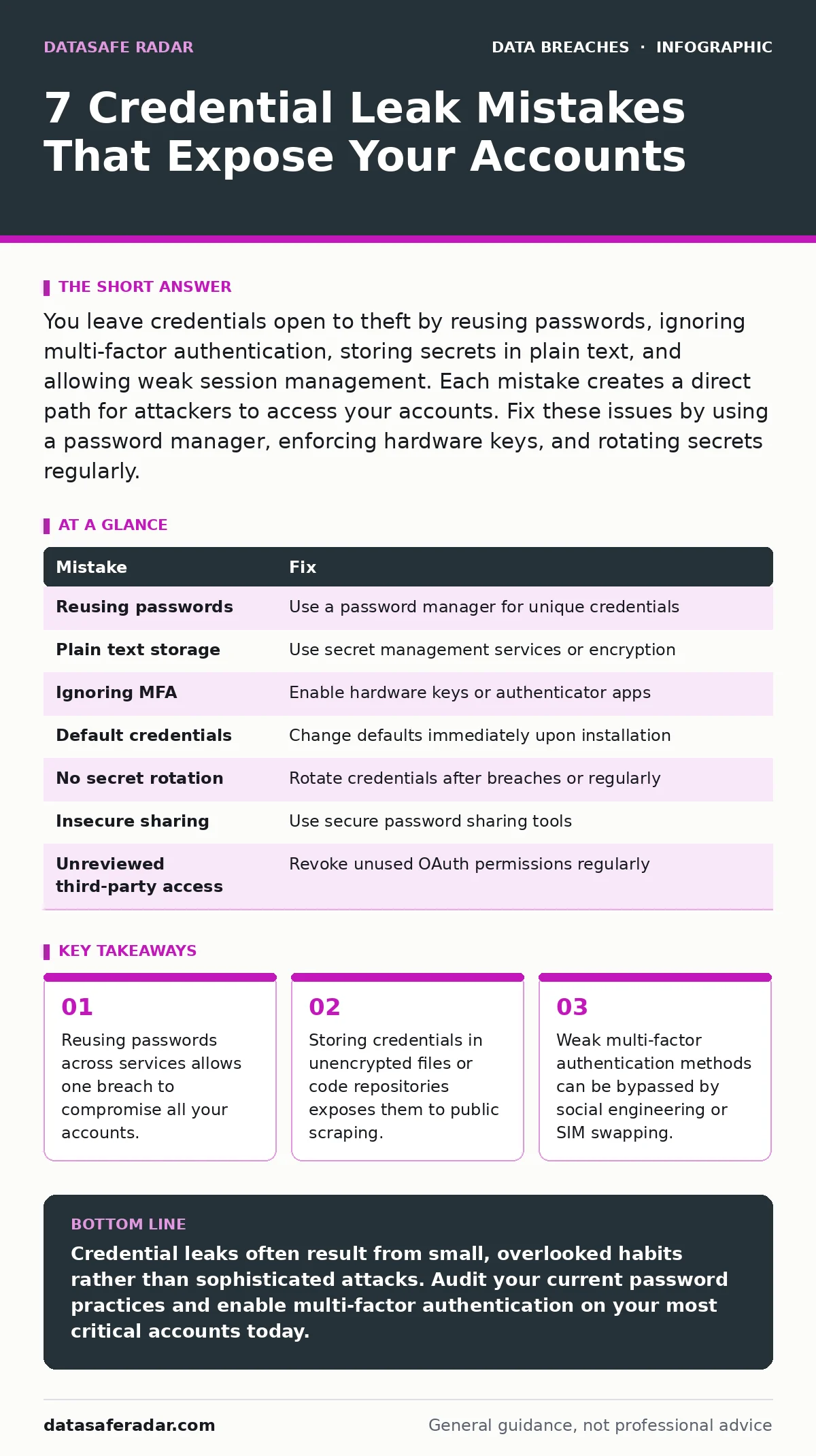
You leave credentials open to theft by reusing passwords, ignoring multi-factor authentication, storing secrets in plain text, and allowing weak session management. Each mistake creates a direct path for attackers to access your accounts. Fix these issues by using a password manager, enforcing hardware keys, and rotating secrets regularly.
Mistake 1: Reusing passwords across multiple services
Password reuse creates a single point of failure for your entire digital identity. When you use the same credential pair for your email, banking, and social media, an attacker only needs to breach one low-security service to access your high-value accounts. This practice ignores the reality that not all platforms have equal security standards. A small blog with weak defenses might leak its user database, giving attackers immediate access to your corporate email if you reused that same password.
Why it hurts: Credential stuffing attacks rely on this exact behavior. Attackers take username and password combinations from one breach and automatically test them against thousands of other popular services. You do not need to be targeted specifically; you just need to be in a leaked database. The consequence is rapid account takeover across multiple platforms before you even realize the initial compromise occurred.
The fix: Use a dedicated password manager to generate and store unique, complex passwords for every account. This tool creates a separate credential for each site, ensuring that a breach at one service does not cascade to others. You only need to remember one strong master password. This approach isolates risk and makes automated guessing attacks ineffective against your individual accounts.
Mistake 2: Storing secrets in plain text files
Developers and system administrators often save configuration files, scripts, or notes containing database passwords and API keys in plain text. These files are frequently committed to version control systems like Git, where they become part of the permanent project history. Even if you delete the file later, the secret remains in the repository’s history, accessible to anyone with read access. This habit treats sensitive data as ordinary documentation rather than protected assets.
Why it hurts: Automated bots constantly scan public code repositories for recognizable secret patterns. Once a bot finds a plaintext API key or database password, it can exploit it within minutes. The consequence is unauthorized access to your infrastructure, data exfiltration, or resource abuse. You lose control over your systems without any alert, as the secret was exposed silently in plain view.
The fix: Use environment variables or dedicated secret management services to store sensitive values. These tools keep credentials out of code repositories and provide audit trails for access. If you must store secrets locally, encrypt the file and exclude it from version control using ignore files. Regularly scan your repositories for accidental commits of sensitive data to catch mistakes early.
Mistake 3: Ignoring multi-factor authentication options
Many users rely solely on passwords for account protection, viewing multi-factor authentication as an optional inconvenience. This leaves accounts vulnerable to password theft through phishing, keylogging, or database breaches. Even a strong password is useless if an attacker obtains it. Multi-factor authentication adds a second layer of verification that requires something the user has, such as a phone or hardware token, in addition to something they know.
Why it hurts: Without a second factor, attackers who steal your password can log in immediately. They do not need to bypass complex security measures; they simply use the credential you already provided. The consequence is direct account access, leading to data theft, identity fraud, or unauthorized transactions. You lose the ability to contest the breach because the login appeared legitimate to the service provider.
The fix: Enable multi-factor authentication on every account that supports it. Prefer hardware security keys or authenticator apps over SMS-based verification, which can be intercepted through SIM swapping. This adds a physical or software-based barrier that attackers cannot bypass with just a stolen password. It significantly reduces the risk of account takeover even if credentials are leaked.
Mistake 4: Leaving default credentials unchanged
Network devices, servers, and software installations often come with default usernames and passwords for initial setup. Users frequently skip changing these defaults, assuming the device is secure behind their firewall or that attackers will not guess the common combinations. These defaults are widely documented and easily accessible, making them a low-effort target for automated scanning tools.
Why it hurts: Default credentials are the same across millions of devices worldwide. An attacker can scan the internet for open ports and log in using known default pairs without needing to crack anything. The consequence is immediate and complete control over the device. Attackers can install malware, redirect traffic, or use the device as a pivot point to attack other systems on your network.
The fix: Change all default credentials immediately upon installation. Use strong, unique passwords that differ from the manufacturer’s defaults. Disable or remove default accounts that are not required for operation. Regularly review device configurations to ensure no new default accounts have been created during updates or expansions. This simple step closes a common entry point for automated attacks.
Mistake 5: Failing to rotate compromised secrets
When a service breach occurs, users often assume their own accounts are safe unless they receive a direct notification. They do not change passwords or revoke API keys for services they suspect might be affected. This passive approach ignores the possibility of partial data exposure or future leaks. Secrets that were once secure can become compromised through indirect means, such as shared infrastructure or third-party vendor breaches.
Why it hurts: Stale credentials remain valid even after a breach, allowing attackers to access accounts long after the initial incident. If you do not rotate secrets, you extend the window of opportunity for attackers to exploit the leaked data. The consequence is prolonged unauthorized access, which can lead to significant data loss or financial damage. You remain vulnerable because you assumed safety without verifying it.
The fix: Monitor for breach notifications and proactively rotate credentials for critical accounts. Use tools that alert you when your email or username appears in known credential dumps. Change passwords and revoke API keys for any service involved in a breach, even if you are not directly notified. Regular rotation limits the lifespan of any leaked secret.
Mistake 6: Sharing credentials via insecure channels
Teams often share login credentials via email, instant messaging, or shared documents to facilitate collaboration. This practice creates multiple copies of sensitive data in unsecured locations. These channels lack encryption and access controls, making it easy for unauthorized parties to intercept or access the credentials. The convenience of sharing outweighs the security risk in the short term, but the long-term exposure is significant.
Why it hurts: Insecure channels leave a permanent trail of credentials that can be accessed by anyone with access to the communication platform. If an attacker compromises an email account or messaging service, they gain access to all shared credentials. The consequence is widespread account exposure across your organization. You lose the ability to track who accessed what, making incident response difficult.
The fix: Use secure password sharing features within password managers or dedicated collaboration tools. These platforms allow you to grant access to credentials without revealing the actual password. They also provide audit logs to track who accessed the secret and when. Avoid sending credentials via email or chat, as these methods lack the necessary security controls.
Mistake 7: Neglecting to review third-party access
Applications and services often request access to your accounts via OAuth or similar protocols. Users frequently grant these permissions without reviewing the scope, assuming the request is necessary for functionality. This grants third-party applications the ability to read or modify your data, even after you stop using the service. Over time, these accumulated permissions create a large attack surface.
Why it hurts: If a third-party application is compromised, attackers can use the granted permissions to access your primary accounts. You have given them a legitimate key to your digital house. The consequence is indirect account compromise, where the attacker does not need your password but uses the stolen application token. You lose control over your data because the access was authorized by you.
The fix: Regularly review and revoke access for unused or unnecessary third-party applications. Check the permissions granted to each service and ensure they match your actual usage. Remove access for applications you no longer use or trust. This reduces the number of potential entry points for attackers and limits the damage if a third-party service is breached.
| Mistake | Fix |
|---|---|
| Reusing passwords | Use a password manager for unique credentials |
| Plain text storage | Use secret management services or encryption |
| Ignoring MFA | Enable hardware keys or authenticator apps |
| Default credentials | Change defaults immediately upon installation |
| No secret rotation | Rotate credentials after breaches or regularly |
| Insecure sharing | Use secure password sharing tools |
| Unreviewed third-party access | Revoke unused OAuth permissions regularly |
Key takeaways
- Reusing passwords across services allows one breach to compromise all your accounts.
- Storing credentials in unencrypted files or code repositories exposes them to public scraping.
- Weak multi-factor authentication methods can be bypassed by social engineering or SIM swapping.
Credential leaks often result from small, overlooked habits rather than sophisticated attacks. Audit your current password practices and enable multi-factor authentication on your most critical accounts today.
Frequently asked questions
How do I know if my password has been leaked?
Use online breach checking services that scan known credential dumps for your email address. These tools compare your information against historical breach data without storing your password. If your email appears in a breach, assume your password is compromised and change it immediately.
Is two-factor authentication enough to prevent account takeover?
Two-factor authentication significantly reduces risk but does not eliminate it. Attackers can sometimes bypass SMS-based verification through SIM swapping or social engineering. Hardware security keys provide stronger protection by requiring physical possession. Combine MFA with unique passwords for the best defense.
What should I do if I suspect a credential leak?
Change the compromised password immediately and enable multi-factor authentication if not already active. Review account activity for unauthorized actions and revoke any active sessions. Notify the service provider to flag the account for suspicious activity. Monitor for follow-up attempts, as attackers may try other accounts with the same credentials.
Do password managers protect against all types of credential theft?
Password managers protect against password reuse and storage in plain text, but they do not protect against phishing. If you enter your master password on a fake site, the attacker gains access to all stored credentials. Use the manager to auto-fill fields and verify URLs manually. Combine manager use with vigilance against social engineering.
How this guide was produced: written by the DataSafe Radar editorial team with AI assistance, checked against the public references listed below, and reviewed when the facts change. See our editorial policy or report an error.