Windows Privilege Escalation: How Attackers Steal Admin Rights
A single misconfigured local service can grant full system control, turning a low-level user account into a master key for your entire Windows environment.
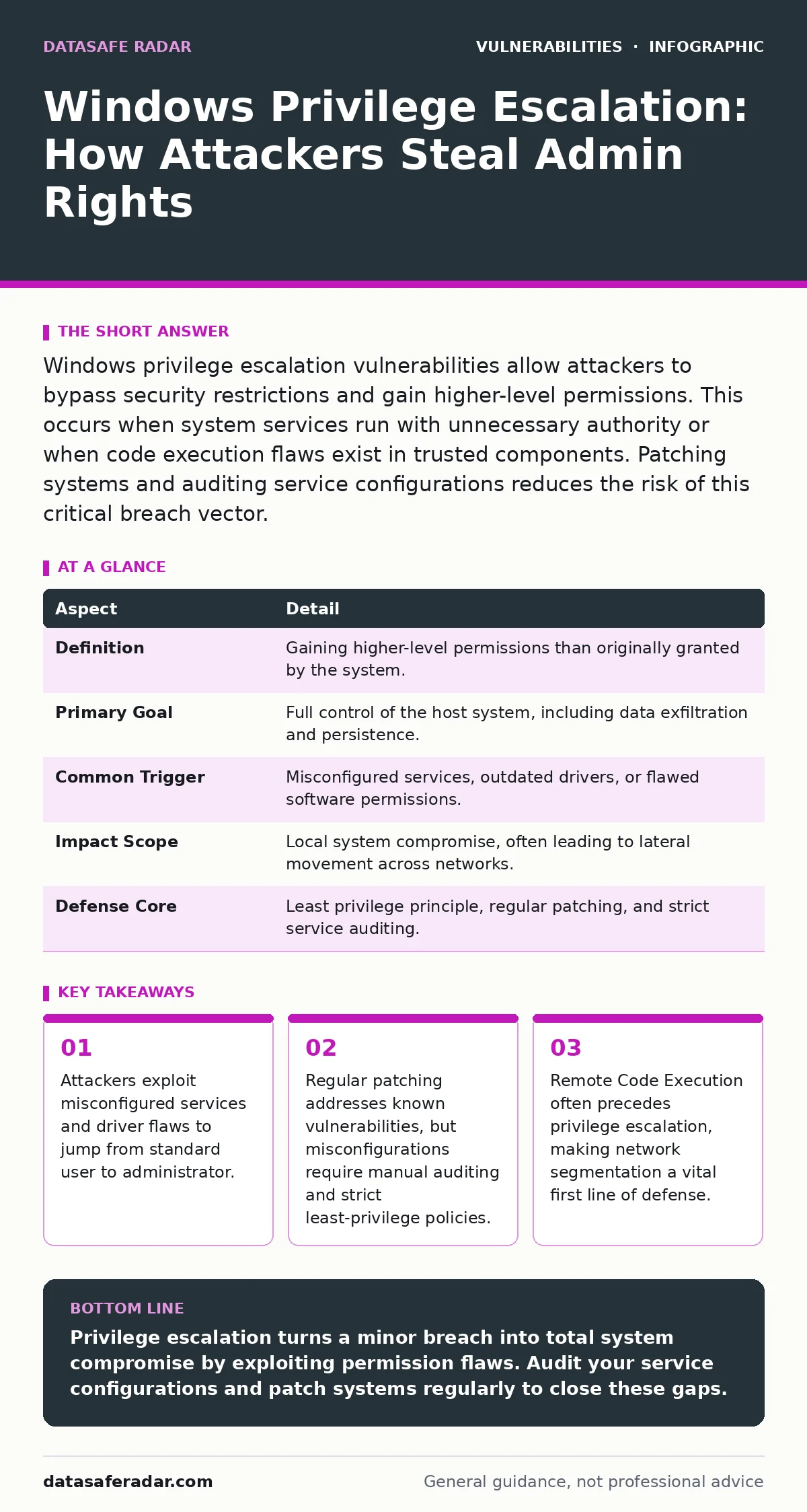
Windows privilege escalation vulnerabilities allow attackers to bypass security restrictions and gain higher-level permissions. This occurs when system services run with unnecessary authority or when code execution flaws exist in trusted components. Patching systems and auditing service configurations reduces the risk of this critical breach vector.
What Is Windows Privilege Escalation?
Windows privilege escalation vulnerabilities are flaws that allow a user or process to gain access to resources or actions normally restricted to higher-level accounts. In a standard Windows environment, most users operate with limited rights. This design prevents accidental system damage and limits the spread of malware.
When a vulnerability exists, an attacker can bypass these restrictions. They move from a constrained user account to an administrator or SYSTEM account. This shift grants total control over the operating system. The attacker can install software, read encrypted files, and disable security tools. The core issue is a breakdown in the boundary between low-privilege and high-privilege code.
| Aspect | Detail |
|---|---|
| Definition | Gaining higher-level permissions than originally granted by the system. |
| Primary Goal | Full control of the host system, including data exfiltration and persistence. |
| Common Trigger | Misconfigured services, outdated drivers, or flawed software permissions. |
| Impact Scope | Local system compromise, often leading to lateral movement across networks. |
| Defense Core | Least privilege principle, regular patching, and strict service auditing. |
How the Escalation Mechanism Works
The mechanism relies on the operating system trusting certain components more than others. Windows uses a security subsystem to manage access. When you log in, the system assigns a security token. This token defines what you can do. If a program runs with elevated rights, it inherits a more powerful token. Vulnerabilities arise when a low-privilege user can influence how a high-privilege process behaves.
Imagine a service that runs as SYSTEM but reads a configuration file from a folder where any user can write. An attacker modifies that file. When the service restarts, it executes the attacker’s code with full system rights. This is not a hack of the encryption. It is a failure of permission boundaries. The system assumes the service’s code is safe, but the input it processes is not.
Who Is Affected by These Flaws?
Every Windows installation is a potential target. The risk applies to personal computers, corporate workstations, and servers. Home users face threats from malware downloaded via phishing emails. These programs often attempt to elevate privileges to hide their presence. Enterprise environments face greater complexity. Servers run legacy applications that cannot be easily patched.
These systems often have services running with excessive permissions to maintain compatibility. The damage is severe for organizations because a single compromised workstation can serve as a foothold. Attackers use this initial access to move laterally. They seek domain controllers and sensitive databases. The impact is not limited to the infected machine. It threatens the entire network infrastructure.
Common Forms of Privilege Escalation
Several specific techniques dominate this attack vector. Understanding the form helps in identifying the fix.
- Misconfigured Services: Windows services are background programs. If a service is installed with weak permissions, any user can modify its binary or arguments. The attacker replaces the service executable with a malicious one. When the service runs, the attacker gains control. This is often due to improper installation scripts.
- Unquoted Service Paths: If a service path contains spaces and lacks quotes, Windows may execute a different file. For example, a path like
C:\Program Files\My App\service.exemight executeC:\Program Files\My.exeif that file exists. An attacker creates a maliciousMy.exein that directory. The system runs the attacker’s code instead of the intended service. - Kernel Mode Driver Flaws: Drivers operate at the lowest level of the OS. A bug in a driver can allow a user to write to kernel memory. This bypasses all user-mode protections. Hardware vendors sometimes release drivers with security flaws. These flaws persist until the vendor provides a patch.
- Token Manipulation: Some applications fail to validate the security token of the user. An attacker can trick the application into running commands with the application’s elevated token. This often happens in custom software that does not follow security best practices.
What People Usually Get Wrong
Many organizations believe that antivirus software prevents privilege escalation. This is a dangerous misconception. Antivirus scans for known malicious signatures. Privilege escalation often uses legitimate system tools. These tools are signed and trusted by Windows. The antivirus sees a valid system process executing code. It does not flag it as malware.
The attack is logical, not necessarily malicious in signature. Another common error is assuming that disabling admin accounts is enough. Attackers do not need to log in as an admin. They exploit the running processes that already have admin rights. Focusing solely on account passwords ignores the vulnerability in the code and configuration. You must secure the environment, not just the login credentials.
See also: Web Application Firewall Tuning: Mechanisms, Limits, and False Positives · AI Model Serving Framework Vulnerabilities: 8 Questions Answered
How to Reduce the Risk
Mitigation requires a layered approach. Start with the principle of least privilege. Users should only have the permissions they need for their job. Administrators should not run daily tasks with admin rights. Use separate accounts for administrative duties. This limits the exposure window. Regular patching is non-negotiable. Microsoft releases security updates that fix known escalation paths. Delaying these updates leaves known doors open.
Audit your services regularly. Check for services running with excessive permissions. Verify that service paths are quoted and located in secure directories. Review installed drivers. Remove unnecessary hardware drivers. These reduce the attack surface. Consider using application whitelisting. This restricts which programs can run on the system. It prevents unauthorized code from executing, even if an escalation vulnerability is found.
Related Security Contexts
Privilege escalation often follows other attack vectors. For instance, an attacker might first exploit a Java deserialization vulnerabilities issue in a web application to gain initial access. Once inside, they pivot to the local system. Understanding CVSS score ratings helps prioritize which patches to apply first. High scores often indicate remote code execution or privilege escalation. Similarly, EPSS score data can predict the likelihood of exploitation. This helps teams focus on the most probable threats.
In broader contexts, IoT device vulnerabilities often lack local privilege separation, making them easy targets. Medical device vulnerabilities pose similar risks due to legacy operating systems. GitHub Actions workflow injection can lead to code execution in build pipelines, which may then escalate privileges in deployment environments. Rowhammer attacks represent a hardware-level threat that can bypass memory protections, potentially aiding privilege escalation. Subdomain takeover is a web-specific issue, but the principle of exploiting misconfigurations remains relevant. Medical device vulnerabilities highlight the danger of unpatched systems in critical infrastructure.
The Reality of Protection
No system is immune to privilege escalation. New vulnerabilities are discovered regularly. Zero-day flaws bypass all current defenses. The goal is not perfect security. It is resilience. Reduce the number of ways an attacker can escalate. Limit the damage if they do. Monitor for unusual process behavior. Detect when a standard user process spawns a high-privilege child. This anomaly indicates a potential breach. Respond quickly. Isolate the affected machine. Investigate the root cause. Patch the vulnerability. Review similar systems. Continuous improvement is the only viable strategy. You must accept that attackers will find new ways. Your defense must adapt faster than their exploits.
Key takeaways
- Attackers exploit misconfigured services and driver flaws to jump from standard user to administrator.
- Regular patching addresses known vulnerabilities, but misconfigurations require manual auditing and strict least-privilege policies.
- Remote Code Execution often precedes privilege escalation, making network segmentation a vital first line of defense.
Privilege escalation turns a minor breach into total system compromise by exploiting permission flaws. Audit your service configurations and patch systems regularly to close these gaps.
Frequently asked questions
Can privilege escalation happen on a fresh Windows install?
Yes, if the installer misconfigures service permissions or if a vulnerable driver is installed immediately after setup.
Does using a standard user account prevent all escalation attacks?
No, it reduces the initial access surface, but vulnerabilities in running services can still allow escalation to admin rights.
How do I know if a service is misconfigured?
Check if the service path is quoted and if the binary permissions allow modification by non-administrators.
Is privilege escalation only a Windows issue?
No, similar concepts exist in Linux and macOS, though the specific mechanisms and terminology differ.
How this guide was produced: written by the DataSafe Radar editorial team with AI assistance, checked against the public references listed below, and reviewed when the facts change. See our editorial policy or report an error.