End-of-Life Software Management: 8 FAQs Answered
Running unsupported software creates technical debt that forces you to accept known vulnerabilities without the possibility of vendor patches or security updates.

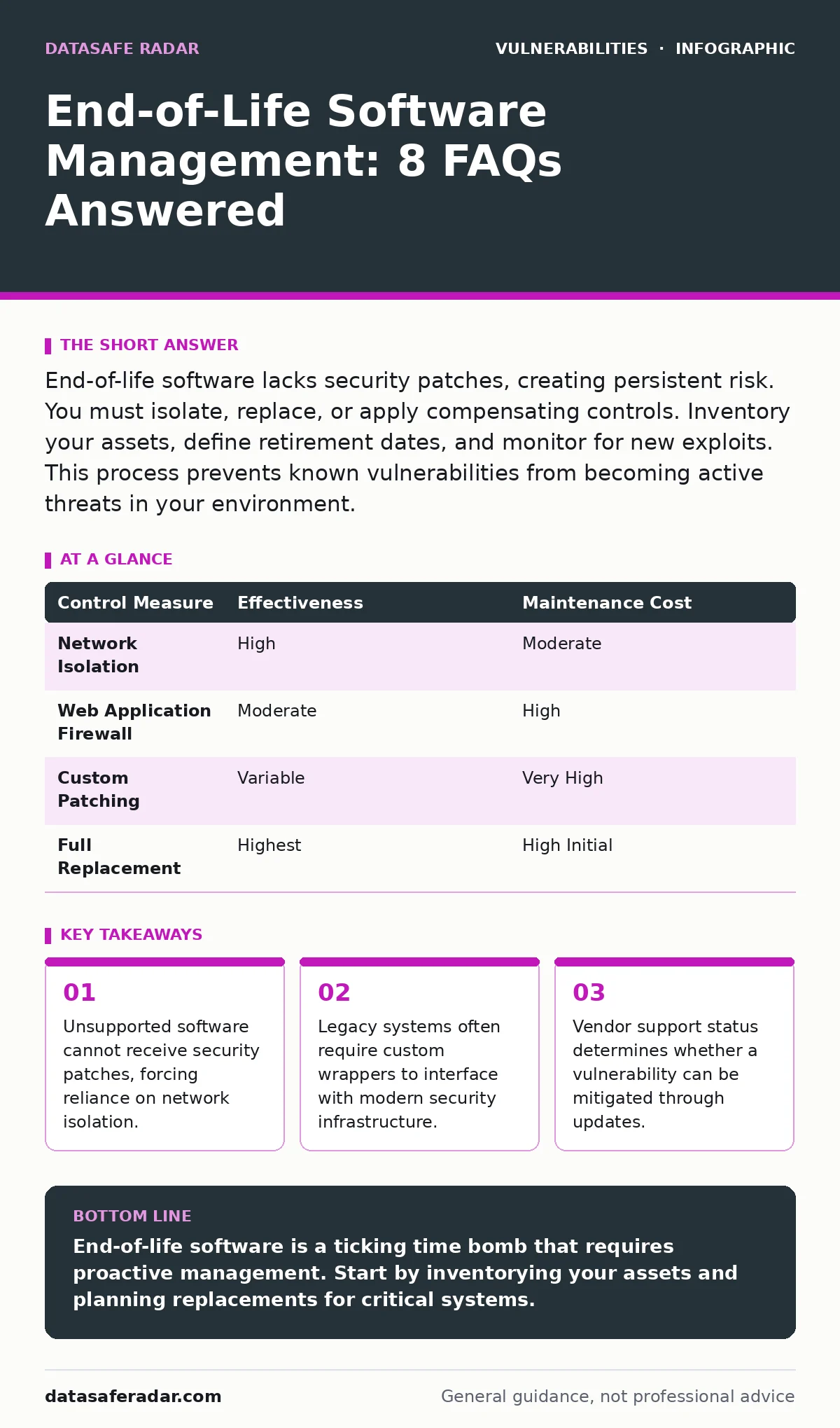
End-of-life software lacks security patches, creating persistent risk. You must isolate, replace, or apply compensating controls. Inventory your assets, define retirement dates, and monitor for new exploits. This process prevents known vulnerabilities from becoming active threats in your environment.
What defines end-of-life software?
End-of-life software is any application or operating system that the vendor no longer supports with security updates or bug fixes. The vendor stops releasing patches for discovered vulnerabilities. You continue using the software, but you do so without the safety net of official remediation. This status applies to operating systems, databases, and application frameworks. The risk accumulates as attackers document known flaws in these unsupported versions.
Why do vendors stop supporting software?
Vendors discontinue support to focus engineering resources on current products and to move customers to newer platforms. Maintaining old code requires significant effort and diverts attention from innovation. The vendor also limits liability by removing their obligation to fix bugs in outdated releases. This business decision forces you to make a technical choice. You either upgrade to a supported version or accept the security posture of the legacy code.
How do you find unsupported software in your network?
You conduct an automated asset inventory that checks vendor support status against installed versions. Manual discovery fails because hidden dependencies and shadow IT often run outdated components. Tools scan open ports and service banners to identify operating systems and application versions. You must also check for embedded components within larger applications. A web application might use an old library that has reached end-of-life, even if the main framework is current. This relates to Java deserialization vulnerabilities, where old libraries introduce severe risks.
What is the immediate risk of running unsupported software?
The immediate risk is exposure to known vulnerabilities that have no official patch. Attackers use automated scanners to identify these specific versions. Once identified, exploitation is straightforward because the fix is not available from the source. You become a low-hanging fruit for broad-spectrum attacks. The software may also fail to communicate securely with modern systems, creating integration gaps. These gaps can lead to subdomain takeover scenarios if DNS records point to decommissioned services.
Can you patch end-of-life software yourself?
You can apply community-provided patches or backports, but this introduces new risks. These unofficial fixes are not tested by the original vendor. They may introduce instability or new vulnerabilities. Applying a patch changes the software from its original state, which can void any remaining warranties or support agreements. You must test these modifications in an isolated environment first. This approach requires deep technical expertise and ongoing maintenance. It is often more reliable to use container image scanning to ensure base images are secure.
See also: Vulnerability Prioritization for Small Businesses · How to Implement Cloud Vulnerability Management Step by Step
How do you isolate unsupported systems?
You place unsupported systems behind strict network segmentation and firewalls. Access is limited to specific IP addresses and ports required for operation. You disable unnecessary services and close unused ports. This reduces the attack surface significantly. You also monitor traffic to and from these systems for anomalies. Isolation does not eliminate risk, but it contains potential breaches. This strategy helps mitigate side-channel attacks by limiting the data exfiltration paths available to an attacker.
What are compensating controls for legacy systems?
Compensating controls are additional security measures that reduce risk when a primary control fails. For unsupported software, this includes web application firewalls and intrusion prevention systems. These tools filter malicious traffic before it reaches the application. You also implement strict access controls and multi-factor authentication. Regular audits ensure these controls remain effective. This is similar to addressing business logic flaws, where standard tools miss logical errors, requiring custom monitoring rules.
When should you replace end-of-life software?
You replace unsupported software when the cost of maintaining compensating controls exceeds the cost of migration. You also replace it when the software no longer meets business requirements or integrates poorly with modern tools. Delaying replacement increases technical debt and security risk. You should plan migrations well before the end-of-life date. This prevents rushed implementations that often introduce buffer overflow vulnerabilities due to poor testing.
| Control Measure | Effectiveness | Maintenance Cost |
|---|---|---|
| Network Isolation | High | Moderate |
| Web Application Firewall | Moderate | High |
| Custom Patching | Variable | Very High |
| Full Replacement | Highest | High Initial |
How do you manage the transition period?
You create a detailed migration plan with clear milestones and rollback procedures. You test the new software in a staging environment that mirrors production. You train staff on the new tools and workflows. You monitor the new system closely after deployment. This phased approach minimizes disruption and ensures security. You also review cross-site request forgery (CSRF) protections in the new application to ensure modern standards are met.
What happens if you ignore end-of-life software?
Ignoring unsupported software leads to inevitable compromise. Attackers will eventually exploit known vulnerabilities. The impact grows as the software becomes more integrated with critical business processes. Recovery becomes more difficult and costly. You may face regulatory penalties for failing to maintain reasonable security. This is worse than runtime application self-protection (RASP) failures, as there is no active defense mechanism to detect exploitation.
Key takeaways
- Unsupported software cannot receive security patches, forcing reliance on network isolation.
- Legacy systems often require custom wrappers to interface with modern security infrastructure.
- Vendor support status determines whether a vulnerability can be mitigated through updates.
End-of-life software is a ticking time bomb that requires proactive management. Start by inventorying your assets and planning replacements for critical systems.
Frequently asked questions
Can I run unsupported software in the cloud?
You can, but cloud providers may not support it, and you remain liable for security breaches. Cloud isolation helps, but known vulnerabilities are still exploitable if access is gained.
How long should I keep legacy systems?
You should replace them as soon as a viable, supported alternative exists. Delaying increases risk and technical debt. Aim for a transition period of 6 to 12 months after end-of-life announcement.
Are open-source tools exempt from end-of-life?
No, open-source projects can reach end-of-life too. If the community stops maintaining a version, it becomes unsupported. You must track community support status just like commercial products.
What if my vendor offers paid extended support?
You can use it as a temporary bridge, but it is expensive and still not a permanent solution. Plan to migrate to a supported version within the extended support window.
How this guide was produced: written by the DataSafe Radar editorial team with AI assistance, checked against the public references listed below, and reviewed when the facts change. See our editorial policy or report an error.